
Aging-in-place kitchen guide
Refrigerator Organization Tips for Seniors
Who Cannot See Small Labels
A refrigerator can become surprisingly demanding when every yogurt lid, leftover container, condiment bottle, and expiration date seems to have been printed for an eagle. The problem is not simply that the letters are small. It is that dozens of tiny decisions suddenly depend on seeing them.
A better fridge does not ask an older adult to become better at squinting. It makes the important answers obvious through predictable locations, bold labels, fewer look-alike containers, better lighting, comfortable reach, and one unmistakable place for food that should be used first.
This guide focuses on practical changes that can work for an older adult organizing independently or for a family caregiver helping without turning the refrigerator into somebody else’s system. The aim is simple: open the door, recognize what matters, choose safely, and close it without a small-print scavenger hunt.
The best fridge system is not the prettiest one. It is the one that still makes sense on a busy Tuesday morning. 👓
Snapshot
This guide is for older adults who struggle with small refrigerator labels and for caregivers helping them maintain independence. You will learn how to organize by location, improve readability, simplify dates, compare inexpensive and more advanced low-vision tools, and test whether the refrigerator can be used confidently without relying on tiny print.
Table of Contents
Before You Change the Fridge: Safety Still Comes First
Before You Act
This article offers general home-organization and low-vision accessibility ideas. It cannot determine whether a food is safe to eat, diagnose a vision problem, or replace instructions from a food manufacturer, appliance maker, eye-care professional, occupational therapist, or other qualified professional. When food safety information cannot be read confidently, confirm it rather than guessing.
A refrigerator accessibility project has two jobs. It should make food easier to identify, and it should avoid creating a false sense of certainty about food safety.
Organization labels such as USE FIRST or MONDAY are memory aids. They do not replace original storage instructions, allergen information, manufacturer directions, or a reliable temperature check.
For refrigerated food, one number deserves an oversized role: the U.S. Food and Drug Administration recommends keeping the refrigerator at 40°F (4°C) or below. A separate appliance thermometer can make that temperature easier to verify than relying only on a control dial.
Key takeaway
Make the refrigerator easier to understand, but keep temperature, storage instructions, allergy information, and uncertain food-safety decisions in the “verify, do not guess” category.
Start With Zones, Not Tiny Print
Give every shelf one obvious job
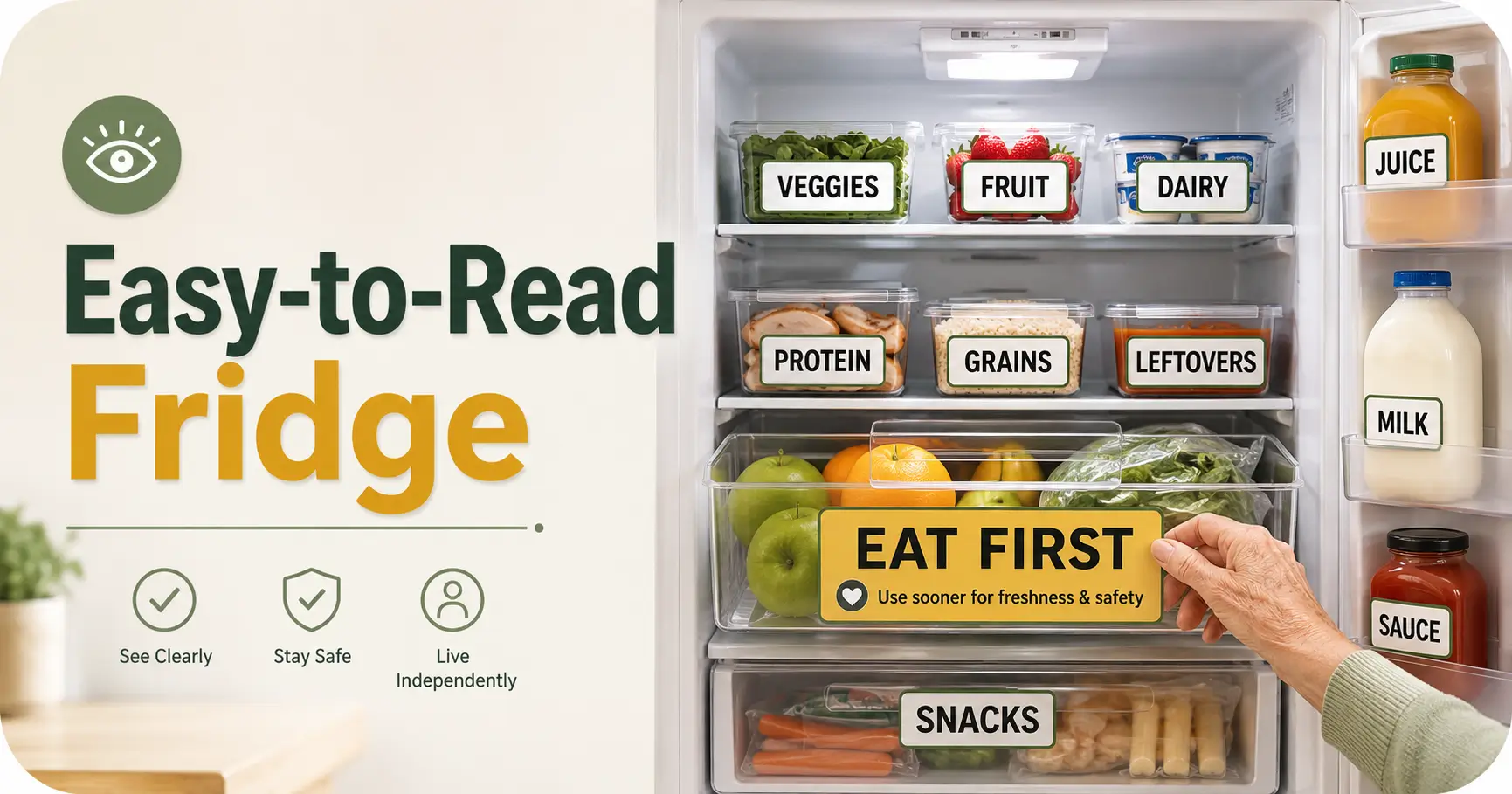
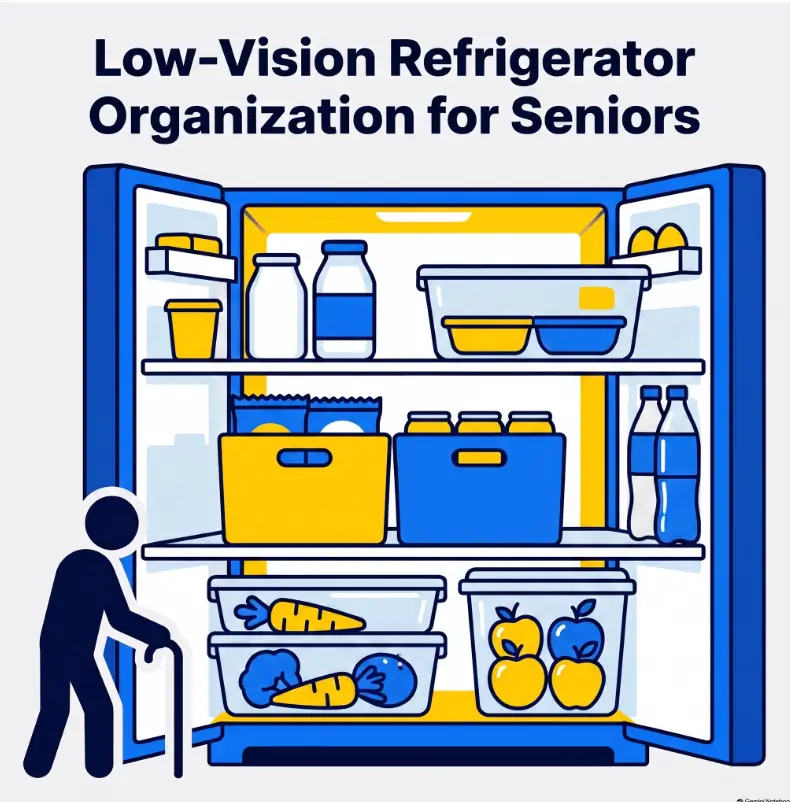
The strongest low-vision refrigerator system begins with location. If breakfast foods always live on the same shelf, prepared meals always occupy the same bin, and drinks always return to the same area, the refrigerator starts answering questions before a label is read.
Think in broad categories rather than dozens of tiny subcategories. “Breakfast,” “Meals,” “Drinks,” “Produce,” and “Use First” are usually easier to maintain than an intricate system with separate homes for every cheese, dressing, spread, and snack.
Put everyday foods where eyes and hands naturally go
Middle shelves are valuable visual real estate. Give them to foods that are used frequently, especially items an older adult retrieves independently.
A rarely used jar does not deserve the easiest spot simply because it has been sitting there since the previous presidential administration. Move occasional items aside and give milk, prepared meals, yogurt, fruit cups, or other daily foods the positions that require the least searching, bending, and container rotation.
Here’s the part labels can’t fix: location memory
When a person cannot easily decode fine print, repeated location becomes another form of information. The left side of the middle shelf can mean breakfast. A front bin can mean foods that should be checked first. A specific door shelf can mean beverages that are appropriate to store there.
This is also why caregivers should resist the urge to “improve” the refrigerator every few days. A tidy system that keeps moving is harder to use than a slightly imperfect system that stays predictable.
| Zone | Good location | What belongs there | Why it helps |
|---|---|---|---|
| Everyday foods | Middle shelf, front | Frequently used items | Less bending and searching |
| Prepared meals | Dedicated eye-level area | Leftovers and ready meals | Fewer mystery containers |
| Use First | Front and highly visible | Opened or older items | Reduces forgotten food |
| Produce | Consistent drawer or bin | Fruit and vegetables | Predictable retrieval |
| Occasional items | Less prominent shelf area | Rarely used ingredients | Protects prime visual space |
If pantry organization presents the same problem, the same “location before label” principle can be carried into a large-label pantry system for seniors.
Make Labels Visible From a Step Away
Large print beats clever organization
A label should answer one question quickly. That means short words often work better than detailed descriptions.
- MILK
- LUNCH
- USE FIRST
- SOUP
- AUG 8
- DAD or MOM when household ownership matters
The ideal size is not a magic number that suits every person. Reading distance, contrast sensitivity, lighting, central vision, and the individual’s usable vision all matter. If you need a starting framework, this guide to choosing readable font sizes for seniors can help you think beyond ordinary packaging print.
Build contrast before adding more color
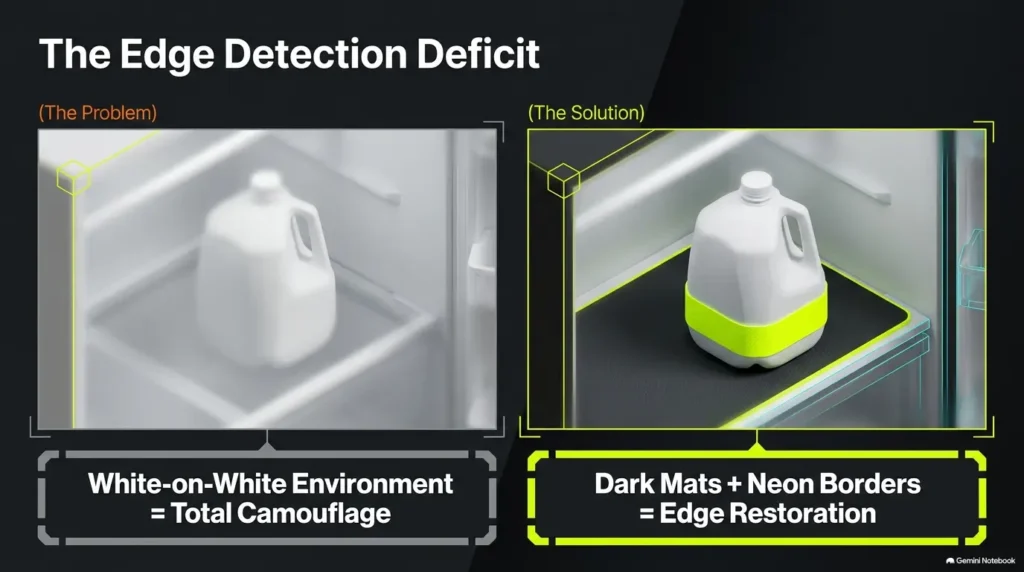
High contrast is often more useful than a rainbow of categories. Dark lettering on a light matte background, or light lettering on a dark matte background, can make a label easier to locate before the letters themselves are fully read.
Avoid turning the refrigerator into a craft-store explosion. Too many colors, patterns, stickers, borders, and decorative fonts create visual noise. The job of a label is to be boring in the most useful possible way.
Do not depend on color alone
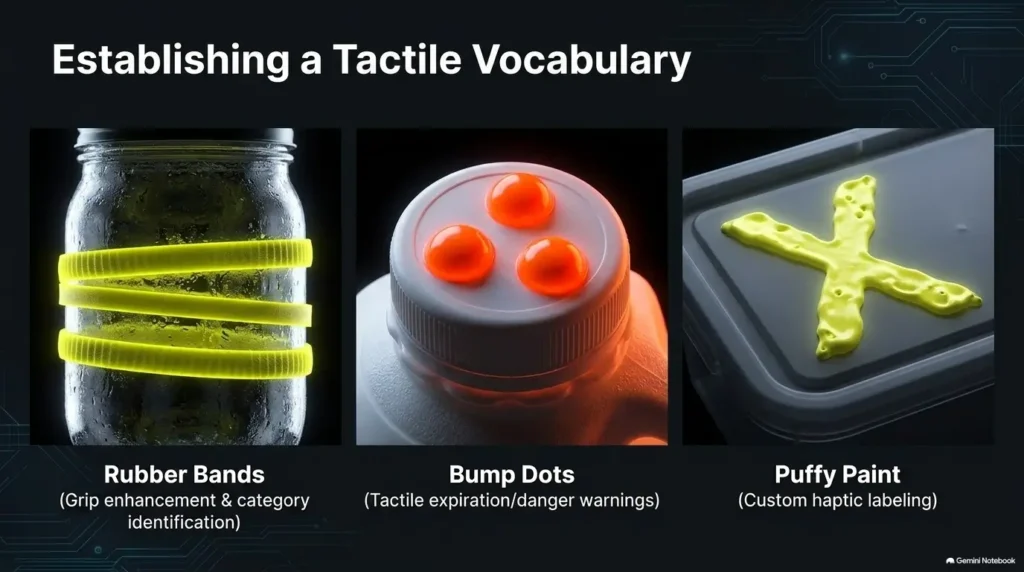
Age-related vision changes can make some color differences less reliable. Pair color with another cue such as a printed word, symbol, tactile mark, container shape, or fixed location.
For example, a yellow label can also say BREAKFAST. A blue bin can always occupy the same shelf position. A tactile dot can distinguish one similar container from another.
Good / Better / Best label setup
Large handwritten words on high-contrast removable labels.
Large printed labels, fixed placement, plus consistent shelf zones.
Large print combined with tactile cues, magnification, read-aloud tools, or vision-rehabilitation guidance.
Before spending money on specialty equipment, try the inexpensive version for a week. If large labels and fixed zones solve the problem, more equipment may add complexity rather than value. If they do not, compare low-vision aids by the actual task they need to solve. This low-vision tools guide for seniors offers a broader starting point.
The “Eat First” Bin Solves the Forgotten-Food Problem
Give older food one visible home
One of the most useful refrigerator organization ideas for seniors with poor eyesight is remarkably low-tech: create a single EAT FIRST or USE FIRST area.
Put opened foods, leftovers, and foods that deserve attention there during a regular fridge check. The purpose is not to declare everything in the bin safe. The purpose is to reduce the number of places a person must inspect when deciding what to eat next.
Make the decision before hunger arrives
At lunchtime, nobody wants to become a forensic investigator of six nearly identical containers. Sorting food into an “eat first” zone during grocery day or a scheduled cleanup moves some of that decision-making to a calmer moment.
This works particularly well when a caregiver visits periodically. Instead of rearranging the entire refrigerator, the caregiver can review older items with the person using the fridge, then move appropriate items into one familiar zone.
Short Story: One shelf changed lunch
Imagine an older father who can still cook his own breakfast and lunch but no longer reads small container labels comfortably. His daughter begins putting leftovers into clear boxes and writing detailed notes on each lid.
The refrigerator looks wonderfully organized. It also creates a new problem: all the boxes look alike, and the handwriting is still too small from standing distance.
They simplify. Prepared food goes on one middle shelf. The meal intended for the next day goes in a front bin marked EAT FIRST. Labels become one or two large words plus a big date.
A week later, the system is less photogenic but far easier to use. The practical lesson is quiet but important: accessibility often improves when information is removed, not added.
Key takeaway
A single “use first” location can do more than a dozen tiny date labels because it reduces searching before reading even begins.
Date Labels Without Eyestrain
Use one date format every time
Consistency matters more than cleverness. A large format such as AUG 8 is easier to interpret than switching between 8/8, 08-08, Friday, and “two days ago.”
Choose one household format and stick with it. If more detail is genuinely needed, add a short word such as OPENED AUG 8 or MADE AUG 8.
Label the container, not the crumpled wrapper
Put secondary date labels where they remain visible when food is stacked or moved. A label hidden on the lid of a container under another container has technically been labeled and practically disappeared.
When original package dates are difficult to read, magnification or read-aloud phone tools can help. For a deeper workflow, see this guide to reading expiration dates with low vision.
When original information still matters
A homemade label should not replace manufacturer directions. Some foods have specific refrigeration, handling, or storage instructions, and a caregiver-created date cannot tell you everything printed on the original packaging.
Show me the nerdy details
Readable labeling depends on more than character size. Contrast, glare, viewing distance, letter shape, spacing, illumination, and the person’s usable field of vision all affect recognition.
This is why testing a label from the person’s normal standing position is more useful than choosing a font size by theory alone. A technically “large” label that reflects the refrigerator light can still be difficult to use.
Containers, Lighting, and Recognition
Clear containers can backfire
Transparent containers sound ideal because you can see the food. The trouble begins when six clear containers hold pale foods that look nearly identical from a distance.
Visibility is not the same as recognition. If the person still has to lift, rotate, smell, or open every container, the system is asking too much.
Pair containers with oversized identifiers
- Use one large word on the front or lid edge.
- Assign one shelf position to prepared meals.
- Use a tactile dot or band to distinguish similar items.
- Avoid transferring everything into identical containers unless the new system truly improves recognition.
- Prefer easy-grip containers if hand strength or arthritis is also a concern.
Lighting matters more than another organizer
Before buying bins, inspect what disappears inside the fridge. Is the interior light blocked by tall containers? Does the back shelf fall into shadow? Do glossy labels throw glare directly toward the person’s eyes?
Older adults often benefit from better illumination and clearer contrast, but “brighter” is not automatically better if it produces uncomfortable reflections. Aim for usable, even light with less glare.
The Z-M-L-T Fridge Reset
Give common foods permanent homes.
Use short, large, high-contrast words.
Reduce shadows and troublesome glare.
Find key items without reading fine print.
If glare is a recurring problem beyond the refrigerator, related changes in kitchen surfaces and lighting can matter too. The same principle appears in guidance on reducing kitchen lighting glare on glossy surfaces.
Common Mistakes That Make a Fridge Harder to See
Mistake 1: labeling everything in tiny handwriting
If a homemade label requires reading glasses, a flashlight, and diplomatic negotiations with the refrigerator door, it has recreated the original problem.
Mistake 2: using color with no backup cue
Use color as reinforcement, not as the sole language of the system. Add text, shape, position, or tactile information.
Mistake 3: stacking food three deep
Deep stacks create invisible inventory. A front container becomes a curtain hiding everything behind it. When possible, keep high-use categories shallow enough that foods can be identified without unloading half a shelf.
Mistake 4: constantly changing where things belong
This often happens with well-meaning caregivers. Each visit brings a slightly better arrangement, and each arrangement erases the location memory built by the previous one.
Unless a placement is unsafe or physically difficult to reach, consistency usually deserves more weight than aesthetic perfection.
Mistake 5: organizing for photographs instead of retrieval
An attractive fridge can still fail its user. Matching containers, subtle labels, coordinated pastel colors, and perfectly aligned bottles are not accessibility features unless they make identification easier.
| Common “helpful” idea | Why it can fail | Safer alternative |
|---|---|---|
| Tiny detailed labels | Still requires close reading | One or two large words |
| Color-only coding | Colors may be hard to distinguish | Color plus words or symbols |
| Identical clear containers | Contents can look alike | Large identifiers plus fixed zones |
| Deep stacking | Food disappears behind food | Shallower rows and front-facing labels |
| Frequent rearranging | Breaks spatial memory | Stable category locations |
Money-saving rule
Do not buy a complete set of organizers first. Test one shelf with removable labels and containers you already own. Buy specialty bins, printers, tactile markers, magnifiers, or other aids only after you know which task remains difficult.
Door Storage and Temperature: Convenience Is Not the Only Rule
Easy to reach does not always mean right place
The refrigerator door is visually convenient, which makes it tempting to put every frequently used food there. But organization should not override storage guidance from the appliance manufacturer or the food label.
Use door storage for items appropriate for that location in your appliance, and keep temperature-sensitive storage decisions grounded in reliable instructions rather than convenience alone.
Make the temperature easy to read
An accessible refrigerator thermometer deserves the same attention as labels. Look for a display that can be read from a comfortable position and is placed where it can be checked without moving several containers.
The goal is not to buy the fanciest thermometer. It is to make the refrigerator’s actual temperature easy to confirm.
| Option | Best for | What to compare |
|---|---|---|
| Basic large-display thermometer | Budget-conscious households | Digit size, viewing angle, simple mounting |
| High-contrast digital thermometer | Reduced contrast sensitivity | Display clarity, glare, battery changes |
| Talking or connected temperature aid | People who cannot reliably read displays | Ease of setup, alert clarity, maintenance burden |
Price should follow need. A simple readable thermometer may be enough. A more advanced device may be worth considering when visual checking itself remains unreliable or when a caregiver needs another accessible way to verify the reading.
Key takeaway
Treat the refrigerator temperature display as part of the accessibility system. Important safety information should not be hidden behind small digits, menus, or crowded shelves.
Who This Setup Is For, and When It Is Not Enough
Best fit: older adults struggling with small package text
This setup can help people who remain actively involved in preparing food but have increasing difficulty with near print, low contrast, dim areas, glare, or distinguishing similar packaging.
Someone with ordinary age-related near-vision difficulty may need only better labels and lighting. A person with more significant low vision may need a combination of magnification, tactile systems, voice technology, environmental changes, and professional low-vision support.
For families trying to understand whether the issue is mainly ordinary near-vision change or something that deserves more attention, this guide on helping an aging parent with presbyopia offers useful context.
Also useful for family caregivers
A caregiver-friendly fridge should be shared infrastructure, not a takeover. Ask the older adult where they naturally expect foods to be, which labels are actually readable, and what they already recognize by shape or location.
Then simplify together. The person who uses the refrigerator every day should not have to relearn it after every grocery trip.
When organization alone is not enough
If vision loss is making everyday tasks substantially harder, if the change is new or worsening, or if the person can no longer identify important labels even after reasonable adaptations, an eye-care professional can help assess what is happening.
Low-vision rehabilitation can also help people adapt everyday activities and maintain independence using environmental changes, assistive devices, and task-specific strategies.
The 10-Second Fridge Test
A refrigerator can look organized while still requiring too much visual work. The quickest way to find out is to test actual tasks.
Test 1: find the milk
Can the correct container be identified immediately without rotating several bottles or bringing the label close to the face?
Test 2: find tonight’s prepared meal
Can it be distinguished from yesterday’s leftovers or another family member’s food using position, a large label, or another obvious cue?
Test 3: identify what should be used first
Is there one obvious zone, or does the person need to inspect dates across the entire refrigerator?
Test 4: check the temperature
Can the reading be checked without crouching, squinting, moving food, or navigating a confusing appliance menu?
10-Second Scorecard
0 hesitations: The system is doing its job.
1 hesitation: Fix that one label, position, or lighting problem.
2 to 3 hesitations: Simplify zones and reduce look-alike items.
4 hesitations: Rebuild one shelf from scratch and consider additional low-vision tools or professional guidance.
Do not interpret hesitation as a memory failure. Treat it as design feedback. Every pause tells you where the refrigerator is making the user work too hard.
FAQ: Refrigerator Organization for Seniors With Low Vision
What type of refrigerator labels are easiest for seniors to read?
Use large, simple lettering with strong contrast, short wording, generous spacing, and consistent placement. Test the label from the person’s normal viewing distance rather than assuming that a particular font size will work for everyone.
Is color coding a good refrigerator system for older adults?
It can be helpful as a secondary cue. Pair colors with large text, symbols, tactile markers, container shapes, or stable shelf positions so the system does not depend on color discrimination alone.
Where should frequently used foods go in a senior-friendly refrigerator?
Keep high-use foods in positions that are comfortable to see and reach, commonly around the middle shelves, while still following appropriate food-storage instructions. Avoid forcing someone to bend deeply or search behind several less-used items for everyday foods.
Are clear refrigerator bins better for someone with poor eyesight?
Sometimes. Transparency can help when the contents are visually distinctive. It can be less useful when several foods look alike. In those cases, combine the clear bin with a large label, tactile cue, or dedicated location.
How can a caregiver organize a refrigerator without confusing the senior using it?
Keep existing location habits whenever they are safe and workable. Make changes collaboratively, use a small number of broad zones, and avoid repeatedly moving categories once the person has learned their locations.
What helps when expiration dates are too small to read?
Try magnification, a smartphone magnifier or read-aloud feature, large secondary date labels, and caregiver assistance when needed. Do not guess at original storage or safety information that cannot be confidently read.
Should I buy a label printer for an older parent?
Only if it solves a real readability problem. A thick marker and removable high-contrast labels may work perfectly well. If printing makes it easier to create larger, more consistent labels, compare print size, contrast, ease of changing labels, and whether the older adult can use or maintain the system independently.
When should we consider professional low-vision help?
Consider asking an eye-care professional when vision changes are new, worsening, unexplained, or substantially interfere with everyday tasks. Vision rehabilitation may be useful when ordinary changes such as brighter lighting and larger labels are not enough.
Fix One Shelf Today: Your 15-Minute Next Step
Do not reorganize the entire refrigerator tonight. Pick the shelf used most often and make it noticeably easier.
- Remove expired, questionable, duplicate, or forgotten items according to appropriate food-safety guidance.
- Move the most frequently used foods to the easiest positions.
- Create one clearly marked EAT FIRST area.
- Replace unreadable homemade labels with large, high-contrast words.
- Reduce deep stacking so important foods remain visible.
- Check whether interior lighting is blocked or creating glare.
- Confirm that the refrigerator temperature can be read easily.
- Close the door, reopen it, and perform the 10-second test.
Then leave the system alone for seven ordinary days. Let it face breakfast, grocery bags, leftovers, late-night snacks, and the inevitable moment when somebody puts the milk in the wrong spot.
If the shelf still works, copy its logic elsewhere. If it does not, change only the part that caused hesitation. That is a far better test than buying an entire matching organizer set and discovering that the refrigerator has become prettier but harder to use.
The practical promise
A senior-friendly refrigerator should reduce the number of times someone must bend, squint, rotate a container, remember a changing location, or decode small print. When the fridge begins explaining itself through position, contrast, and repetition, independence requires less visual effort.
Last reviewed: 2026-09