

Organize your questions and next steps, then save your worksheet.
Summary and next steps
How to enlarge sheet music for seniors with clearer print, better PDFs, and tablet options.
Editorial maintenance: October 24, 2026. Summary layout, related links and technical metadata updated. This is not a full clinical review.

Senior-Friendly Music Reading Guide
How to Enlarge Sheet Music for SeniorsWithout Ruining the Page
A familiar score can suddenly begin to feel strangely distant. Accidentals blur into staff lines, penciled fingerings disappear, and the music stand creeps closer until posture and playing comfort begin paying the bill. For older musicians, simply making everything enormous is rarely the whole answer.
The useful goal is not maximum magnification. It is comfortable notation at actual playing distance, with enough contrast, spacing, musical context, and page stability to keep the eyes on the music instead of wrestling with the paper.
This guide shows how to enlarge printed scores, PDFs, and digital sheet music; how to choose between letter and 11×17 paper; when a tablet makes sense; and how to avoid spending money on an elaborate setup when a crop, a better lamp, or one carefully tested print page would do the job.
The test that matters: Can the musician read the smallest important markings comfortably from the place where the music actually sits? 🎼
Snapshot
This guide is for older pianists, instrumentalists, choir members, church musicians, caregivers, and teachers who need more readable notation. You will learn how to test 125%–175% enlargement, choose paper or digital options, preserve contrast and page flow, and decide whether a free DIY fix is enough or a more capable setup is worth considering.
Table of Contents
Before You Act
This article is about making music easier to see, not diagnosing vision problems or prescribing eyewear. Presbyopia is a common age-related focusing change, but low vision can have other causes and aging alone does not explain every loss of sight. Sudden, severe, one-sided, or rapidly worsening vision changes deserve prompt professional evaluation.
Start Here: Bigger Notes Are Only Half the Fix
Imagine enlarging a difficult piano page to 150%. The noteheads are bigger. Excellent. Unfortunately, the scan is pale, the penciled fingering is still ghostlike, the left margin consumes an acre of paper, and the last measure has migrated onto another sheet.
That is why the best way to enlarge sheet music for aging eyes is to treat readability as a small system. Size, contrast, spacing, distance, lighting, and page flow all matter.
Why 150% enlargement can still feel surprisingly hard to read
Magnification helps only with the details that survive the process. If a scan has weak blacks, fuzzy staff lines, gray pencil marks, or a shadow near the binding, enlarging it magnifies those weaknesses too.
There is also a geometry problem. Bigger music means fewer measures fit on a line and fewer systems fit on a page. At some point the eye wins while the musician loses because the score becomes a small forest of page turns.
What aging eyes are actually fighting
Presbyopia makes close focusing more difficult as the eye ages. Older adults may also notice that glare, contrast, and comfortable reading distance affect how clearly a page appears. The result is why a crisp, well-lit score can feel easier than a larger but muddy copy.
If ordinary print has also become troublesome, the site’s guide to presbyopia reading tips for seniors offers a broader reading setup beyond music.
Key takeaway: Do not ask, “How large can I make this?” Ask, “What is the smallest version that is comfortably readable from normal playing distance?” That preserves more music per page.
Choose the Right Enlargement Method Before Touching the Copier
The cheapest method can be perfectly adequate if the source is good. The expensive method can be a waste if the real problem is lighting or an out-of-date vision correction. Match the tool to the score before buying equipment or converting an entire library.
Printed score only? Start with copy enlargement
A copier or print shop is often enough for a few pages, hymns, rehearsal excerpts, or a score that already has strong black notation. Crop or mask unnecessary margins first whenever the equipment allows it, then enlarge.
If a bound book cannot lie flat, watch for dark gutter shadows. They can swallow notes near the binding. A cleaner scan of the needed pages may be more useful than repeatedly photocopying the book.
Have a PDF? You have far more control
A PDF lets you experiment without committing ink and paper. You can crop blank borders, change orientation, enlarge only difficult pages, split oversized pages, and test several print scales before producing the whole score.
Have notation files? Reflow beats brute-force enlargement
If you have the editable notation file, software such as MuseScore, Dorico, Sibelius, Finale, or another notation editor can change staff size and spacing instead of merely stretching a finished page. That can keep logical phrases together and prevent oversized titles and margins from consuming space.
| Starting material | Best first option | Main advantage | Watch for |
|---|---|---|---|
| Clean printed score | Copier or print shop | Fast and simple | Gutter shadows, margins, page count |
| PDF score | Crop and print-scale workflow | Excellent control without rebuilding music | Low-resolution scans |
| Editable notation file | Notation software | True reflow and staff-size control | Time needed to proof the new layout |
| Frequently changing repertoire | Tablet or digital reader | No recurring printing | Screen size, glare, page turning |
Before reproducing copyrighted sheet music, also consider whether you own the necessary rights or permission. Musical compositions and notated sheet music can be protected by copyright, and enlargement for convenience does not automatically erase those rights. The U.S. Copyright Office’s information for musicians is a useful starting point when the status of a work is unclear.
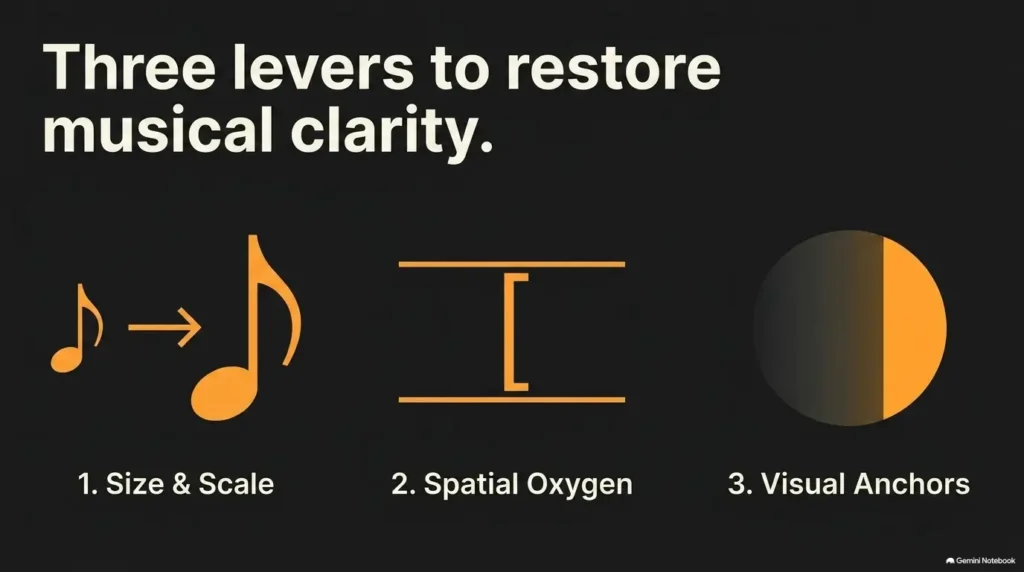
The 125%–175% Rule: How Large Should Sheet Music Be?
There is no universal percentage for senior-friendly sheet music. A practical starting range is about 125%, 150%, and 175%, tested side by side. These are useful trial settings, not medical thresholds.
Start at 125%, then test from playing distance
A score can look magnificent when inspected 12 inches from your nose and become miniature architecture when placed on a piano rack. Make the decision from the musician’s normal position, wearing the eyewear normally used for playing.
Test a dense page rather than an easy one. Look for accidentals inside chords, ledger lines, lyrics, fingerings, bowings, rehearsal letters, dynamics, and handwritten markings.
When 150% becomes the practical middle ground
Moderate enlargement often gives the most useful compromise because it increases detail without immediately exploding the score into twice as many pages. If 150% is comfortably readable, there is little prize for marching onward to 200%.
When 200% creates a new problem
Very large notation can destroy visual context. A pianist may need to see the harmonic destination several beats ahead. A choir member may rely on lyrics and neighboring voices. An ensemble player may need enough upcoming measures visible to prepare an entrance.
A readable note that arrives on the next sheet half a second too late is not especially helpful.
The four-step large-print score workflow
Choose the densest representative page.
Remove wasteful blank border space.
Print roughly 125%, 150%, and 175%.
Choose the smallest comfortably readable version.
8.5×11 vs 11×17: The Paper-Size Decision That Changes Everything
Standard U.S. letter paper is convenient, cheap to handle, and friendly to ordinary printers. It is also where enlargement eventually collides with physics.
Why standard letter paper hits a ceiling
Once a full page is enlarged substantially, something has to give. The score may be cropped, tiled across multiple sheets, or reduced in the amount of music visible at once.
Before changing paper, remove unused margins. A score surrounded by wide white borders is quietly paying rent for space nobody needs.
Why 11×17 can preserve musical context
Larger paper lets you increase the physical size of the notation while keeping more of the original page intact. This can be especially useful for piano, organ, choir, chamber music, and other situations where seeing several systems at once matters.
The tradeoff is handling. Large sheets need a stand or rack wide enough to support them, and flimsy paper may curl, sag, or behave theatrically whenever a door opens.
Landscape printing can rescue wide passages
Landscape orientation can work beautifully for scores whose width is the limiting factor, particularly when only one system or a few measures need exceptional enlargement. It can become awkward for ordinary vertical page flow, so test it with the actual stand before converting a whole book.
| Setup | Best for | Relative cost | Primary tradeoff |
|---|---|---|---|
| Good: cropped letter-size print | Moderate enlargement and occasional use | Low | Less room for very large scaling |
| Better: 11×17 large-print score | Regular performance with larger notation | Low to moderate | Needs compatible printer, copier, stand, or print shop |
| Best for flexible repertoire: digital tablet setup | Frequent score changes and storage reduction | Moderate to high | Screen glare, device learning curve, battery management |
Show me the nerdy details
Scaling changes linear dimensions. A page printed at 150% makes a 4 mm object roughly 6 mm in the output, but it also enlarges the page footprint in both directions. That is why a 50% increase in note size can create a much larger layout problem than the number “150%” first suggests. Cropping blank margins before scaling uses the available paper area more efficiently.
PDF Enlargement: The Cleanest Method for Most Seniors
If you already have a legitimate PDF, begin there rather than printing it and scanning it again. Every unnecessary analog-to-digital-to-paper loop gives dust, skew, gray backgrounds, and soft edges another invitation to the party.
Crop margins before changing print scale
- Save a working copy of the original PDF.
- Choose one representative difficult page.
- Crop unnecessary white borders without removing measure numbers or annotations.
- Print test versions at approximately 125%, 150%, and 175%.
- Check whether the full musical line remains usable.
- Only then apply the winning approach to the remaining pages.
Try poster or tiled printing when larger paper is unavailable
Poster or tiled printing divides one enlarged page across multiple sheets. It can rescue an especially dense passage when the available printer handles only letter paper.
It is less attractive for a 40-page sonata unless assembling paper mosaics is your secret second hobby. Use tiling selectively for difficult movements, practice pages, or stationary rehearsal material.
Preserve the original PDF
Keep an untouched master file. Store enlarged versions with obvious names such as “150-percent-letter” or “11×17-large-print.” That makes it much easier for a caregiver, teacher, librarian, or future you to remember what worked.
Key takeaway: A 40-page score that becomes 80 loose pages may be technically larger and practically worse. Count page turns before celebrating the magnification.
Tablet Sheet Music: Bigger Without Printing Bigger
A tablet changes the equation because enlargement no longer costs paper. For a musician with a large repertoire, that can be liberating. It can also introduce screen reflections, battery dependence, unfamiliar controls, and the occasional thrilling moment when a finger swipe turns two pages instead of one.
Pinch-to-zoom is useful, but not during every measure
Temporary zoom is excellent for studying tiny fingerings, editorial markings, or a dense chord. During performance, constantly dragging a magnified page around the screen is rarely elegant.
A better goal is to establish a fixed display size that is readable throughout normal playing.
Landscape mode can make notation dramatically larger
Turning a tablet sideways gives more width and can make a single system substantially easier to see. The cost is reduced vertical context, so page turns or scrolling may become more frequent.
A page-turn pedal solves an overlooked accessibility problem
A compatible hands-free page-turn controller can be worth comparing for pianists, organists, guitarists, conductors, and anyone whose hands cannot comfortably leave the instrument. Before buying, check compatibility with the device and score-reading app, button resistance, pairing process, battery requirements, and whether the musician can operate it reliably without looking down.
Brightness is not the same as readability
A blazing screen can make reflections and glare more distracting rather than less. Adjust brightness for the room, change the screen angle, and eliminate strong reflections before assuming the display itself is too small.
If digital screens are troublesome in everyday use too, see the guide to smartphone settings for seniors and the separate discussion of anti-glare screen protectors.
Short Story: The page that got bigger and harder
Picture a 72-year-old church pianist preparing a hymn arrangement. Her first solution is simple: enlarge every page as much as the copier permits.
The notes improve immediately. Unfortunately, a four-page piece becomes seven pages. Two turns now land in awkward places, the sheets extend beyond the piano rack, and one penciled fingering is still nearly invisible because the original copy was gray.
On the second attempt, she crops the margins, uses slightly less enlargement, darkens the source scan, and tapes two critical pages into a foldout. The notation is technically smaller than in version one, yet playing is much easier.
That is the central lesson: accessible music is not a contest for the largest notehead. The winning score is the one that stays readable while the music keeps moving.
Reformatting the Score: When Simple Enlargement Stops Working
Sometimes the page itself is the problem. A dense score with six tiny systems, compressed lyrics, and microscopic rehearsal marks may resist every reasonable print-scale trick.
Fewer measures per line can beat larger paper
With an editable notation file, reduce horizontal crowding so accidentals, lyrics, articulations, and chord symbols have room to breathe. This is often more effective than scaling every graphic element equally.
Increase staff size, not every element equally
The title does not need to become visible from the parking lot. Prioritize staff notation, lyrics, chord symbols, measure numbers, cues, fingerings, and other information used while playing.
Create simplified practice copies when appropriate
For personal or authorized use, a teacher or musician may find it useful to create clearly labeled rehearsal pages with larger cues, enlarged lyrics, visible measure numbers, or essential fingerings. Preserve enough information to avoid accidentally learning from an oversimplified edition.
The hidden upgrade: The best large-print sheet music may be a redesigned page, not a bigger photocopy.
| Need | Free or simple approach | When a paid option may be worth comparing |
|---|---|---|
| A few enlarged pages | Home printer or local copier | Print shop if large-format output is needed |
| Many PDF scores | PDF crop and print tools | Larger printer or tablet for frequent use |
| Poor original scan | Rescan carefully | Professional scanning for valuable or difficult bound material |
| Dense editable score | Basic notation editor | Full notation software or engraving help for complex reformatting |
| Large digital library | Existing computer or tablet | Larger display and hands-free page-turn accessory if regularly needed |
Common Mistakes That Make Enlarged Sheet Music Harder to Use
Most failed large-print scores are not catastrophes. They are small usability errors multiplied across dozens of pages.
Mistake #1: Choosing magnification at reading distance
Test from the normal piano rack, music stand, organ console, or choir-folder distance. That is where the score has to succeed.
Mistake #2: Sacrificing contrast for size
A giant gray accidental can still be a gray accidental. Begin with the cleanest source available and examine whether lines, noteheads, dots, rests, and pencil markings remain distinct.
Mistake #3: Creating too many page turns
Before printing everything, mark where each enlarged page will end. Look specifically for page turns during sustained notes, difficult passages, entrances, or places where both hands are occupied.
Mistake #4: Ignoring handwritten markings
Fingerings, bowings, breath marks, translations, chord changes, and conductor notes may matter as much as printed notation. If the marks are faint before scanning, enlargement alone may not rescue them.
| Common mistake | Safer, more usable alternative |
|---|---|
| Print the entire book at 175% | Test one dense page at three sizes first |
| Scale without cropping | Remove unused margins before enlargement |
| Choose the largest setting | Choose the smallest comfortably readable setting |
| Ignore page turns | Review turns before producing the full score |
| Increase screen brightness aggressively | Control reflections, angle, contrast, and room lighting together |
| Re-copy an already weak photocopy | Return to the cleanest available source |
Avoid wasting money: Do not buy a large printer, new tablet, pedal, magnifier, or premium scanning service before testing whether cropping, better lighting, or moderate enlargement already solves the problem.
Who This Is For, and When Enlargement Is Not the Real Fix
Best fit: musicians who simply need larger, cleaner notation
This workflow is especially practical for older pianists, organists, singers, band and orchestra players, recreational musicians, church musicians, and adults whose near vision has become less forgiving with age.
Caregivers and teachers can use the same method to prepare a one-page trial rather than deciding on behalf of the musician. Ask the person actually playing which version is easiest after several minutes, not merely which one looks largest at first glance.
For broader caregiver support, see how to help an aging parent with presbyopia.
Not ideal when vision changes suddenly
Enlargement is an accessibility technique, not an explanation for new vision loss. If sight changes abruptly or worsens rapidly, do not spend weeks redesigning scores while assuming ordinary aging is the cause.
When the score is clear but still unreadable
If a clean, enlarged, well-lit score remains difficult despite appropriate corrective lenses, discussing the problem with an optometrist or ophthalmologist can be worthwhile. Low vision is more common among older adults because several eye diseases become more common with age, but low vision should not simply be dismissed as “getting older.”
A senior eye-doctor visit checklist can help organize questions and examples before an appointment. For everyday aids beyond music, the guide to low-vision tools for seniors may also be useful.
Build a Senior-Friendly Music Setup, Not Just a Bigger Score
Once the page is reasonably large, the cheapest improvements may happen around it. Stand distance, lighting direction, page stability, and storage can turn an adequate score into a comfortable one.
Move the stand before increasing another 25%
Bring the music to a comfortable viewing distance without forcing the neck forward or disrupting instrument position. A choir singer, violinist, pianist, and trombonist naturally need different score distances, so there is little value in declaring one universal number.
Better lighting can outperform another enlargement step
Use even illumination across the page and position the lamp so the paper is bright without a harsh reflection entering the eyes. Glare and contrast difficulties can affect older readers, making lighting part of the readability equation rather than decoration.
Use clips, binders, and binding strategically
Loose oversized pages are more useful when they stay where you put them. Depending on the instrument and repertoire, consider a sturdy binder, spiral binding, removable clips, reinforced holes, foldouts, or page pairs taped only where the fold will not cover notation.
Create a repeatable large-print edition
Once you discover a combination that works, write it down: source type, crop setting, scale, paper size, orientation, stand distance, and preferred lighting. Future scores then become a routine instead of a fresh engineering project every Thursday before rehearsal.
15-second buying checklist
- Will it work at the musician’s real viewing distance?
- Does it reduce page-turn trouble rather than add to it?
- Can the musician operate it independently?
- Will glare, weight, battery needs, or stand size create a new problem?
- Can a cheaper test reproduce most of the benefit first?
Frequently Asked Questions
What percentage should I enlarge sheet music for an older adult?
Try approximately 125%, 150%, and 175% on one representative page. Test each version at normal playing distance and choose the smallest scale that feels comfortably readable. There is no single percentage that suits every musician, prescription, score, instrument, or stand position.
Can I enlarge sheet music from 8.5×11 to 11×17?
Yes, provided your printer, copier, or print service supports the larger sheet and your use of the score is permitted. Larger paper can preserve more of the original page while increasing physical notation size. Check the music stand first because 11×17 sheets require considerably more support.
How can I make notes larger without cutting off the music?
Crop unused borders before enlarging. If that is not enough, move to larger paper, use tiled printing, or reformat an editable notation file so fewer measures occupy each system. Reflowing is often cleaner than forcing a finished page beyond its natural dimensions.
Is a tablet easier to read than printed sheet music for seniors?
It can be. Tablets offer adjustable size, no recurring printing, fast score storage, and optional hands-free page turning. Printed scores remain attractive for readers who prefer paper, dislike reflections, want instant operation, or do not want battery and device management during a performance.
What paper size works best for large-print piano music?
Letter paper may be enough after cropping for modest enlargement. When musical context begins disappearing, 11×17 paper can provide more room for larger notation. The best size is the one the piano rack can support comfortably without requiring disruptive page turns.
How do I enlarge a PDF score without making it blurry?
Start from the cleanest available PDF and avoid repeatedly printing and rescanning it. Crop margins digitally and test the enlargement on screen and paper. If the original file is a low-resolution scan, enlargement cannot recreate detail that was never captured.
Can a copy shop enlarge bound sheet music?
Capabilities vary, and copyright restrictions may affect what a shop is willing to reproduce. Ask whether the binding can be scanned without damage, whether 11×17 output is available, whether dark gutter areas can be corrected, and what proof of permission may be needed for copyrighted material.
What should I do if enlarged music is still difficult to see?
Check contrast, lighting, glare, stand distance, and whether the correct eyewear is being used for that distance. If difficulty persists or represents a meaningful change from previous vision, consider discussing it with an eye-care professional rather than continuing to increase print size indefinitely.
Optional video: Open the video on YouTube (external site).
Next Step: Run the One-Page Music Stand Test
You do not need to remodel an entire score library tonight. Give yourself 15 minutes and one difficult page.
- Choose a page with dense notation, accidentals, lyrics, fingerings, chords, or handwritten marks.
- Use the cleanest source available.
- Crop unnecessary margins.
- Produce versions at roughly 125%, 150%, and 175%.
- Put each version on the normal music stand at normal playing distance.
- Play the difficult passage rather than merely staring at the page.
- Keep the smallest version that remains comfortably readable.
Then ask one final question: Did the larger page make the music easier, or did it merely make the paper bigger?
If the answer is “easier,” you have your template. Record the scale, paper size, crop, and setup so the next score takes minutes rather than another afternoon.
If the answer is still “not comfortable,” resist the temptation to keep enlarging forever. Revisit lighting and viewing distance, consider a tablet or reformatted score if appropriate, and seek professional eye-care guidance when ordinary accessibility changes no longer explain the difficulty.
The quiet goal
Good large-print music should eventually disappear from attention. The page stops being an obstacle, the eyes stop negotiating with every accidental, and the musician gets to return to the thing that mattered before the paper became difficult: the next phrase.
Last reviewed: 2026-09
PUT THIS GUIDE TO WORK · INTERACTIVE WORKSHEET
Sheet-music enlargement calculator
Use this worksheet alongside the article: How to Enlarge Sheet Music for Seniors Without Ruining the Page. Use the fields provided to organize your notes and next actions, then save your worksheet.
Your entries stay in this page and are cleared when you reload. No account is needed. Saved files are downloaded only to your device.
How to use your result
Save the worksheet before leaving this page. Recheck any quote, date, or instruction with the relevant provider, pharmacist, manufacturer, or official organization. A completed checklist means you recorded the steps, not that an outcome is guaranteed.
Worksheet added October 20, 2026. Read the article above for context and its stated review scope.