

Organize your questions and next steps, then save your worksheet.
Summary and next steps
Build a weekly tracker only from verified instructions, with one clearly dated column for each day. A blank or uncertain mark is a question, not a reason for another dose.
- Have the pharmacist verify the regimen before use
- Write exact medicine, dose and scheduled time
- Mark only after taking the dose and resolve uncertainty with the care team
Editorial maintenance: October 24, 2026. Summary layout, related links and technical metadata updated. This is not a full clinical review.
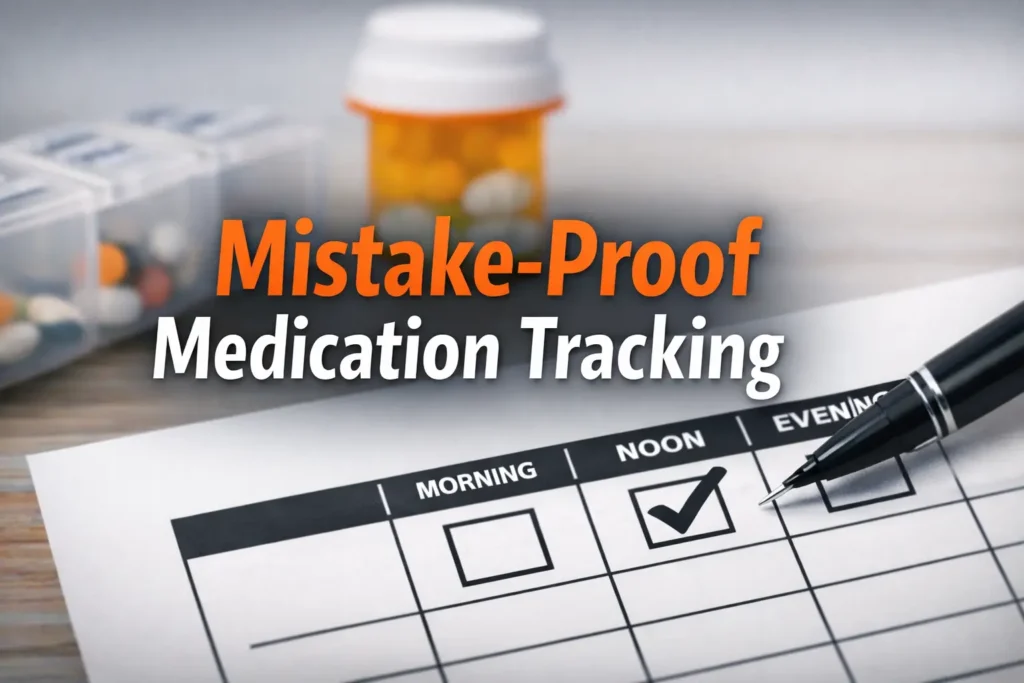
Stop Guessing, Start Knowing: The High-Contrast Weekly Medication Tracker
The week the system broke wasn’t the week anyone forgot a dose. It was the week the pen disappeared, and every “I’ll mark it later” quietly turned into doubt.
If you need an accessible weekly medication tracker for low vision printable large font, the real enemy isn’t willpower. It’s glare, faint gridlines, tiny checkboxes, and that sickening pause when you can’t tell whether a mark is a check or a smudge. Keep guessing long enough and you risk the two worst outcomes: a missed dose, or a doubled one.
Definition: A large-print weekly medication tracker is a single-sheet schedule that uses high contrast labels, thick borders, and oversized checkboxes so you can orient fast, confirm completion, and record changes without relying on memory or tiny packaging text.
This post gives you print-ready layouts, large-print specs that survive real printers (not just screens), and a 3-minute setup ritual that makes the “marking” automatic. It’s built around what actually works on paper: bold structure, repeatable placement, and a dated “Changes this week” box.
Just one calm page your week can lean on.
If you need a one-page, printable weekly medication tracker for low vision with large font and high contrast, use a simple grid that matches your real dosing times (morning/noon/evening/bedtime), not generic “AM/PM.” Add bold day labels, thick lines, and a single “changes this week” box to prevent mix-ups. Print at 100–125% on matte paper and keep one copy in the same spot.
Table of Contents

The “one page, no app” promise: what this tracker must do (and what it must never do)
What “accessible” really means here: big type, bold structure, zero guessing
Accessibility, in this context, is not a vibe. It’s function. It means you can glance, orient, and act without squinting, second-guessing, or doing “dose math” in your head while the kettle screams in the background.
The tracker must answer three questions instantly:
- Where am I? (What day and what time block?)
- What am I supposed to take? (Medication name and cue.)
- Did I actually take it? (One unambiguous mark.)
The non-negotiables: high contrast, thick borders, repeatable placement, minimal clutter
A good one-page tracker behaves like a sturdy handrail. It doesn’t move, it doesn’t decorate itself, and it doesn’t whisper “you’ll remember later.” It is blunt, calm, and consistent.
- High contrast (true black on white beats trendy gray)
- Thick lines (so the grid doesn’t disappear under glare)
- Large check boxes (so “I did it” looks different from “I meant to”)
- One location (your tracker should not tour the house)
Curiosity gap: why most “pretty planners” quietly fail low-vision users
Pretty planners often optimize for Instagram, not for mornings. They prioritize decoration over orientation. The result: you spend extra seconds finding the right box, and those seconds add up until you skip marking. And once you stop marking, the whole system becomes a polite piece of paper that lies.
- Make orientation instant: day + time block must pop
- Make marking effortless: one big, clear checkbox
- Make changes safe: one dedicated “Changes this week” box
Apply in 60 seconds: Circle your real time blocks (Morning / Midday / Evening / Bedtime) before you print anything.
Who this is for / not for (so you don’t waste ink)
Best for: low vision, cataracts/glare sensitivity, macular degeneration, migraine/contrast needs
If glare makes paper “shine” like it’s performing, or if small type collapses into fuzz, these layouts are built for you. I’m talking about those moments where the label looks readable… until it doesn’t, and your confidence takes a hit.
In an illustrative chart comparison, small marks or faint lines may be difficult for a particular person to distinguish. This is not a report of a family member’s three-day trial. Ask what format the person can use and have the pharmacy or care team clarify the actual regimen.
Also for: caregivers, shared households, “multiple bottles, one brain” situations
Caregivers need a tracker that supports handoffs. That means the sheet has to communicate clearly even when the person who filled it out is not in the room. The best systems assume you will be interrupted, because you will.
Not for: complex titration plans, PRN-heavy regimens, or anything needing clinical monitoring
If your schedule changes daily (titration), includes frequent “as needed” doses, or requires monitoring symptoms/vitals in detail, a one-page weekly sheet may not be the right tool. You can still use parts of it (like the contact strip), but don’t force a simple layout to carry complex medical logic. If you need that “more context, less guessing” layer, consider pairing this with a printable symptom diary instead of trying to cram everything into one grid.
the one scenario where a weekly sheet is not enough
If the biggest risk in your home is accidentally taking a dose twice because multiple people “help,” you may need a second layer: a physical pill organizer, a locked storage routine, or a pharmacist-reviewed plan. The sheet can support that system, but it shouldn’t be the only guardrail. (This is especially common in multiple-medication situations that amplify low-vision errors.)
- Yes if your doses are mostly routine (same times most days)
- Yes if the main problem is missed marks or uncertainty (“Did I take it?”)
- Yes if you want something shareable for caregivers
- No if you have frequent dose changes, heavy PRN use, or clinical monitoring needs
Next step: If you answered “No” to the last bullet, use the contact strip + “Changes this week” box only, and ask a pharmacist how to safely track the complexity.
Pick your layout like a runway, not a scrapbook: 3 example layouts to discuss
Format A: “Time-of-day columns” (Morning / Midday / Evening / Bedtime) for routine dosing
This is the best “default” for many people because it matches how we live. We don’t live in AM/PM. We live in breakfast, lunch, dinner, bedtime. When the tracker speaks your language, compliance goes up and confusion goes down.
Format B: “Medication rows” with checkboxes for each day (best when many meds, same schedule)
If you have a longer list of medications, Format B keeps the medication names anchored on the left. Your eyes (and hands) travel less. You scan down a stable list and mark across the week.
Format C: “Appointment + refill strip” for weeks when logistics cause misses
Some misses aren’t “forgetting.” They’re friction: refills, appointments, pharmacy delays, insurance surprises. Format C includes a small logistics strip because real life is not politely scheduled.
Pattern interrupt (micro-H3): Let’s be honest… your brain shouldn’t be doing dose math at 7 a.m.
If your system requires interpretation, it will fail under stress. The point is to create a track that your week can run on, even when you’re tired, rushed, or dealing with low-light mornings.
- Pick Format A if you think in time blocks (morning/noon/evening/bedtime)
- Pick Format B if your med list is long and names matter most
- Pick Format C if refills/appointments routinely disrupt your week
Apply in 60 seconds: Name your #1 failure mode: “I forget,” “I can’t read it,” or “I can’t remember if I took it,” then pick the format that attacks that problem.

Large-font design specs that actually print well (not just zoom well)
Font size targets: 18–24 pt (and when to push 28 pt)
For most large-print needs, 18–24 pt is a practical range for a one-page tracker. If you’re printing at 125% scale or you want arm’s-length readability, 24–28 pt can be a game-changer. The trade-off is space, so you may track fewer medications per page. That’s not a failure. That’s a design decision.
Type choices: simple sans fonts, wide characters, clear “I/1/l” separation
Choose a plain, readable sans font. The goal is to avoid ambiguous characters. You don’t need typography drama. You need clarity. If you’ve ever mistaken “1” for “l” in a rushed moment, you already understand why.
Contrast rules: black-on-white, avoid light gray, and why “soft charcoal” backfires
Many templates use light gray lines to feel “modern.” On real printers, that often becomes “nearly invisible,” especially on eco mode. For low vision, go higher contrast. Black text. Dark gridlines. White background. Matte paper helps, too. If reading prescription info is the recurring pain point, consider pairing this with large print prescription labels so the paper system and the bottle system speak the same “bold, readable” language.
Line rules: thicker gridlines, bigger checkboxes, and spacing that stops accidental double-marks
Accidental double-marks happen when boxes are tiny or when rows are tight. Give your marks room to be unmistakably themselves. A checkbox should look like a confident decision, not a polite dot.
Curiosity gap: the “one tiny tweak” that makes a grid readable from arm’s length
Make the day labels enormous and bold, and add a thick vertical divider between days. Even if the details are fuzzy, you can still orient instantly. Orientation is half the battle.
Show me the nerdy details
Printing changes perception. Thin strokes break up. Gray becomes faint. Small fonts “fill in.” A tracker should be designed for printer behavior: thicker borders, fewer visual elements, and bigger whitespace. If it looks slightly “too bold” on your screen, it often looks just right on paper.
Customize the record: copy confirmed dosing instructions
Keep exact timing and food instructions visible
Copy the confirmed timing instructions from the prescription label or your pharmacist. A routine cue such as breakfast can be added only when it fits those instructions; it should not replace a required clock time, interval or food direction. Ask the pharmacist if the wording is unclear.
A tracker records an agreed medication plan; it does not create one. Keep the exact instructions visible and ask the treating team about difficulties following them rather than changing the schedule to fit the grid.
Record only applicable, confirmed instructions
Record the food, drink and handling instructions that actually apply to the medicine, as confirmed by the label or pharmacist. Do not add restrictions from the examples in this article. Use more space if necessary rather than leaving out an important instruction.
Create a single “Changes this week” box to prevent the most common confusion
For a confirmed change, record the date, the updated instruction and who provided it. Make the current version clear so an earlier entry is not mistaken for the active plan. Ask the pharmacist or treating team to resolve conflicting instructions.
Add a “Pharmacy / Prescriber” mini-strip (names + phone) for refill friction
When you’re stressed, the last thing you want is to hunt through voicemail or portals. A mini-strip with the pharmacy name and phone number turns “refill friction” into a two-minute action.
Printable Layout (Format A): Time-of-day columns
Copy this onto a page, or print this page. Fill medication names once. Then check off doses as completed. If you need fewer meds, leave rows blank. Blank rows are not waste; they’re breathing room.
Download a blank weekly tracker
Four rows with a separate, dated column for each weekday. One row is one verified scheduled dose time. Use extra rows or pages instead of squeezing in a complex regimen.
Download blank tracker (PDF)Open the downloaded PDF to print it in landscape orientation. It contains no personal data. Have the regimen verified before filling or using it.
The preview scrolls sideways to show all seven days. Use the landscape PDF for a complete printed page.
| Verified medicine, dose and ONE scheduled time | Mon Date: ___ | Tue Date: ___ | Wed Date: ___ | Thu Date: ___ | Fri Date: ___ | Sat Date: ___ | Sun Date: ___ |
|---|---|---|---|---|---|---|---|
| Medicine: __________ Dose: __________ Time: __________ | ☐ Initials: ____ | ☐ Initials: ____ | ☐ Initials: ____ | ☐ Initials: ____ | ☐ Initials: ____ | ☐ Initials: ____ | ☐ Initials: ____ |
| Medicine: __________ Dose: __________ Time: __________ | ☐ Initials: ____ | ☐ Initials: ____ | ☐ Initials: ____ | ☐ Initials: ____ | ☐ Initials: ____ | ☐ Initials: ____ | ☐ Initials: ____ |
| Medicine: __________ Dose: __________ Time: __________ | ☐ Initials: ____ | ☐ Initials: ____ | ☐ Initials: ____ | ☐ Initials: ____ | ☐ Initials: ____ | ☐ Initials: ____ | ☐ Initials: ____ |
| Medicine: __________ Dose: __________ Time: __________ | ☐ Initials: ____ | ☐ Initials: ____ | ☐ Initials: ____ | ☐ Initials: ____ | ☐ Initials: ____ | ☐ Initials: ____ | ☐ Initials: ____ |
Mark after taking the dose. If a mark is missing or uncertain, ask the pharmacist or care team; do not take an extra dose by guesswork.
Marking rule: Use the same mark all week (✓ or ●). Avoid tiny dots. If you make a mistake, cross it out once and initial it. The goal is clarity, not perfection.
Print settings to check before use
Scale: 100% vs 125% and how to choose without warping the grid
Start at 100%. If it feels even slightly effortful to read from your usual distance, print at 125%. If the grid starts to clip at the edges, switch printer settings to “Fit to printable area” only if it doesn’t shrink your text back into squint territory. The grid should stay bold and the text should stay large.
- Compare a printed test page rather than assuming one scale suits everyone
- Matte paper often reads better than a “better” printer
- Eco/toner saver is the silent saboteur
Apply in 60 seconds: Use the quick scale helper below, then print one test page.
Arithmetic estimate: base font size × print scale ÷ 100. This does not establish legibility or prevent clipping. Check a printed page with the person using it.
Paper: matte vs glossy (glare is the stealth villain)
Glossy paper and bright overhead light can turn a tracker into a mirror. Matte paper reduces glare and often feels calmer to read. If you can, try a simple test: hold your printed page under the light you actually use in the morning. If it shines back at you, go matte. (If glare is a recurring nemesis in your kitchen, glare-free under-cabinet lighting can quietly change the whole experience.)
Color mode: grayscale, no “eco” fading, and how to avoid low-ink sabotage
Print in grayscale or black-and-white, but turn off “eco” or “toner saver” for this page. Eco mode is great for draft emails. It’s not great for gridlines you need to see every day.
Placement: fridge, bedside, kitchen command spot (one home, one location)
Choose an accessible place for the current tracker and agree who will update it. If it must move, make sure the person using it and anyone helping can still find the current record. Keep older versions clearly separate.
Pattern interrupt (micro-H3): Here’s what no one tells you… the printer default is your enemy.
Printer defaults vary. Check the actual scale, page layout and quality settings, then inspect a printed test page. Adjust the record or printer settings if text, grid lines or entries are unclear or clipped.
Common mistakes that cause missed or doubled doses (and how to mistake-proof)
Mistake #1: Vague labels that omit confirmed timing instructions
A label such as AM or PM can omit important timing details. Keep the confirmed clock time, interval and food instructions visible. If the grid does not fit the prescribed plan, adapt the record with help from the pharmacist rather than changing the plan to fit the grid.
Mistake #2: Tiny checkboxes that turn into ambiguous smudges
Tiny marks become interpretive art: “Is that a dot or a dust speck?” Bigger boxes reduce doubt. Doubt is the parent of double-dosing.
Mistake #3: Tracking intention instead of completion (and why that matters)
If you mark the tracker before you take the medication, you’re tracking the idea of taking it, not the act. It’s like checking off “gym” because you thought about shoes. Mark only after completion.
Mistake #4: Letting the sheet wander around the house
Agree on a consistent, accessible place for the current tracker and who will keep it updated. Make sure the person using it can find the current version without relying on someone else’s memory.
Mistake #5: Making changes mid-week with no “change log” box
This is the quiet danger. Mid-week edits without a dated note create two competing truths: the old plan in your memory and the new plan on paper. The “Changes this week” box is where you reconcile them.
- Keep confirmed dose, timing and food instructions visible
- Make marks unmistakable at a glance
- Log changes like you mean it
Apply in 60 seconds: Add one rule to your home: “No mark until the dose is taken.”
Don’t do this: accessibility traps that look helpful but aren’t
Trap #1: Low-contrast pastel highlighting (it reduces legibility for many)
Pastel feels gentle, but it often reduces contrast. Under warm lighting, it can blur text into the background. If you highlight, use high-contrast, and test it under your actual home lighting.
Trap #2: Overstuffed legends, icons, and “cute” symbols that slow scanning
Icons can be helpful, but they can also add decoding time. When scanning is slow, marking becomes delayed. When marking becomes delayed, accuracy collapses.
Trap #3: Multiple pages “for neatness” that guarantees you’ll lose page two
Two pages means two points of failure. One page means one truth. If you need more space, use a second one-page sheet for “extra meds,” but don’t split one week across multiple pages unless you can physically clip them together and keep them together.
Curiosity gap: why adding more detail often makes tracking less accurate
More detail means more scanning, more choices, more time. More time means more skipped marks. The goal is not completeness. The goal is reliability.
Show me the nerdy details
In usability terms, every extra visual element increases cognitive load and scan time. Low vision compounds that cost. A tracker should reduce steps: orient, act, mark. Anything that adds decoding (icons, legends, multiple colors) is a tax you pay twice a day forever.
A 3-minute setup ritual that keeps the tracker working all week
Step 1: Fill medication names once (then reuse the same master template)
If you can, print one “master” and keep it as your reference. Then print weekly blanks and copy only what changes. Rewriting everything every week is how good systems die.
Step 2: Verify time blocks with the bottles (not memory)
Memory is not a pharmacy label. Take 90 seconds and match your time blocks to what you’ve been instructed to do. If something is unclear, your pharmacist is the right person to ask, not your sleep-deprived brain.
Step 3: Put a pen on a leash (literally: clip or string) to stop “I’ll mark it later”
“I’ll mark it later” is the beginning of chaos. Clip a pen right next to the tracker. Tape it. Tie it. Make it absurdly easy. Make the right action the path of least resistance.
Step 4: End-of-day glance: one quick scan to catch blanks before bedtime
A 10-second scan can prevent a 2 a.m. spiral of uncertainty. If a box is blank and you’re not sure what happened, pause and verify before you do anything else. The tracker is your memory support, not your judge.
Short Story: The week the pen vanished (and everything fell apart) …
One week, we had the perfect setup. Big print. Thick lines. A calm grid on matte paper. It worked beautifully, like a tiny lighthouse on the fridge. Then the pen disappeared. Not dramatically. Just quietly, like it had errands. The next morning, the dose got taken but not marked. The next day, someone asked, “Did we do this one?” and nobody was sure.
We tried to reconstruct the week from memory, like detectives with no evidence. Stress rose, confidence dropped, and the tracker started to feel pointless. On day four, we found the pen in a drawer under rubber bands. We clipped a new one to the page with a cheap lanyard, and the system snapped back into place. The lesson was almost insulting in its simplicity: the tracker doesn’t fail first. The marking fails first.
- 18–28 pt font
- High contrast
- Thick gridlines
- One home location
- Pen attached
- Mark after taking
- Changes-this-week box
- Caregiver handoff clarity
- Verify uncertainty before acting
Goal: Reduce ambiguity so your week doesn’t rely on memory.

FAQ
What is the best font size for a printable medication schedule for low vision?
Many people do well with 18–24 pt for body text on a one-page tracker, especially with thick lines and high contrast. If you want arm’s-length readability or have significant glare sensitivity, try 24–28 pt and reduce how many medications you track per page.
How do I make a medication tracker high contrast for glaucoma or cataracts?
Keep it simple: black text on white paper, thick gridlines, and avoid light gray. Matte paper helps reduce glare. Also disable “eco” print mode, which can fade lines and reduce contrast.
Can I use a weekly medication tracker instead of a pill organizer?
They solve different problems. A pill organizer helps with physical sorting. A tracker helps with confirmation and handoffs. Many households use both: organizer for setup, tracker for “Did we actually take it today?”
What’s the safest way to track medications without an app?
Use a one-page tracker kept in a single location, attach a pen, and mark only after the dose is taken. Add a “Changes this week” box for any schedule updates. If you’re uncertain about a dose, pause and verify rather than guessing.
How do caregivers share one medication tracker with a patient?
Make the tracker legible for both people and define one marking style (✓ or ●). Use initials for caregiver marks if more than one person assists. Keep it in one location. The tracker should communicate clearly even if the person who last marked it is not present. If you’re supporting someone at home, you may also like helping a spouse with vision loss and coping with vision loss as a couple.
Should a medication tracker use AM/PM or specific times?
Use timing wording confirmed by the prescription label, pharmacist or treating team. A routine cue can be added when compatible with those instructions; do not drop a required time, interval or food direction in favor of a habit label.
What paper is best to reduce glare for low vision printables?
Matte paper is usually better than glossy. Even standard matte copy paper can beat a fancy glossy sheet under bright kitchen lights. If glare is a major issue, test a page under your home lighting before committing.
How can I prevent accidentally marking a dose twice?
Use large checkboxes, one consistent mark, and a rule: no mark until the dose is taken. If multiple people help, add initials next to the mark or use a single caregiver handoff rule (only one person marks, or both must initial).
Where should I keep a medication tracker so I actually use it?
Place it where the action happens: fridge, bedside, or the kitchen spot you pass every morning. The key is one location so you’re not hunting for it. Attach a pen right there.
What should I include on a medication list for emergencies?
Include medication names, doses, and who to call (pharmacy and prescriber). If you have allergies or a critical note, add it in a clear, bold line. Keep it readable, and consider keeping a copy in a wallet or emergency folder if that’s realistic for you. If you want a ready-to-print version, use this one-page medication list template.
Conclusion
Remember that open loop from earlier, the one scenario where a weekly sheet isn’t enough? Here’s the honest answer: a tracker is strongest when it’s part of a small, calm system, not a solo hero. If your home has handoffs, interruptions, or high confusion risk, pair the sheet with one extra guardrail (a pill organizer, a single marking rule, or a pharmacist-reviewed routine).
Your next step is intentionally small: in the next 15 minutes, print one blank tracker at 125%, fill only one day as a test run, and adjust the font/spacing before you commit to the whole week. The goal is a tracker that survives real mornings, not one that looks good in theory.
Last reviewed: 2026-03
Safety / Disclaimer
This tracker is for organization and adherence support, not medical advice. Do not change doses or timing based on a printable sheet alone. If you’re unsure about instructions, interactions, missed doses, or side effects, contact a pharmacist or clinician. If you think you may have taken a dose twice, or missed a critical dose, seek professional guidance promptly rather than guessing.
Targeted editorial correction: October 24, 2026. Removed unverified personal testimonials, clarified that the tracker records confirmed dosing instructions, and linked the named medication-record and safety resources. Corrected the print-scale helper so blank or non-positive inputs no longer produce a font-size estimate. The worksheet is not a prescription or an independently validated medication-safety system. This is not a complete clinical review.
PUT THIS GUIDE TO WORK · INTERACTIVE WORKSHEET
Build a weekly record-review worksheet
Use this worksheet alongside the article: Weekly Medication Tracker for Low Vision: Large-Print Download and Setup. Use the fields provided to organize your notes and next actions, then save your worksheet.
Your entries stay in this page and are cleared when you reload. No account is needed. Saved files are downloaded only to your device.
Save privately before leaving. Open the downloaded HTML sheet in a browser and use its Print command; it has no scripts or remote resources. The sheet neither calculates missed doses nor recommends catching up, skipping, stopping, or doubling medication. Confirm treatment questions with your pharmacist or prescriber.
FDA medication-safety guidance for older adults
How to use your result
Save the worksheet before leaving this page. Recheck any quote, date, or instruction with the relevant provider, pharmacist, manufacturer, or official organization. A completed checklist means you recorded the steps, not that an outcome is guaranteed.
Worksheet added October 20, 2026. Read the article above for context and its stated review scope.