
Organize your questions and next steps, then save your worksheet.
Summary and next steps
Make one readable ordering request in the diner’s own words, with safety information handled separately.
- Ask which request the diner wants to communicate.
- Try the card in ordinary restaurant lighting.
- Confirm allergies or prescribed diet needs directly with staff; a card is not a guarantee.
Editorial maintenance: October 24, 2026. Summary layout, related links and technical metadata updated. This is not a full clinical review.
Large-print dining help for real life
Restaurant Ordering Card Ideas for Older Adults With Aging Eyes
Simple cards that protect confidence at the table
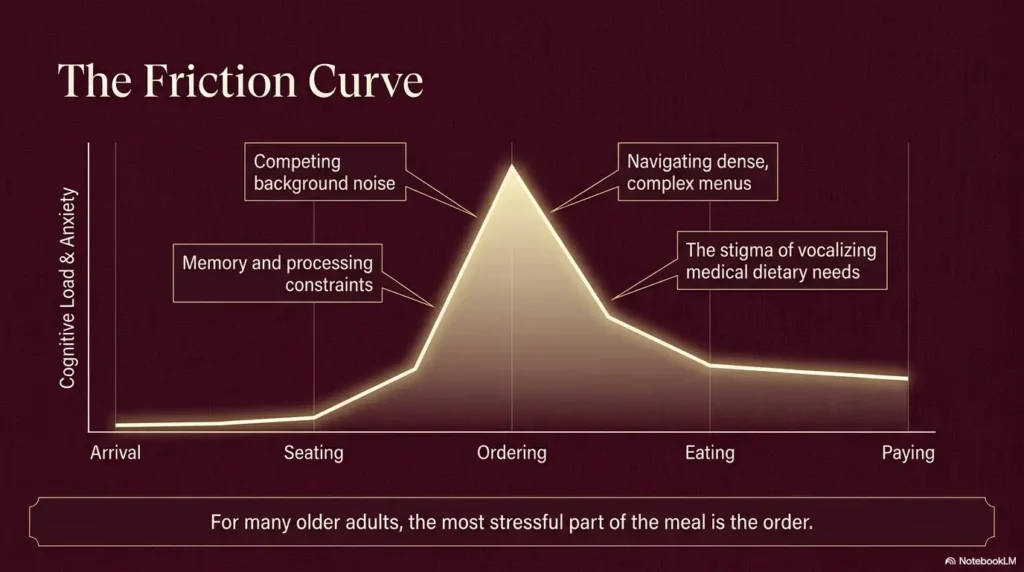
A restaurant can be warm, noisy, dim, fast, and full of tiny print. For an older adult with aging eyes, the hardest part of eating out may not be the food. It may be the quiet moment when the menu becomes a gray forest, the server is waiting, and everyone else seems ready to order.
A good ordering card changes that moment. It does not announce weakness. It gives the older adult a small, dignified script: what they like, what they need, and how the server can help without turning lunch into a committee meeting.
This guide shows how to build restaurant ordering cards that are readable, respectful, and useful in actual restaurant lighting. We will cover large print, high contrast, allergy alerts, easy-to-chew wording, payment preferences, and the small design choices that make a card feel helpful rather than medical.
Read faster
Use large type, spacing, and contrast that still work in low restaurant light.
Order calmer
Turn preferences into short, server-friendly language without awkward explanations.
Protect dignity
Make the card feel like a personal tool, not a public label.
Best first move: make one default order card before making a whole set. Tiny tool, big table peace. 🍽️
Snapshot
This article is for older adults, adult children, caregivers, and senior living teams who want a simple way to make restaurant ordering easier when menus, receipts, and server conversations feel too fast or too small. By the end, you can draft a readable ordering card, choose the right card size, separate preference cards from allergy cards, and test the design before the next meal out.
Table of Contents
Before You Act: What an Ordering Card Can and Cannot Do
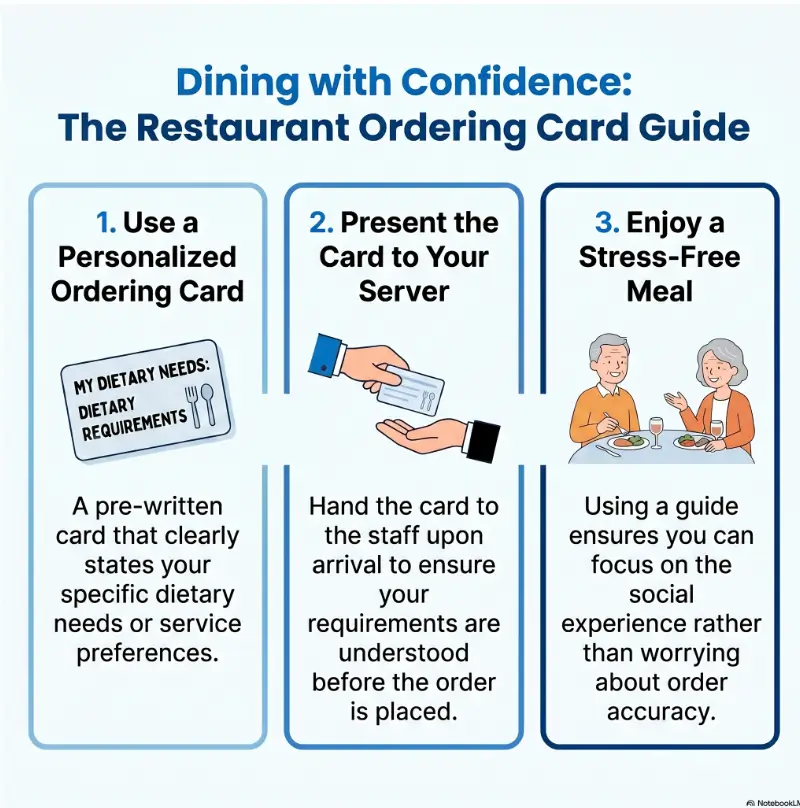
A restaurant ordering card is a practical communication tool. It can make text easier to manage, reduce rushed decisions, help a server understand preferences, and keep an older adult more involved in the meal.
It cannot diagnose vision changes, replace medical diet instructions, manage severe food allergies by itself, or solve swallowing safety concerns. That matters because a card can feel simple while the need behind it may be more serious.
If the older adult has new vision loss, frequent choking, unexplained weight loss, confusion around meals, diabetes-related meal questions, medication-food restrictions, or a history of severe allergic reactions, use the card as support while also checking with the right professional.
Key takeaway
For everyday menu-reading friction, a large-print ordering card can be enough. For allergies, choking, diabetes, or medically restricted diets, the card should reflect guidance from a clinician, dietitian, pharmacist, or speech-language pathologist.
For general low vision information, the National Eye Institute is a useful starting point. For swallowing concerns, the American Speech-Language-Hearing Association offers plain-language guidance for adults and families.
Start With Dignity, Not Disability
The best restaurant ordering cards do not say, “I am helpless.” They say, “Here is how to make this interaction smoother.” That difference is the little hinge that swings the whole door.
Older adults often know what they want. They may have ordered grilled fish, unsweetened tea, soup, or a plain hamburger for years. The problem is not taste. The problem is friction: small menus, dim lighting, fast speech, and the social pressure to decide quickly.
Why the card should feel useful, not clinical
A card with warm wording feels like a wallet note. A card with stiff medical language can feel like a hospital bracelet wandered into a diner.
That does not mean hiding important needs. It means choosing language that supports independence. “Please speak clearly and face me” is often better than “I have hearing and vision problems.” “I prefer easy-to-read options” is often better than “I cannot read the menu.”
The quiet problem: menus are getting harder to read
Many menus are designed for mood before readability. Thin fonts, gray ink, glossy lamination, candlelight, QR codes, and crowded descriptions can turn dinner into a squinting contest.
For a related guide on menu reading, see how to read restaurant menus with low vision. The ordering card is a natural companion because it shortens the hardest parts of the interaction.
How a small card can reduce stress before the server arrives
Stress often begins before the server says hello. The older adult may already be wondering whether they can read the specials, whether they will hold up the table, or whether someone else will jump in and order for them.
A card creates a calm backup plan. It gives the older adult something to hold, point to, or hand over. Even when the card is never used, knowing it is there can settle the room.
Short Story: The Card That Made Lunch Feel Normal Again
Marian loved the corner booth at a neighborhood café, but she had started ordering the same soup every time. Not because she adored it. Because it was the only item she could remember after scanning the menu in soft yellow light.
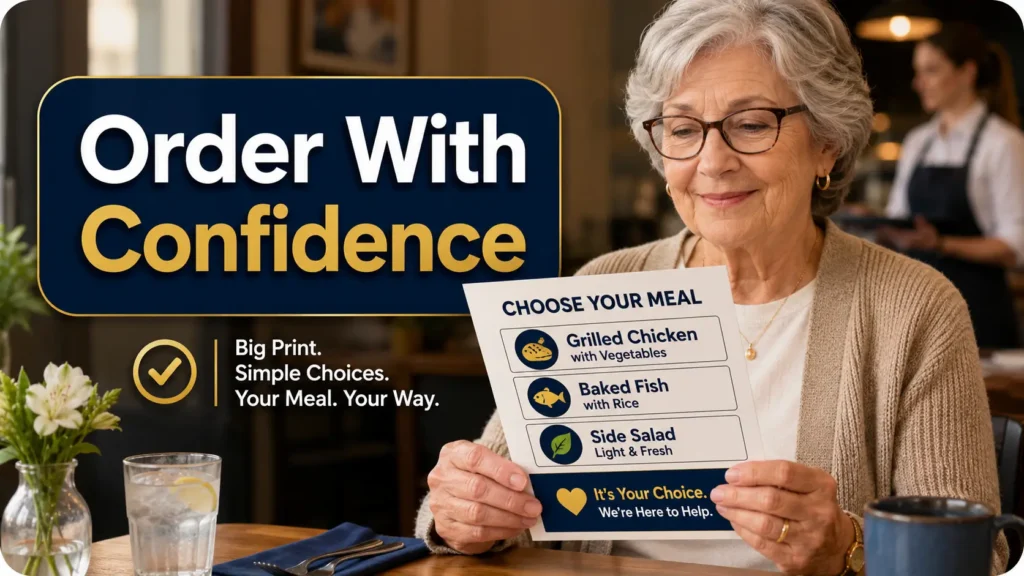
Her daughter made one card, not a packet. It said: “I like grilled chicken, baked fish, or soup. Please point to two simple options. Unsweetened tea, no lemon.” The print was large, black, and plain.
The first time Marian used it, the server smiled and said, “Absolutely. These two are easiest.” No fuss, no announcement, no family debate over the menu.
Marian still chose her meal. The card did not take over. It simply cleared the fog from the small space between wanting lunch and ordering it.
Who This Is For, And Who It Is Not For
Restaurant ordering cards are best for people who can make choices but benefit from a clearer path. They are especially helpful when aging eyes, mild hearing difficulty, shaky hands, or slow menu scanning make restaurant ordering feel more tiring than it should.
Best fit: older adults who know what they want
The strongest use case is simple: the person has preferences but struggles with presentation. They may want mild food, larger print, help finding chicken options, or a reliable way to ask for sauce on the side.
This is not about turning the older adult into a passenger at their own meal. It is about giving them a steering wheel that is easier to grip.
Helpful fit: caregivers ordering with, not over, the person
Caregivers and adult children often want to help, but the table can become clumsy. Someone reads the menu aloud too loudly. Someone else says, “She cannot see that.” The older adult becomes the subject rather than the diner.
A card lets the caregiver support from the side. The server sees the request. The older adult can still point, choose, nod, revise, or say no.
Not enough: serious swallowing, allergy, memory, or medical diet concerns
If the older adult coughs during meals, avoids certain textures, has had choking episodes, carries epinephrine, follows a strict renal diet, or has complex diabetes-related instructions, the card should not be invented casually.
Use professional guidance to decide the wording. Then make the card extremely clear. A serious allergy note should not be softened into polite restaurant poetry.
Let’s be honest: the card is a bridge, not a babysitter
A card can improve communication, but it does not watch every ingredient, supervise every bite, or verify kitchen procedures. It helps the conversation start in the right place.
For medical needs, think of the card as the label on the file folder, not the whole file.
Key takeaway
Use ordering cards for clarity, not control. The older adult should help choose the wording whenever possible, even if a caregiver does the typing and printing.
The One-Card Rule Most Families Miss
The temptation is to make a whole deck: one for breakfast, one for allergies, one for drinks, one for desserts, one for receipts, one for “please be patient.” Soon the purse contains a tiny administrative office.
Start with one card. One useful card beats six perfect cards that never leave the drawer.
Why too many cards create new confusion
Too many cards add a new task: choosing the right card under pressure. That can be frustrating, especially in a noisy restaurant with menus, napkins, phones, wallets, and water glasses already competing for space.
The goal is not to document every possible preference. The goal is to remove the most common snag.
The “default meal” card that works in most restaurants
A default meal card tells the server what kind of food the person usually likes. It is not a demand. It is a shortcut.
Example wording:
- Food: I usually like grilled chicken, baked fish, soup, or eggs.
- Flavor: Mild seasoning, please.
- Texture: Easy to chew is best.
- Drink: Unsweetened iced tea or water, no lemon.
- Help: Please point to two simple options on the menu.
What to put on the front versus the back
The front should contain what the server needs immediately. The back can hold backup information the older adult or caregiver may want later.
| Card side | Best use | Example |
|---|---|---|
| Front | Fast server instructions | “Please point to two mild chicken or fish options.” |
| Front | Serious allergy alert | “Severe peanut allergy. Please confirm ingredients with kitchen.” |
| Back | Personal reminders | “Ask for receipt. Use card, not cash.” |
| Back | Caregiver contact, if appropriate | “For emergency only: name and phone number.” |
If you already use an emergency wallet card, keep food preferences separate unless the same card is meant for restaurant use. For a broader safety template, see this wallet card emergency info template for low vision.
Large Print Choices That Actually Help Aging Eyes
Large print is not just “make it bigger.” Good large print has enough size, contrast, spacing, and plain letter shapes to work when the card is held at a normal distance.
For deeper guidance on type size, you may also like best font size for seniors. For restaurant cards, the practical rule is simple: readability beats decoration.
Why 18 to 24 point text beats “pretty” typography
For many older adults, 18-point text is a good starting place. If the person has stronger near-vision trouble, low vision, tremor, or fatigue, 22 to 24 point may be more comfortable.
Use a plain font with open shapes. Avoid script, condensed fonts, thin strokes, and all-caps paragraphs. All caps can be useful for one critical allergy word, but not for an entire card.
High contrast combinations that stay readable in dim restaurants
Black text on white or warm ivory paper is usually the safest choice. Dark navy on pale cream can also work, but only if the contrast is strong. Gray text is the villain here, wearing soft shoes.
Avoid pale yellow, blush pink, light blue, silver ink, and anything that looks elegant only under perfect lighting. Restaurants rarely provide perfect lighting. They provide vibes, shadows, and one candle doing graduate-level work.
The spacing trick that makes short text feel calmer
Spacing can matter as much as font size. Add extra space between lines, keep each card to three to five short lines, and use bold labels such as “Drink,” “Food,” and “Please.”
White space tells the eye where to rest. It also keeps the server from needing to read a paragraph while balancing four plates and a heroic amount of iced tea.
Don’t do this: tiny script fonts, gray text, and glossy paper
The most common design failure is trying to make the card pretty before making it readable. Decorative fonts, pastel backgrounds, and glossy lamination may look sweet on a kitchen table but fail under restaurant glare.
Choose matte paper or matte lamination. Make the card feel sturdy, clean, and grown-up. A good card should look like a thoughtful travel card, not a craft project left in the sun.
Large-print card quick spec
- Use 18 to 24 point text for the main wording.
- Use bold labels, not long explanations.
- Choose black or dark navy text on white or ivory.
- Use matte paper or matte lamination.
- Test at arm’s length in dim light before using it.
Card Ideas by Restaurant Moment
The easiest way to create useful cards is to think in restaurant moments. What happens first? What gets awkward? What repeats every time?
Most families start with the food order. That is useful, but the greeting, menu-help request, drink order, and payment step may be just as important.
The greeting card: “Please speak clearly and face me”
This card helps when the server speaks quickly, stands behind the older adult, or asks several questions at once.
Try this wording:
- “Please speak clearly and face me. Thank you.”
- “I order best when I can see your face.”
- “Please give me a moment to read or choose.”
The menu-help card: “Could you point out simple chicken or fish options?”
A menu-help card is useful when the older adult does not want the entire menu read aloud. It narrows the task.
Good wording gives the server a category, not a homework assignment:
- “Please point to two mild chicken options.”
- “Could you show me a simple fish or soup option?”
- “Please suggest one easy-to-chew meal that is not spicy.”
The drink card: water, tea, coffee, ice, sweetener, refills
Drink orders are small, but they repeat constantly. A drink card can prevent the “Was that sweet tea or unsweetened?” loop.
Example:
- “Water, no lemon, light ice.”
- “Hot coffee, cream only, no sugar.”
- “Unsweetened iced tea. Please ask before refilling.”
The payment card: split check, cash, card, receipt preference
Receipts and payment screens can be hard to read. A payment card is especially useful for older adults who prefer a printed receipt, need help finding the signature line, or want the check handled a certain way.
Keep it modest:
- “One check, please.”
- “Please bring a printed receipt.”
- “Please show me where to sign.”
- “I prefer to pay by card.”
Food Preference Cards That Prevent Awkward Back-and-Forth
Food preference cards are not allergy cards. They are comfort cards. Their job is to reduce repeated explanations and help the server offer suitable options faster.
The best wording is direct, kind, and easy to act on.
“I prefer mild food” without sounding fussy
Some older adults avoid spicy food because of reflux, medication side effects, dry mouth, dentures, or simple preference. The card does not need to explain all of that.
Try:
- “Mild seasoning, please.”
- “Not spicy, please.”
- “Plain or lightly seasoned is best.”
“Sauce on the side” for control without drama
Sauce can affect salt, sugar, spice, texture, and messiness. Asking for it on the side gives the older adult more control without turning the order into a negotiation.
Good wording:
- “Sauce and dressing on the side, please.”
- “Please keep gravy separate.”
- “I prefer light sauce.”
“Easy to chew” phrasing that servers can understand
“Easy to chew” is usually clearer than a long explanation about dentures, jaw pain, dry mouth, or fatigue. Servers can understand it quickly and suggest softer options.
Try:
- “Easy-to-chew foods are best.”
- “Soft foods are easier for me.”
- “Please suggest something tender, not crunchy.”
If chewing or swallowing is a safety issue rather than a comfort issue, move that wording to a medical guidance card and confirm it with a professional.
Here’s what no one tells you: servers need quick signals, not essays
A server-friendly card is short enough to understand in five seconds. It uses one request per line. It avoids life history, apology, and vague phrases such as “nothing weird.”
Think traffic sign, not memoir. The feeling can be warm, but the instruction should be crisp.
The calm ordering card framework
1. See
Use large print and strong contrast.
2. Choose
Limit choices to two or three useful options.
3. Tell
Use short wording the server can act on.
4. Confirm
Repeat allergies, texture needs, or receipt requests.
Allergy and Medical Diet Cards Need a Different Standard
Preference cards can be polite and flexible. Allergy and medical diet cards need to be clearer, stronger, and easier to spot.
Do not bury a serious food allergy under “I prefer.” Do not place a choking-related texture need in tiny print under a drink order. Important safety information deserves its own space.
Food allergy cards should be direct, bold, and unmistakable
A food allergy card should name the allergen clearly and ask the restaurant to confirm ingredients or cross-contact risk. It should not rely on cute icons alone.
Example:
- Food allergy: Severe peanut allergy.
- Please confirm: Ingredients and kitchen cross-contact risk.
- If unsure: Please tell me before I order.
For food allergy chef card ideas, Food Allergy Research & Education provides resources that families can review and adapt carefully.
Low-sodium, diabetic-friendly, and texture notes should stay simple
Medical diet cards should avoid vague restaurant code. “Diabetic-friendly” can mean different things to different people. A more useful card names the practical request.
- Instead of “diabetic meal,” try “Please show me options without sugary sauces or sweet drinks.”
- Instead of “heart diet,” try “Please suggest lower-salt options and put sauce on the side.”
- Instead of “soft diet,” use the exact texture guidance recommended by the clinician.
For label-reading support at home, these related guides on nutrition labels for aging eyes and sugar content on food labels for seniors can help connect restaurant habits with everyday grocery choices.
When to ask a doctor, dietitian, or speech-language pathologist first
Ask before making a medical card if the older adult has trouble swallowing, has been told to use thickened liquids, has kidney-related food restrictions, uses insulin, has unexplained coughing during meals, or has a severe allergy plan.
The question to ask is simple: “What exact words should we put on a restaurant card so staff can understand the request quickly?”
Don’t do this: hide serious allergy information in polite small print
Politeness is lovely. Small print is not. A serious allergy card should be bold, direct, and separate from casual preferences.
Use one card for safety. Use another for “sauce on the side.” Mixing them makes both less effective.
Key takeaway
Preferences can be gentle. Safety instructions should be unmistakable. Separate allergy and medical diet cards from ordinary ordering preferences whenever the risk is meaningful.
Design the Card for Real Restaurant Lighting
A card that looks clear at noon beside a window may fail at 7 p.m. under amber bulbs. Real-world testing is where pretty cards either become useful or confess their sins.
Test it under warm bulbs, not just your kitchen table
Print the card, then read it in the lowest light where the older adult is likely to use it. Try a lamp, a hallway, or a dim dining room. Hold it at arm’s length. Then ask the older adult to read it without coaching.
If they hesitate, the card is not ready. Make the text bigger, shorten the wording, or increase contrast.
Use matte lamination to avoid glare
Gloss can turn a helpful card into a small mirror. Matte lamination or a matte card sleeve is usually easier to read, especially near windows, overhead lights, and white tabletops.
If the card needs to survive spills, choose durability without shine. A laminated card should feel like a raincoat, not a disco ball.
Why pocket size may lose to “wallet plus” size
Standard business cards are easy to carry but often too small for 18 to 24 point type. A slightly larger card can be much more useful.
Try a size around 3.5 by 5 inches if the person carries a purse, jacket pocket, walker pouch, or small dining folder. For a wallet-only setup, reduce the text to one purpose per card.
The five-second readability test
Hand the card to someone who has not seen it. Ask them to glance at it for five seconds and tell you what action it asks for.
If they say, “It’s about food, I think,” the card is too vague. If they say, “They want mild chicken or fish options and unsweetened tea,” the card is working.
Show me the nerdy details
Readable cards work because they reduce visual and cognitive load at the same time. The eye needs clear letters. The brain needs fewer decisions.
Use line breaks as meaning markers. Put the category first, then the request. For example, “Drink: water, no lemon” is faster than “I would like water without lemon, please.” The second sentence is polite, but the first one is more scannable.
Keep the card under about 35 to 45 words unless it is a medical alert card. More words do not create more clarity. They create a haystack with one useful needle hiding inside.
| Design choice | Why it helps | Watch out for |
|---|---|---|
| 18 to 24 point type | Easier to read at arm’s length | Too much text will no longer fit |
| Bold category labels | Helps the server scan quickly | Do not bold every word |
| Matte finish | Reduces glare under restaurant lights | Very textured paper may blur print |
| One purpose per card | Reduces decision fatigue | Too many separate cards can confuse |
| Plain wording | Protects dignity and speed | Avoid vague euphemisms for safety needs |
Wording That Protects Independence
Words carry social weight. A card that says “I cannot” may feel different from a card that says “I order best when.” Both may be true, but one keeps the older adult closer to the center of the choice.
Better phrases than “I am elderly” or “I can’t read this”
You rarely need to mention age. You also rarely need to explain the full vision issue. Use phrases that describe the support needed.
| Instead of | Try this |
|---|---|
| “I am elderly.” | “Please give me a moment to choose.” |
| “I cannot read this menu.” | “Please point to two simple options.” |
| “My eyes are bad.” | “Large print or clear pointing helps me order.” |
| “I am difficult with food.” | “Mild seasoning and sauce on the side work best.” |
| “My caregiver will order.” | “Please speak to me first. My companion can help if needed.” |
How to ask for help without surrendering choice
The card should help the older adult stay in the conversation. A good phrase is specific enough for the server and open enough for the diner.
- “Please read the soup choices, then I will choose.”
- “Please point to the mild options. I will decide from there.”
- “Please speak to me first. My daughter can help if I ask.”
Scripts for confident ordering when the restaurant is busy
Busy restaurants can make even a good card feel awkward. A short spoken script helps.
- “I have a card that makes ordering easier. Here you go.”
- “This is faster than my trying to read the whole menu.”
- “Could you show me two options that match this?”
- “Thank you. I will choose between those.”
For public situations beyond restaurants, the guide on offering help to someone with low vision can help families support without taking over.
Common Mistakes That Make Ordering Cards Fail
A restaurant card can fail even when the idea is excellent. Usually, the problem is not the concept. It is the execution.
Mistake 1: putting too much information on one card
Too much text makes the card harder for everyone. The older adult cannot read it quickly. The server cannot act on it quickly. The caregiver cannot find the important line quickly.
Mistake 2: designing for caregivers instead of the older adult
A caregiver may want a card that explains everything. The older adult may want a card that feels discreet. When in doubt, ask the person who will carry it.
Mistake 3: using icons that are cute but unclear
Icons can help, but they should never replace text for serious information. A peanut icon, a fish icon, or a chili pepper icon may be misunderstood, especially when printed small.
Mistake 4: forgetting the server’s point of view
Servers need requests they can act on. “I like healthy food” is not enough. “Please show me grilled chicken, soup, or fish options” is better.
Mistake 5: making the card embarrassing to hand over
If the card feels childish, oversized in a strange way, overly clinical, or full of apologies, it may stay hidden. The best card feels neutral, sturdy, and adult.
Key takeaway
A card succeeds when three people can use it easily: the older adult, the caregiver or companion, and the server. If one of those people struggles, revise the card.
| Common mistake | What happens | Safer alternative |
|---|---|---|
| One crowded master card | Important details get missed | Use one default card and one safety card |
| Decorative font | Hard to read in dim light | Use plain, bold, large type |
| Soft wording for allergies | Risk may be underestimated | Name the allergy clearly |
| Caregiver-centered wording | Older adult feels bypassed | Use “Please speak to me first” |
| Glossy lamination | Creates glare | Use matte finish |
Build a Simple Card Set in 30 Minutes
You do not need design software, a paid template, or a family meeting with minutes. Start with a plain document, large type, and one real restaurant in mind.
Free is often enough. A paid design tool, print shop, or accessibility consultant may be worth considering only when the person has low vision, multiple cards, heavy use, or a senior living program that needs consistent materials for many residents.
Card 1: default order and drink preference
This is the first card to make. It should work in several restaurants.
Default ordering card template
Please help me choose.
Food: chicken, fish, soup, or eggs.
Style: mild, easy to chew, sauce on side.
Drink: water or unsweetened tea.
Card 2: allergy or medical food alert
Make this card only when needed. Keep it separate and direct.
- Name the allergy, texture need, or medical diet request clearly.
- Use bold labels.
- Ask the server to confirm with the kitchen when needed.
- Do not combine serious safety information with casual preferences.
Card 3: menu-reading assistance request
This card helps when the menu itself is the barrier. It can be especially useful at restaurants with QR code menus, chalkboard specials, or very small print.
- “Please point to two mild chicken or fish options.”
- “Please read today’s soup choices.”
- “Please show me the side dishes.”
For phone-based menus, see QR code scanning for low vision and best phone font size for seniors.
Card 4: payment and receipt preference
Payment cards are helpful for people who struggle with small receipts, touch screens, signature lines, or fast checkout moments.
- “Please bring a printed receipt.”
- “Please show me where to sign.”
- “Please give me a moment to check the total.”
Print, laminate, and keep backups in three places
Once the card works, print several copies. Keep one in the wallet, one in the purse or jacket, and one in the car or caregiver bag. A great card at home is less useful than a slightly imperfect card in the right pocket.
| Option | Best for | Typical cost level | What to compare |
|---|---|---|---|
| DIY paper card | Testing wording quickly | Low | Font size, contrast, card wording |
| DIY laminated card | Regular restaurant use | Low to mid | Matte finish, durability, pocket fit |
| Local print shop card | Cleaner finish or multiple copies | Mid | Paper weight, matte coating, proof print |
| Professional accessibility help | Low vision, senior program use, complex needs | Higher | Experience, sample designs, revision process |
30-minute build path
- Pick one familiar restaurant.
- Write one default meal request in 35 words or fewer.
- Set the font to 20 point or larger.
- Print one draft on plain white or ivory paper.
- Test it under dim light at arm’s length.
- Revise the wording after one real meal.
FAQ
What size font is best for restaurant ordering cards for older adults?
Start with 18 to 24 point text. Use the larger end of that range if the older adult has low vision, eye fatigue, tremor, or trouble reading in dim light. Test the printed card at arm’s length before relying on it.
Should the card mention vision loss directly?
Only if the older adult wants it to. In many cases, the card can simply state the helpful action: “Please point to two simple options” or “Please speak clearly and face me.” This keeps the focus on support, not diagnosis.
What color combination is easiest for aging eyes to read?
Black text on white or warm ivory is usually the safest choice. Dark navy on a pale background can also work. Avoid gray text, pastel text, glossy finishes, and patterned backgrounds.
Can I make a restaurant ordering card on my phone?
Yes. A simple notes app or document app can work. Use large text, short lines, and a screenshot or printed copy. A phone card is convenient, but a printed card may be easier when battery, glare, or touch screens become annoying.
Should allergy information go on the same card as food preferences?
Usually no. Serious food allergy information should have its own clear card. Preferences such as mild food, sauce on the side, or unsweetened tea can go on a default order card.
What is the best card size for a wallet or purse?
For wallets, use one short message per card because space is tight. For purses, jacket pockets, and caregiver bags, a 3.5 by 5 inch card often gives better readability without feeling bulky.
How many cards should an older adult carry?
Start with one default ordering card. Add a separate allergy or medical card only if needed. Most people do not need more than two to four cards for restaurant use.
Can restaurants refuse to use an ordering card?
A restaurant may not be able to meet every request, especially complex allergy or preparation requests. But many simple cards work well because they make ordering faster and clearer. For serious allergies or accessibility concerns, ask questions before ordering and choose restaurants carefully.
Optional video: Open the video on YouTube (external site).
Make One Card Before the Next Meal Out
The best restaurant ordering card is not the most beautiful one. It is the one the older adult will actually use.
In the next 15 minutes, choose one restaurant the person already likes. Write one default order in large print. Use black text, short lines, and plain wording. Then read it under dim light at arm’s length.
If it feels too long, cut it. If it feels embarrassing, soften the phrasing. If it hides important safety information, make that information bigger and separate.
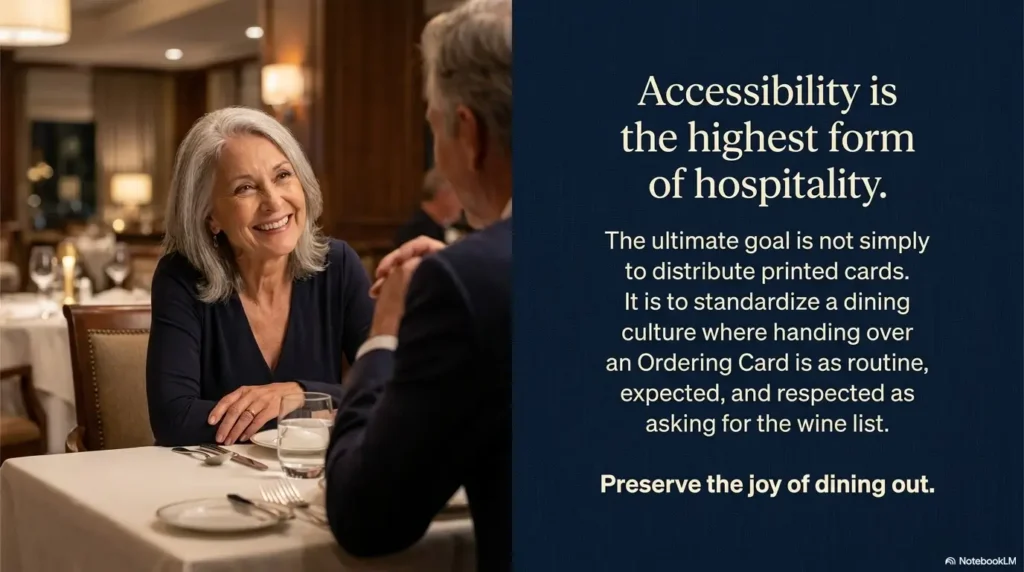
A card is a small object, but it can return a surprisingly large thing: the pleasure of ordering one’s own lunch without the table going tense. That is not a design trick. That is hospitality, folded to wallet size.
Your 15-minute next step
Create one card with this wording, then revise it after a real meal:
Please help me choose.
Food: chicken, fish, soup, or eggs.
Style: mild, easy to chew, sauce on side.
Drink: water or unsweetened tea.
For more everyday low-vision dining support, review how to navigate buffets with low vision and low vision self-checkout tips. Small public routines get easier when the tools are simple, visible, and already in reach.
Last reviewed: 2026-07
PUT THIS GUIDE TO WORK · INTERACTIVE WORKSHEET
Build a restaurant communication card
Use this worksheet alongside the article: Restaurant Ordering Card Ideas for Older Adults With Aging Eyes Simple cards that protect confidence at the table. Use the fields provided to organize your notes and next actions, then save your worksheet.
Your entries stay in this page and are cleared when you reload. No account is needed. Saved files are downloaded only to your device.
This card organizes a discussion or task. It does not provide diagnosis, treatment, medication timing, driving clearance, or professional approval. Copy clinical instructions exactly and ask the professional about uncertainty.
How to use your result
Save the worksheet before leaving this page. Recheck any quote, date, or instruction with the relevant provider, pharmacist, manufacturer, or official organization. A completed checklist means you recorded the steps, not that an outcome is guaranteed.
Worksheet added October 20, 2026. Read the article above for context and its stated review scope.