
Organize your questions and next steps, then save your worksheet.
Summary and next steps
Ask permission, improve readability and flag one uncertain transaction without taking over the account.
- Confirm the account owner wants help with this statement.
- Use a readable copy and compare expected activity.
- Contact the bank through a trusted channel about unresolved items.
Editorial maintenance: October 24, 2026. Summary layout, related links and technical metadata updated. This is not a full clinical review.

Low-Vision Financial Safety Guide
How to Help an Older Parent Review Bank Statements with Poor Vision
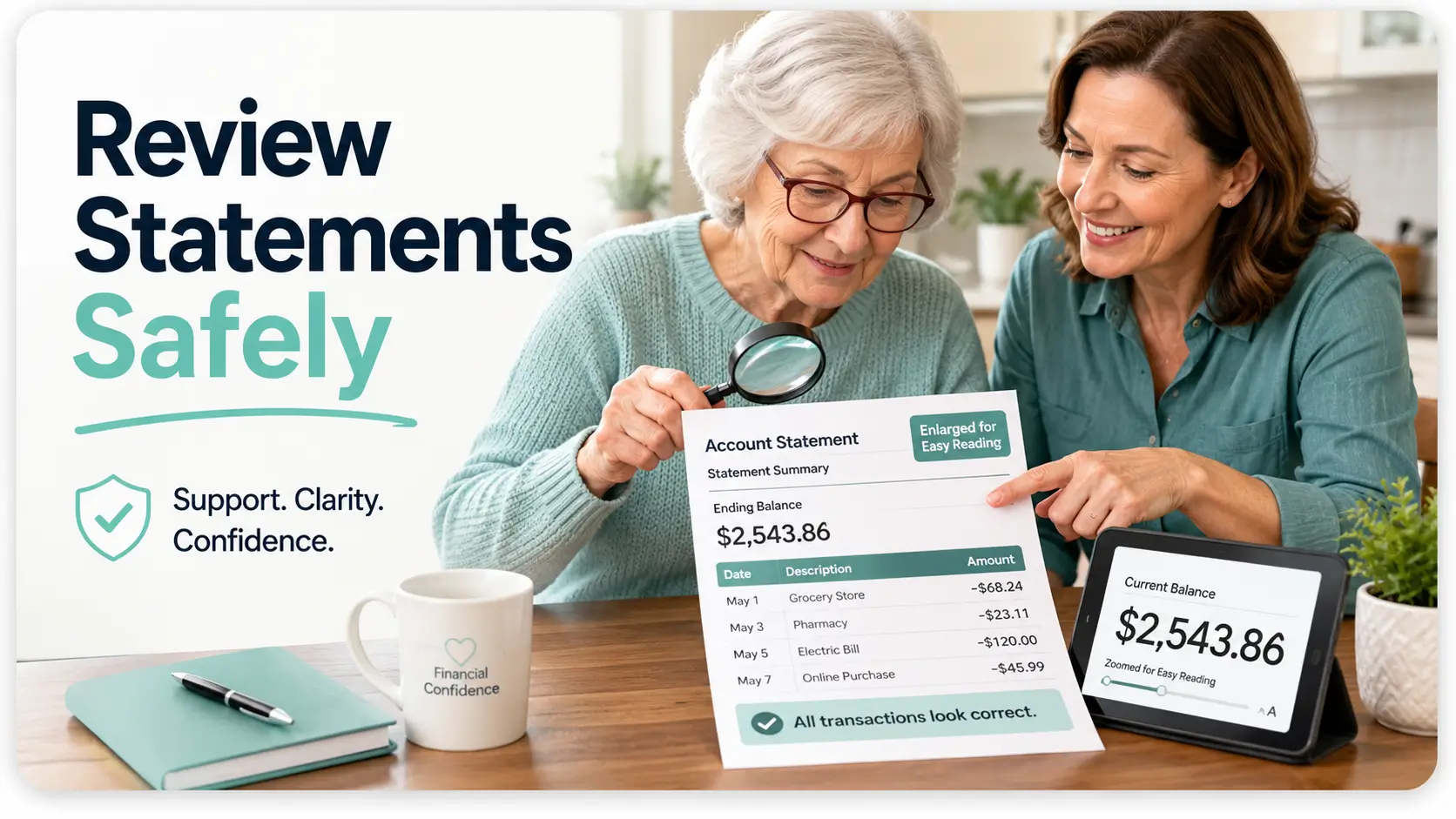
A bank statement can become an exhausting wall of tiny merchant codes, dates, balances, and nearly identical rows when eyesight changes. The answer is not to read faster or seize control. It is to make the information visible, organize the review, and preserve your parent’s authority over their own money.
This guide shows you how to create a calm statement-review routine for checking, savings, and credit-card accounts. You will learn how to enlarge the material, separate routine activity from exceptions, handle unfamiliar charges, and recognize the moment when a simple family conversation should become a call to the bank or another qualified source of help.
The goal is not perfect financial detective work. The goal is a repeatable process that catches meaningful problems without turning a kitchen-table review into an interrogation under fluorescent lights.
Improve readability
Set up lighting, magnification, contrast, and accessible statements before reviewing numbers.
Find real exceptions
Use staged passes and three transaction buckets instead of treating every line equally.
Protect independence
Help with reading and follow-up without casually taking passwords, ownership, or decision-making power.
The best review is not the fastest one. It is the one your parent can understand, approve, and repeat next month. 🔎
Snapshot: This article is for adult children, relatives, and authorized caregivers helping an older adult whose poor vision makes bank or credit-card statements difficult to read. It provides an accessibility-first review method, fraud-warning checklist, tool comparison, and a 15-minute trial you can complete without automatically taking control of the account.
Table of Contents

Start With Permission, Not the Password
Difficulty reading small print does not automatically mean that an older adult cannot manage money, recognize spending, or make sound financial decisions. Vision and decision-making ability are separate questions, and treating them as the same can damage trust quickly.
Begin by asking what assistance would feel useful. Your parent may want you to enlarge a statement, read merchant names aloud, write down questions, or sit nearby while they call the bank. None of those tasks necessarily requires you to know the password or control the account.
Ask What Kind of Help Is Actually Wanted
Use a specific question rather than a sweeping offer to “handle the finances.” For example: “Would it help if I enlarged the statement and read the unfamiliar entries while you decide what to do?”
That wording identifies the task, preserves your parent’s role, and gives them room to decline. It also helps you avoid drifting from reading assistance into account management without a clear conversation.
Separate Reading Assistance from Financial Decisions
- Reading assistance: Enlarging text, identifying statement sections, reading merchant descriptions, or recording questions.
- Administrative assistance: Organizing statements, scheduling a bank call, or locating previous records.
- Account activity: Changing passwords, disputing charges, transferring money, adding users, or closing accounts.
- Legal authority: Acting under a power of attorney, guardianship, conservatorship, trusteeship, or other formal arrangement.
The farther down this list you travel, the more important it becomes to confirm consent, bank procedures, and any formal authority required. A family relationship alone may not give someone permission to transact or receive protected account information.
Before You Act: Protect Consent and Financial Privacy
This article offers general educational guidance, not personalized financial, legal, medical, or caregiving advice. Obtain clear permission before viewing statements, contacting a bank, changing security settings, or receiving account access. Ask the bank what authorization it requires. Seek qualified legal guidance before changing ownership or relying on a power-of-attorney arrangement you do not fully understand. Sudden vision loss, immediate theft, threats, or coercion require prompt professional or emergency help.
Choose Safer Access Methods Than Shared Passwords
Ask whether the institution offers authorized-user features, view-only access, account alerts, trusted-contact procedures, duplicate statements, or another form of delegated access. Available options differ, and some account types provide fewer choices than others.
Avoid adding yourself as a joint owner merely because it seems convenient. Joint ownership can affect control, inheritance, creditor exposure, taxes, benefits, and family expectations. Convenience is a thin reason for a decision with a long shadow.
Key takeaway: Start with the smallest level of access needed for the task. Enlarging a statement is not the same as managing an account.
Fix the View Before Looking for Fraud
Fraud review is a visual task before it is a financial task. When print is too small, glare is sharp, or rows run together, the brain spends its energy decoding shapes rather than noticing patterns.
Improve the viewing conditions first. This often produces a larger benefit than purchasing a complicated device that ends up sleeping in a drawer beside three mysterious charging cables.
Request Accessible or Large-Print Statements
Contact the bank and ask what accessible statement formats are available. Possibilities may include larger print, electronic documents compatible with screen readers, alternative formats, or assistance through an accessibility service team.
Confirm whether the new format applies to every account, whether previous statements can be reissued, and whether delivery preferences will change. Do not assume that selecting electronic delivery automatically creates an accessible document.
Enlarge Paper Statements Without Exposing Private Information
A basic document magnifier, desktop video magnifier, tablet camera, or copier enlargement may help. Test one page before enlarging an entire file. The goal is comfortable reading, not producing a poster-sized monument to last month’s electric bill.
When using a shared copier or public device, consider the privacy risk. Do not leave originals, copies, scans, account numbers, or files behind. Home-based enlargement is generally easier to control.
For help selecting a simple aid, compare the stability, working distance, field of view, and lighting discussed in this guide to magnifiers for seniors. A hands-free stand or screen may be more comfortable than a small handheld lens during a multi-page review.
Use Digital Zoom, Contrast, and Read-Aloud Features
- Increase browser zoom or document magnification gradually.
- Use full-screen viewing to remove menus and side panels.
- Increase cursor or pointer size if locating rows is difficult.
- Try high-contrast or dark-mode settings only when they improve comfort.
- Use text-to-speech for descriptions, while visually confirming important amounts.
- Keep the device on a stable stand to reduce hand fatigue.
Be cautious with scanned statements that behave like photographs rather than selectable text. Read-aloud software may skip or scramble their contents. Ask the institution for a more accessible file rather than relying on an inaccurate reading.
Control Lighting, Glare, and Visual Fatigue
Use bright, indirect task lighting aimed at the statement rather than the eyes. Matte surfaces and curtains can reduce reflected glare. A light-colored page on a dark desk may create a clearer edge for some readers.
Schedule the review when your parent is least tired. Ten clear minutes in the morning may be more productive than forty strained minutes after dinner. Readers who also struggle with bills may benefit from these bill-reading adjustments for aging eyes.
The Accessible Statement Review Flow
01
Permission
Agree on the help being provided.
02
Enlarge
Improve size, lighting, and contrast.
03
Verify
Check dates, balances, and expected deposits.
04
Sort
Place transactions into three buckets.
05
Act
Resolve exceptions and document next steps.

Learn the Statement Layout Before Reading Transactions
Families often begin in the middle of the transaction list, where the smallest print and strangest abbreviations live. A better review starts with the statement’s frame: account, period, balances, and category totals.
Confirm the Account and Statement Period
- Confirm that the account type is correct.
- Check the statement beginning and ending dates.
- Confirm that all pages are present.
- Look for notices, fee changes, or messages from the institution.
- Check whether the statement includes pending activity or posted transactions only.
Mixing two accounts or two statement periods can create a false mystery. Write the account nickname and month in large print on a removable note, using only the minimum identifying information needed.
Verify Opening and Closing Balances
Check that the opening balance matches the prior statement’s closing balance, allowing for any institution-specific presentation differences. Then identify total deposits, withdrawals, fees, interest, and the closing balance.
You are not yet proving that every transaction is correct. You are confirming that the statement behaves like a coherent story before examining each sentence.
Decode Merchant Names Without Jumping to Conclusions
A transaction description may show a payment processor, parent company, shortened location, online marketplace, or billing service rather than the storefront name your parent remembers. Search receipts, emails, calendars, and prior statements before labeling the charge unauthorized.
Do not search the full account number or paste private statement text into an unfamiliar website or public chatbot. Search only the non-sensitive merchant descriptor when further context is needed.
Show me the nerdy details
A statement is a posted ledger for a defined period, not necessarily a live picture of every authorization currently affecting available funds. Pending card authorizations may disappear, change amount, or post under a different date or description.
Checking statements may also contain checks, electronic transfers, card purchases, cash withdrawals, returned items, adjustments, and fees governed by different account agreements and consumer-protection rules. Credit-card billing disputes can follow a different process from debit-card or bank-transfer complaints.
That is why the safest response to an unfamiliar entry is to record the transaction type, date, amount, and description, then ask the institution what procedure and deadline apply. One generic “chargeback rule” does not fit every financial lane.
Review One Financial Lane at a Time
Reading from the first line to the last line sounds thorough, but it asks the reader to switch constantly between deposits, subscriptions, checks, fees, and purchases. That mental zigzag makes important exceptions harder to see.
Instead, complete five short passes. Each pass asks one question.
First Pass: Did Expected Money Arrive?
Check Social Security, pension payments, payroll, benefits, interest, refunds, rental income, or family transfers that should appear during the period. Verify the expected range and approximate timing without assuming every deposit arrives on the same calendar date.
A missing deposit deserves prompt follow-up because the problem may sit outside the bank. The payer, benefits administrator, or employer may need to trace it.
Second Pass: Are Recurring Payments Familiar?
Group utilities, insurance premiums, housing payments, telephone bills, memberships, donations, and subscriptions. Compare them with a simple recurring-payment reference sheet.
Pay attention to duplicated subscriptions, rising service charges, free trials that became paid plans, and payments that continued after a service was canceled.
Third Pass: Do Card, ATM, and Check Transactions Fit?
Review debit-card purchases, cash withdrawals, checks, and electronic payments separately. Compare unusual amounts with receipts, appointment dates, travel, home repairs, gifts, and purchases made with another family member.
For credit accounts, this credit-card checklist for seniors can help organize payment dates, authorized users, recurring charges, and statement questions.
Fourth and Fifth Pass: Fees, Adjustments, and the Final Balance
Inspect maintenance fees, overdraft charges, returned-payment fees, interest, refunds, reversals, and adjustments. Then ask whether the closing balance roughly matches what your parent expected after the month’s known activity.
A surprising balance is a signal to slow down, not proof of wrongdoing. It may reflect timing, a forgotten large expense, an automatic transfer, a bank error, or unauthorized activity.
Key takeaway: Review categories, not rows. Deposits first, routine bills second, variable spending third, fees fourth, and the final balance last.
Short Story: The $14.99 Mystery
Elaine asked her son to read a credit-card statement because the print had become tiring. Halfway down the page, they found a monthly $14.99 charge with a merchant name neither recognized. Her son immediately reached for the fraud number.
Elaine asked to check her email first. A search found a receipt for a streaming trial she had started after watching a gardening program at her sister’s house. The trial had quietly converted to a paid subscription three months earlier.
The charge was legitimate, but no longer useful. Elaine canceled it herself while her son wrote the cancellation date on their review sheet.
The practical lesson was not “never suspect fraud.” It was to place unclear charges in a middle bucket long enough to gather context. That small pause prevented a mistaken accusation while still stopping an unwanted expense.
Use the Three-Bucket Transaction Check
The three-bucket method prevents two common errors: ignoring suspicious activity because the statement feels overwhelming, and treating every forgotten purchase as theft.
| Bucket | What Belongs Here | Next Action |
|---|---|---|
| Recognized | The merchant, amount, purpose, and timing make sense. | Mark as reviewed. No further action is needed unless the amount is wrong. |
| Needs context | The entry may be legitimate, but the description, date, or amount is unclear. | Check receipts, emails, calendars, prior statements, and household members. |
| Act now | The transaction appears unauthorized, dangerous, duplicated, or connected to coercion. | Contact the institution promptly using a trusted number and follow its security instructions. |
Record Only the Minimum Details Needed
For unresolved items, record the date, amount, shortened merchant description, transaction type, question, and next action. Avoid copying full account numbers, security codes, or login information onto the review sheet.
Use a removable note, separate large-print worksheet, or secure digital document. Do not write over the original statement, which may be needed for later comparison or a formal dispute.
Large-Print Question Log
Date: __________ Amount: __________
Merchant or transaction: ______________________________
Bucket: Recognized / Needs context / Act now
Question: ___________________________________________
Next action and owner: _________________________________
Keep Unresolved Items Visible Until Closed
Do not let a question vanish into a stack of mail. Give each unresolved item an owner and a next action, such as “Elaine checks email receipts,” “Marcus calls the utility,” or “Parent and daughter call the bank together.”
A household mail system can help prevent lost statements, late notices, and duplicate paperwork. See this guide to organizing mail for seniors for a simple sorting routine.
Compare Statement-Review Tools Without Overspending
The best setup is the least complicated one that your parent can use comfortably. Begin with free adjustments, then spend money only where a clear barrier remains.
| Setup | Typical Components | Best For | What to Verify Before Paying |
|---|---|---|---|
| Good: Low-cost DIY | Large-print statement, indirect lamp, bold marker, reading glasses or basic magnifier | Occasional paper reviews and mild print-size difficulty | Comfort, glare, usable viewing area, and whether the print remains sharp |
| Better: Stable digital setup | Tablet or monitor stand, document zoom, larger pointer, text-to-speech, secure file storage | Monthly reviews and readers who need flexible enlargement | Screen size, simplicity, privacy controls, audio accuracy, and update support |
| Best: Specialist-guided setup | Low-vision evaluation, occupational-therapy guidance, desktop video magnification, customized accessibility training | Significant vision loss, fatigue, reduced contrast sensitivity, tremor, or multiple daily reading tasks | Professional credentials, assessment process, trial period, return policy, training, and total cost |
When Free Tools Are Enough
Browser zoom, built-in magnification, larger text, improved lighting, a simple statement folder, and a recurring-payment sheet may solve the problem. A paid device is unnecessary when the main barrier is poor setup rather than severe vision loss.
When a Paid Tool May Be Worth Comparing
Consider a larger display, stable document camera, or desktop video magnifier when handheld tools cause fatigue, only a few words remain visible at once, or statements must be reviewed frequently. Compare return policies and trial options because magnification preferences are highly individual.
- Can your parent position and operate it without assistance?
- Does enlargement preserve enough of the row to understand the transaction?
- Is the screen comfortable at the required brightness?
- Can the device freeze, save, or read text without creating privacy concerns?
- Does it require an account, subscription, internet connection, or cloud storage?
- Who provides training and technical support?
When Professional Assessment Adds Value
A low-vision specialist or occupational therapist may help when ordinary glasses no longer provide enough function, glare and contrast problems dominate, or multiple home tasks have become difficult. The aim is not merely stronger magnification. It is a workable combination of viewing distance, lighting, contrast, positioning, and task design.
Before booking, prepare questions about the tasks being assessed, devices available for trial, training, follow-up, insurance or benefit documentation, and expected out-of-pocket costs. This low-vision occupational-therapy question list can help organize the appointment.
Avoid the Mistakes That Create More Confusion
Mistake 1: Reading Every Line Aloud
A complete recital can become a waterfall of dates and decimals. Group predictable payments first, then discuss exceptions. Pause after each unclear item and let your parent respond without pressure.
A forgotten transaction may reflect an unfamiliar merchant name, a delayed posting date, a purchase by an authorized user, or ordinary memory strain. Treat it as a question until the available evidence supports a stronger conclusion.
Mistake 2: Taking Over Too Quickly
- Do not change passwords without informed permission and a documented reason.
- Do not store credentials in unsecured notes, messages, or shared documents.
- Do not forward full statements through ordinary text messages.
- Do not redirect financial mail without agreement and proper authority.
- Do not become a joint owner solely to make monthly review easier.
- Do not make purchases, transfers, or disputes your parent does not understand.
Mistake 3: Creating a System Only One Person Understands
A family review process should survive a vacation, illness, or broken phone. Use clear folder names, a short written routine, and approved contact information. Avoid private shorthand that turns the system into a locked attic.
For electronic records, this guide to organizing digital files for seniors can help create predictable folders without scattering statements across downloads, email attachments, and desktop icons.
Mistake 4: Treating Verification Codes Casually
Bank security codes should not be shared with unsolicited callers, texters, or people claiming they need the code to “reverse” fraud. When helping your parent sign in, explain what the code is authorizing before it is entered.
Review the practical safeguards in this guide to verification codes for older adults, especially when a caller is creating urgency.
Key takeaway: A useful system reduces dependence. It should make your parent’s information easier to understand, not make one helper indispensable.
Recognize When an Odd Charge Is More Than an Odd Charge
One unclear merchant name is common. A cluster of unexplained withdrawals, secretive relationships, account changes, pressure, or missing income is different. Look for patterns across statements and behavior without conducting a private investigation that could increase danger.
Transaction Warning Signs
- Repeated cash withdrawals that are unusual for your parent.
- New wire transfers, payment-app transfers, or cryptocurrency purchases.
- Gift-card purchases connected to a caller, online contact, prize, or emergency story.
- Checks written to unfamiliar people or written for unusually round amounts.
- Duplicate withdrawals or recurring charges with no clear purpose.
- Missing pension, Social Security, payroll, or benefit deposits.
- New loans, cash advances, overdrafts, or credit accounts.
- Payments to a caregiver, relative, contractor, salesperson, or romantic contact that your parent appears afraid to discuss.
Account and Contact Changes
- An unfamiliar mailing address, telephone number, or email address.
- New authorized users, joint owners, beneficiaries, or online profiles.
- Password resets or security alerts your parent did not request.
- Statements that suddenly stop arriving.
- New cards, checks, or account documents that cannot be located.
- A helper who blocks private conversations with your parent.
Behavioral and Pressure Signs
Your parent may appear frightened, unusually secretive, ashamed, confused about a new relationship, or convinced that immediate payment is required to prevent arrest, rescue a relative, receive winnings, protect an account, or complete an investment.
Do not shame them. Scams are designed to manipulate attention, trust, fear, affection, and urgency. A calm response is more likely to preserve communication and reveal what happened.
Red-Flag Combination
Treat the situation as more urgent when an unexplained transaction appears alongside secrecy, threats, account-access changes, isolation, pressure from another person, or fear of consequences. Preserve available records and seek appropriate help rather than confronting a suspected exploiter alone.
Know When to Seek Help Instead of Investigating Alone
Some statement questions can be resolved with a receipt. Others require the institution, a government resource, a clinician, law enforcement, Adult Protective Services, or an attorney. The safest next step depends on the type and urgency of the problem.
Contact the Financial Institution Promptly
Use the telephone number printed on the card, statement, or official institution website. Avoid numbers supplied by an unexpected caller, email, text message, pop-up, or search advertisement.
Have your parent present when possible. Explain the transaction type, date, amount, and reason for concern. Ask what security steps, dispute procedure, documentation, and reporting deadline apply to that specific transaction.
- Should the card or account access be locked or replaced?
- Are other transactions pending?
- Were contact details, passwords, users, or transfer instructions changed?
- What written confirmation will the institution provide?
- What temporary credits or restrictions may apply?
- Which payments need to be redirected after a card or account change?
Credit-card billing errors have specific procedures, so review the official FTC guidance on disputing credit-card charges and confirm the issuer’s current instructions.
Report Suspected Fraud or Exploitation
When financial exploitation is suspected, consider contacting the financial institution, local Adult Protective Services, appropriate law enforcement, and relevant fraud-reporting resources. State procedures and agency names vary.
For non-emergency assistance locating reporting options, the U.S. Department of Justice maintains elder-justice help resources. When there is immediate danger, an active theft in progress, or a threat to safety, contact emergency services.
Seek Medical or Legal Guidance When the Problem Is Larger Than the Statement
Sudden vision loss, a dark curtain, new flashing lights, severe eye pain, sudden double vision, or rapidly worsening sight should not wait for the monthly bank review. Seek prompt medical evaluation based on the severity and local emergency guidance.
Consult an elder-law attorney or another qualified local professional when the family is considering powers of attorney, guardianship, conservatorship, trusts, joint ownership, disputed transfers, capacity questions, or conflicts among relatives. Ask about scope, risks, alternatives, fees, and how your parent’s preferences will be documented.
Key takeaway: Do not wait to prove the entire story before reporting a serious concern. Record what is known, protect immediate access, and ask the appropriate institution or agency what to do next.
Build a Monthly Review That Preserves Independence
A reliable routine is quieter than a crisis response. It catches unfamiliar activity earlier, reduces paperwork buildup, and gives your parent a predictable place to ask questions.
Choose a Consistent Time and Place
- Use the same week of each month.
- Choose a time when vision and energy are usually strongest.
- Prepare the lamp, magnifier, device stand, and reading glasses first.
- Silence unnecessary notifications and television sound.
- Limit the session to a manageable number of accounts.
- Keep water nearby and schedule a pause for longer reviews.
Maintain a Recurring-Payment Reference Sheet
Create a large-print list of expected income and routine expenses. Include the payee or payer, approximate amount, normal timing, payment method, and account nickname. Do not include passwords, full account numbers, or security answers.
| Item | Expected Timing | Approximate Amount | Payment Method |
|---|---|---|---|
| Retirement deposit | Early each month | Expected range | Direct deposit |
| Electric utility | Mid-month | Seasonal range | Automatic withdrawal |
| Insurance premium | Monthly | Usual amount | Credit card |
| Housing payment | Beginning of month | Fixed amount | Check or transfer |
Update the sheet when a payment changes or ends. Older paper registers may also be replaced with accessible alternatives. Compare options in this guide to large-print check-register alternatives.
Close Each Review with Clear Decisions
- Summarize the items that were recognized.
- List unresolved questions and who will handle each one.
- Confirm any bank calls, card locks, disputes, or account alerts.
- Ask your parent to restate the decisions in their own words.
- Store or shred documents according to the agreed system.
- Set the next review date.
A simple low-vision filing system can keep current statements, resolved records, and documents awaiting action in separate, easy-to-identify locations.
Monthly Review Checklist
□ Permission and preferred type of help confirmed
□ Correct account, period, and complete statement verified
□ Expected deposits checked
□ Recurring payments compared with reference sheet
□ Card, ATM, check, fee, and adjustment activity reviewed
□ Unclear transactions assigned to a bucket
□ Follow-up owners and dates recorded
□ Parent understands and approves next actions

Frequently Asked Questions
Can a Bank Provide Large-Print Statements?
Some institutions offer large-print, electronic, screen-reader-compatible, or alternative statement formats. Availability and enrollment procedures vary. Ask the institution’s accessibility or customer-service team what formats it provides and whether previous statements can be reissued.
Should an Adult Child Have a Parent’s Online-Banking Password?
Not automatically. Sharing credentials may conflict with account terms, weaken security, and blur responsibility. Ask the institution about safer authorized-access or view-only options. Use the least access necessary and obtain clear permission.
How Do We Check an Unfamiliar Merchant Name?
Compare receipts, emails, calendars, prior statements, subscription records, and purchases made by authorized users. Search only the non-sensitive merchant description. Contact the institution promptly when the transaction remains unexplained or appears unauthorized.
Does a Forgotten Purchase Mean Fraud or Cognitive Decline?
No. Merchant descriptions, posting delays, ordinary forgetfulness, shared purchases, and recurring subscriptions can all cause confusion. Look for patterns and context. Seek professional medical advice when memory or decision-making changes are persistent, worsening, or affecting safety across several parts of daily life.
What If My Parent Refuses Help?
A capable adult can usually decline assistance. Explain the specific concern without threats or broad accusations, offer a smaller form of help, and respect boundaries. When there is suspected exploitation, impaired decision-making, coercion, or immediate danger, seek guidance from an appropriate professional or protective agency.
How Long Should Bank Statements Be Kept?
Retention needs depend on taxes, benefits, property, disputes, legal matters, warranties, and personal recordkeeping. Ask a qualified tax or legal professional about records tied to important transactions. Shred unneeded paper securely and delete electronic copies from devices or accounts no longer used.
What Should We Do If a Scam Is Suspected?
Stop further payments or communications when it is safe to do so, contact the financial institution using trusted contact information, preserve messages and transaction details, and ask what security or dispute steps apply. Fraud can also be reported through the Federal Trade Commission’s official reporting service.
Optional video: Open the video on YouTube (external site).
Complete a 15-Minute Statement Trial
Do not begin by reorganizing every account, buying equipment, or building a family finance command center. Test the process with one recent checking-account statement.
- Minutes 1 to 2: Ask what help your parent wants and confirm that they consent to reviewing the statement together.
- Minutes 3 to 5: Increase the text size, improve the lighting, and position the statement comfortably.
- Minutes 6 to 8: Confirm the account, statement period, opening balance, expected deposits, and closing balance.
- Minutes 9 to 12: Review transactions by category and mark each one as recognized, needs context, or act now.
- Minutes 13 to 14: Choose one unresolved item and record the next action without copying sensitive account details.
- Minute 15: Ask which part felt difficult and what would make next month’s review easier.
The answer may be a larger screen, a better lamp, fewer accounts per session, a recurring-payment sheet, or simply more time to think. That answer is more useful than guessing what an older parent needs from across the table.
Key takeaway: Today’s next step is one accessible statement, one unresolved transaction, and one decision your parent understands. Small, respectful routines catch more than hurried rescues.
Last reviewed: 2026-08
PUT THIS GUIDE TO WORK · INTERACTIVE WORKSHEET
Bank-statement arithmetic checker
Use this worksheet alongside the article: How to Help an Older Parent Review Bank Statements with Poor Vision. Use the fields provided to organize your notes and next actions, then save your worksheet.
Your entries stay in this page and are cleared when you reload. No account is needed. Saved files are downloaded only to your device.
How to use your result
Save the worksheet before leaving this page. Recheck any quote, date, or instruction with the relevant provider, pharmacist, manufacturer, or official organization. A completed checklist means you recorded the steps, not that an outcome is guaranteed.
Worksheet added October 20, 2026. Read the article above for context and its stated review scope.