

Organize your questions and next steps, then save your worksheet.
Summary and next steps
Make one bill readable and trace its status from review to confirmed payment.
- Choose a bill and a readable review location.
- Record due, scheduled and paid as different states.
- Keep proof securely and review any unfamiliar request through a trusted channel.
Editorial maintenance: October 24, 2026. Summary layout, related links and technical metadata updated. This is not a full clinical review.
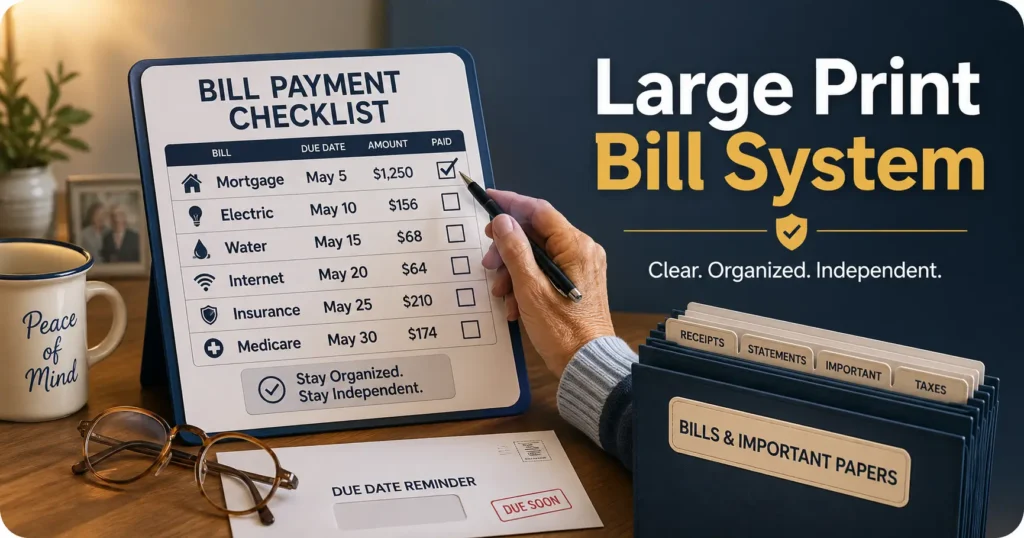
Senior bill organization, made readable
Large Print Bill Payment System
for Older Adults with Aging Eyes
Bills do not become dangerous because they are complicated. They become dangerous because the important parts shrink. A due date hides in pale gray ink. A confirmation number lands on a glossy page. A password gets tucked into the margin of a tiny notebook, where it quietly turns into a treasure map no one can read.
A good large print bill payment system is not about making an older adult feel supervised. It is about making money tasks visible, calm, and repeatable. The right setup protects independence by reducing the tiny daily frictions that lead to late fees, duplicate payments, fraud panic, and kitchen-table paper avalanches.
This guide shows how to build a simple, large-print system for paper bills, online bills, autopay, caregiver review, and monthly proof. Think of it as a bright little harbor for envelopes, statements, confirmations, and decisions, with fewer squints and fewer surprises.
See faster
Use readable labels, high contrast, and large spacing so due dates stop playing hide-and-seek.
Pay safer
Add review steps for autopay, unusual bills, duplicate charges, and payment confirmations.
Help kindly
Give caregivers a clear way to support bills without taking over every choice.
Goal: one bill station, one readable checklist, one monthly review habit, and far fewer financial fog patches. 🧾
Snapshot
This article is for older adults, adult children, caregivers, and senior-service professionals who need a readable bill payment routine. You will learn how to sort bills, enlarge the right information, use autopay safely, reduce fraud risk, and create a 15-minute monthly review that protects both dignity and dollars.
Table of Contents

Before You Build: Safety, Privacy, and Money Boundaries
A bill payment system touches money, identity, bank accounts, medical statements, insurance notices, and sometimes legal authority. That does not mean it needs to feel alarming. It means the system should be built with clean edges.
This article offers practical organization and accessibility guidance. It cannot tell a specific reader what legal authority they need, whether a bill is valid, whether a financial product is right for them, or whether an older adult has decision-making capacity. For those questions, compare options and confirm important decisions with a qualified professional.
Before you act
Use this guide to make bills easier to see, sort, review, and document. Do not use it as a substitute for legal, financial, medical, or tax advice.
- Ask before accessing another person’s accounts, passwords, mail, or statements.
- Keep proof of payment until the payment clears and the next statement looks right.
- Use a trusted professional when account access, power of attorney, joint ownership, or suspected exploitation enters the picture.
- Contact a vision professional if reading difficulty changes suddenly or becomes unsafe.
The best system is humble. It does not try to solve every financial problem in one heroic afternoon. It makes the next bill easier to handle, then repeats that win until the routine has its own quiet rhythm.
Large Print Bill Payment System: What It Actually Needs to Do
A large print bill payment system is not just “bigger paper.” Bigger paper can still be messy, confusing, and unsafe if the process is vague. The real goal is to make the four money tasks visible: see, sort, pay, and prove.
The real goal is not “bigger paper”
Large print helps only when it enlarges the right details. The due date matters more than the marketing banner. The amount due matters more than the decorative logo. The account name matters more than the dense legal paragraph on page three.
The system should make the decision obvious: pay now, review later, ask for help, or file as proof. If a bill station requires a magnifying glass, a memory test, and a prayer, the paper dragon is still in charge.
The four jobs: see, sort, pay, prove
Every bill should move through four clear steps. First, the reader must see the important information. Second, the bill must be sorted into the right place. Third, payment must happen safely. Fourth, proof must be kept long enough to confirm the account is settled.
The Large Print Bill Flow
1. See
Due date, amount, account, and biller are enlarged.
2. Sort
The bill goes into To Pay, Paid, or Needs Help.
3. Pay
Payment is made only after the amount and source are checked.
4. Prove
Confirmation is saved until the next statement agrees.
Why bill payment gets harder before people admit it
Many older adults manage bills well for decades, then quietly start compensating. They turn on more lights. They hold paper farther away. They wait for a “better time” to read the statement. They ask someone to read one line, then two, then the whole thing.
That in-between stage is exactly when a large print system helps most. It preserves ability before mistakes pile up. It is a railing, not a cage.
The quiet cost of one missed envelope
One missed bill can trigger a late fee, service interruption, collection notice, insurance problem, or credit stress. More often, it triggers shame. The older adult may start hiding the pile because the pile feels like proof of failure.
The system should remove shame from the table. A bill is not a character test. It is a small administrative animal that needs a readable pen.
Build the One-Glance Bill Station
The one-glance bill station is a single place where incoming mail, unpaid bills, paid confirmations, and “needs help” items live. It can be a desk drawer, a kitchen shelf, a rolling cart, or a simple tray. The important thing is that it is one place, not five little paper islands.
Choose one physical location, not five little piles
Pick a location with good lighting, a chair, a flat writing surface, and enough room to open envelopes without knocking over coffee, pills, or reading glasses. Avoid the bed, the arm of a recliner, and any spot where paper slides behind furniture.
The station does not need to look like an office-supply catalog. A small tray, three folders, a thick black marker, and one large-print checklist can outperform a beautiful organizer that no one actually uses.
Use large-print labels for “To Pay,” “Paid,” and “Needs Help”
Start with three categories. “To Pay” means action is still needed. “Paid” means proof exists but should be checked against the next statement. “Needs Help” means the bill is unusual, confusing, suspicious, duplicated, or connected to a change in service.
Print each label in large, bold text. Use plain words, not clever names. “Money Cave” may be funny once, but “To Pay” wins every Thursday afternoon.
Pick contrast before decoration
For aging eyes, contrast often matters as much as size. Black text on white or cream paper is easier than pale gray on blue. Matte folders are usually easier than glossy folders. Thick lines are easier than delicate borders.
If you already use a low-vision filing routine, connect it to the bill station instead of building a second system. A related guide on a low vision filing system can help if paper categories are spreading into cabinets, drawers, and mysterious shoeboxes.
Here’s what no one tells you: beige folders betray everyone
Beige folders, beige counters, beige envelopes, and beige bills can merge into one bureaucratic fogbank. A darker folder with a white label, or a bright folder with thick black text, gives the eye a destination.
For many households, the cheapest upgrade is not a new app. It is contrast. Contrast is the lighthouse of paperwork.
Key takeaway
Build the bill station around visible decisions, not storage. If a person can glance at the station and know what needs action, the system is doing its job.
The 18-Point Print Rule That Saves Eyeballs
For many older adults, 18-point type is a practical starting point for labels, bill summaries, and checklists. Some readers need larger text, stronger contrast, or magnification. The rule is simple: the system should fit the person, not the other way around.
Use large fonts for due dates, amounts, and account names
Do not enlarge everything equally. Create a one-page master bill list and make these details prominent: biller name, usual amount range, due date, payment method, phone number, website, username clue, and where proof is stored.
If you are choosing a default size for household labels, the guide on the best font size for seniors can help you compare readable text sizes without turning every page into a billboard.
Avoid thin fonts, glossy paper, and pale gray ink
Choose a plain sans-serif font such as Arial, Helvetica, Verdana, or Atkinson Hyperlegible if available. Use bold for labels and headings. Avoid script fonts, narrow fonts, decorative fonts, and pale ink that looks polite but behaves badly.
Glossy paper can reflect lamps and windows, especially under bright kitchen lighting. If a statement is glossy, place it under a matte sheet protector or copy the key details onto a large-print summary page.
Why handwritten notes can become tiny financial traps
Handwriting often gets smaller when someone is tired, rushed, or embarrassed. That tiny note that says “paid 6/4 conf 9187” may be unreadable two weeks later.
Use a thick black pen, write in block letters, and leave generous space. Better yet, print a reusable large-print payment log so every line has a home.
Create a master bill list with readable spacing
The master bill list is the heart of the system. It should not be a cramped spreadsheet with microscopic columns. Use one bill per row, wide spacing, and only the information needed for safe review.
| Master bill list field | What to write in large print | Why it helps |
|---|---|---|
| Biller name | Electric company, Medicare plan, credit card, rent, mortgage, phone | Reduces confusion when envelopes look similar |
| Usual due date | Example: 12th of each month | Creates a predictable review window |
| Usual amount range | Example: usually $85 to $115 | Makes unusual charges easier to spot |
| Payment method | Autopay, check, bank bill pay, phone, website | Prevents duplicate payments |
| Proof location | Paid folder, email folder, bank statement, printed confirmation | Helps resolve disputes faster |
| Help note | Call daughter first, ask bank, verify address | Adds a pause before risky action |

Do Not Let Autopay Become a Blind Spot
Autopay can be a blessing. It can also become a quiet trap if no one checks balances, statement amounts, renewal notices, or duplicate charges. The safer phrase is not “set it and forget it.” It is “set it and review it.”
Autopay is helpful, but it still needs a dashboard
A dashboard can be as simple as one printed page. List each autopay bill, the account it comes from, the usual payment date, the expected amount range, and the date it was last reviewed.
This matters because autopay can hide subscription creep, insurance premium changes, utility spikes, and forgotten services. The older adult may be “paid up” and still losing money in little monthly leaks.
Mark every autopay bill as “reviewed,” not just “paid”
A bill marked “paid” tells only half the story. A bill marked “reviewed” means the amount was checked, the account had enough money, and the charge made sense compared with last month.
This is especially useful for adult children helping from another city. Instead of asking, “Did you pay it?” ask, “Did we review the amount?” That small wording shift keeps the conversation practical instead of parental.
Keep one printed confirmation page or monthly statement
For each paid bill, keep proof until the next statement confirms the payment was received and credited correctly. For paper lovers, this can be a printed confirmation. For digital users, it can be a PDF or screenshot saved with a simple file name.
A good file name looks boring on purpose: “2026-06 Electric Paid Confirmation.” Boring names are beautiful when something goes wrong.
Do not do this: autopay without a balance check
Autopay can trigger overdraft fees if the checking account balance is low. It can also mask billing errors if no one opens statements. A safer routine is to review the bank balance and upcoming autopay list once or twice a month.
| Setup level | Best for | What it includes | Cost mindset |
|---|---|---|---|
| Good | Mostly paper bills | Three folders, large-print checklist, monthly calendar | Low-cost DIY setup |
| Better | Paper plus autopay | Autopay dashboard, payment log, printed confirmations | Still low-cost, may use printer ink and folders |
| Best | Caregiver review or higher bill volume | Shared calendar, secure password manager, bank alerts, monthly review call | May justify paid tools or professional guidance |
Key takeaway
Autopay is safest when it is paired with a visible review habit. Paid is not the same as checked.
The Calendar Trick Most Families Miss
Most bill calendars show only the due date. That is too late. A safer large print bill payment system uses two dates: the review date and the due date.
Use two dates: “review by” and “due by”
The “review by” date is when the bill gets opened, checked, and placed into the right folder. The “due by” date is the final payment deadline. Keeping both dates visible creates breathing room.
For example, if the electric bill is due on the 18th, the review date might be the 10th. That leaves time to verify a higher-than-usual amount, call the company, mail a check, or ask a caregiver for help.
Color-code only if the colors are easy to distinguish
Color coding can help, but it should never be the only signal. Use words and icons along with color. For example, “PAY,” “CHECK,” and “HELP” are clearer than relying only on red, yellow, and blue.
Some older adults have trouble distinguishing similar colors, especially under dim light. Black text on a high-contrast background beats a rainbow that has joined a witness protection program.
Put the payment window where eyes naturally land
A calendar works best when it is easy to see without crouching, reaching, or hunting. Place it near the bill station, not inside a closed drawer. If wall calendars have tiny boxes, print a monthly bill calendar with large boxes and wide writing lines.
If the household already uses appointment systems, borrow the same habit. A low vision calendar system for appointments can be adapted for bills by adding review dates, payment dates, and confirmation checks.
Tiny calendar boxes are where late fees hatch
Late fees often begin as visual clutter. The bill was opened. The intention was good. The due date was copied into a calendar box the size of a postage stamp, then lost among birthdays, appointments, and grocery notes.
Give money tasks their own space. A separate bill calendar may feel overly simple, but simple is what survives Tuesday.
Common Mistakes That Make Bills Harder to Pay
A bill system usually fails from small design mistakes, not laziness. The fix is to remove traps before they become habits.
Mistake 1: Keeping unopened mail in the same pile as paid bills
Unopened mail and paid proof should never share a pile. One pile says, “Something may need action.” The other says, “This is evidence.” Mixing them forces the reader to reprocess the same paper again and again.
Mistake 2: Using online passwords written in tiny notebook margins
Password notes should be readable, secure, and current. If passwords must be written down, keep them in one protected place, not scattered through envelopes, calendars, and sticky notes. For many families, a reputable password manager may be worth comparing, especially when multiple bill accounts are online.
Also separate passwords from verification codes. Verification codes are temporary and can be used by scammers during live calls. This guide on senior verification codes is a helpful companion if phone or text codes keep causing confusion.
Mistake 3: Trusting memory instead of a visible checklist
Memory is not a filing system. It is a wonderful attic with questionable labeling. Use a checklist that shows which bills were reviewed, paid, and confirmed.
Mistake 4: Paying from a phone screen when the text is too small
A phone can be convenient, but tiny text raises the chance of tapping the wrong amount, missing a fee, or trusting a fake link. If the reader struggles with phone text, use a tablet, computer, printed summary, or phone accessibility settings before making payments.
Mistake 5: Throwing away proof before the payment clears
Keep confirmation numbers, bank bill pay records, and statements long enough to compare against the next cycle. If a payment disappears, proof is the umbrella you wish you had before the rain starts.
Monthly bill checklist
- Open all bill mail within three days of arrival.
- Write or confirm the review date and due date in large print.
- Compare the amount with last month or the usual range.
- Check whether the payment method is autopay, check, card, or bank bill pay.
- Save proof in the Paid folder or digital confirmation folder.
- Move confusing, unusual, or suspicious bills to Needs Help.
- Review the Paid folder once the next statement arrives.
Fraud Checks Belong in the System, Not in Panic Mode
Fraud prevention should not depend on fear. It should be a calm step in the routine, the same way you check the stove before leaving the house. Older adults deserve systems that prevent pressure, not lectures after something goes wrong.
Add a “pause before paying” step for unusual bills
Create a large-print “Pause” card and keep it at the bill station. Use it for any bill that looks unusual, urgent, threatening, oddly worded, or different from the regular pattern.
The card should say: “Do not pay from this notice alone. Verify using a known phone number or website.” This is especially important for medical bills, debt notices, utility shutoff warnings, tax-related letters, and subscription renewals.
Compare the amount with last month before sending money
Many mistakes are visible only when compared with the usual amount. A utility bill may rise seasonally, but a sudden jump deserves a look. A credit card minimum may change, but an unfamiliar merchant deserves a pause.
Write the usual amount range on the master bill list. This turns “that seems high” into a practical check.
Watch for fake urgency, changed payment addresses, and odd phone numbers
Scammers often push speed. They may claim an account will be closed, benefits will stop, utilities will shut off, or money must be moved immediately. Urgency is not proof. It is a reason to slow down.
Check payment addresses against older statements. Call the biller using a phone number from a known statement, card, or official website, not the number from a suspicious notice.
Official fraud resource
For calm, plain-English scam guidance for older adults and families, review the Federal Trade Commission’s consumer advice page.
Let’s be honest: scammers love clutter
Clutter creates doubt. Doubt creates haste. Haste creates openings. A readable system makes it easier to say, “This is not in my usual bill list,” or “This amount does not match the last statement.”
That is the quiet power of organization. It gives the person enough clarity to pause.
Show me the nerdy details
The safest bill systems reduce cognitive load. That means fewer places to check, fewer categories to remember, fewer visual styles, and fewer exceptions.
A useful test is the “three-question scan.” Can the person answer these without searching through a pile: What needs payment? What has already been paid? What needs another person or a phone call?
If the answer is no, the system needs clearer categories, bigger labels, stronger contrast, or a shorter checklist. The solution is usually not more information. It is better information placement.
Make Digital Bills Readable Without Forcing a Tech Makeover
Some older adults want paper. Some prefer digital. Many live in the middle, with paper statements, online accounts, bank alerts, and a phone that keeps asking for codes at the worst possible moment.
Increase browser zoom and phone text size first
Before buying a new device or switching every bill to paper, adjust text size. Increase browser zoom on the computer. Enlarge phone text. Turn on bold text when useful. Use screen magnification when a website is dense.
Digital accessibility is often a series of small switches, not one grand transformation. The guide on the best phone font size for seniors can help if mobile bill pay is part of the routine.
Print only the summary page when paper helps
You do not need to print every page of a digital statement. Print the summary page, confirmation page, or first page that shows the biller, amount, due date, and confirmation number.
If printer ink, paper, or clutter is a concern, print only high-risk or confusing bills. Routine autopay bills can be tracked on the dashboard and checked against the bank statement.
Use bank alerts as backup, not the whole system
Bank alerts can notify a person when payments clear, balances fall, or large charges appear. They are useful, but they should not be the only system because alerts can be missed, deleted, or misunderstood.
Use alerts as a second set of bells, not the conductor of the orchestra.
Save confirmations with simple names and dates
Digital proof should be easy to find. Use a folder named “Bills Paid” and save files by year, month, biller, and payment status. Avoid file names like “scan 004 final real one.” Future you deserves better.
For families building a broader digital routine, this guide on how to organize digital files for seniors can support bill confirmations, medical paperwork, and insurance documents.
Key takeaway
A hybrid system is not a failure. Paper can make decisions visible, while digital tools can confirm, alert, and store proof.
Caregiver Setup Without Taking Over
Caregiver help works best when it is predictable, respectful, and limited to the help actually needed. The goal is not to grab the steering wheel. The goal is to improve visibility, reduce risk, and keep the older adult involved whenever possible.
Keep the older adult in the payment loop whenever possible
If the older adult can still understand and participate, keep them present during bill review. Read amounts aloud. Use the large-print master list. Ask, “Does this look like the usual bill?” rather than quietly taking over.
This protects dignity and improves accuracy. The older adult often knows the story behind a bill, a service change, or a strange charge that a caregiver would not recognize.
Use shared review days instead of surprise audits
Surprise audits can feel accusatory, even when the caregiver means well. A scheduled bill review day feels calmer: first Saturday, second Tuesday, or the day after Social Security or pension deposits arrive.
Keep the review short. A 20-minute monthly check is more sustainable than a two-hour rescue mission every quarter.
Create permission boundaries before accounts are accessed
Before a caregiver logs in, opens mail, calls a biller, or moves money, decide what is allowed. Permission can be informal for simple help, but more serious roles may require legal documents or formal account authority.
The Consumer Financial Protection Bureau offers guides for people managing someone else’s money, including different fiduciary roles. These guides are worth reviewing before a family turns “helping with bills” into account control.
Official caregiver money resource
Before accessing accounts or taking on a formal role, compare the CFPB guides for managing someone else’s money.
The dignity test: can they still explain the system?
After setup, ask the older adult to explain the system in their own words. Where do unpaid bills go? What happens after a bill is paid? Which items go into Needs Help?
If they can explain it, the system is probably clear. If not, simplify. More folders, more codes, and more rules may impress the caregiver, but they can bury the person the system is supposed to serve.
| Caregiver help level | What it looks like | Boundary to set |
|---|---|---|
| Light support | Reading small print, sorting mail, updating checklist | No account access without permission |
| Shared review | Monthly call, screen share, bill station check | Older adult remains decision maker when able |
| Payment assistance | Helping pay bills or manage autopay | Document who can do what and how proof is kept |
| Formal management | Power of attorney, representative payee, fiduciary role, or professional help | Confirm legal duties, records, and limits before acting |
Short Story: The bill that was not late after all
Mrs. Alvarez kept her bills in a flowered tin beside the microwave. She had paid everything herself since her twenties, and the tin felt familiar. Then a water bill arrived with red lettering across the top. Her son saw it during Sunday lunch and panicked.
They almost paid it immediately, just to be safe. But the new system had a “Needs Help” folder and a pause card. They compared the account number with last month’s statement. The number did not match.
On Monday, Mrs. Alvarez called the water company using the number from her old statement. The red-letter bill was not hers. It was a look-alike notice from a private warranty company.
The lesson was not that her son needed to take over. The lesson was that a readable pause gave both of them room to think.
When to Seek Help
A large print system can reduce mistakes, but it cannot solve every bill, vision, legal, or financial issue. Seek help when the problem moves beyond organization.
Call the biller if a payment is missing or duplicated
If a payment appears missing, duplicated, late, or credited to the wrong account, call the biller using a known phone number. Have the account number, date paid, amount, payment method, and confirmation number ready.
Do not send a second payment until the first payment has been checked unless the biller confirms the safest next step. Duplicate payments can be hard to unwind.
Ask a bank or credit union about safer payment tools
Many banks and credit unions offer bill pay, account alerts, spending notifications, trusted contact options, view-only access, or fraud-monitoring tools. Compare what is free, what costs money, and what gives a caregiver access.
Before paying for any tool or service, ask whether it solves a real problem. A $0 folder system may be enough for three monthly bills. A more advanced tool may be worth considering when there are many accounts, multiple caregivers, frequent travel, or previous payment mistakes.
Contact a vision professional if reading bills suddenly becomes difficult
Gradual near-vision changes are common with age, but sudden or rapidly worsening reading difficulty deserves attention. Blurry vision, missing spots, glare problems, double vision, or new trouble reading familiar print should be discussed with an eye care professional.
The National Eye Institute explains that low vision is more common in older adults, but aging alone does not cause low vision. If bills have suddenly become hard to read, the issue may be more than font size.
Vision resource
If reading bills has become unusually hard, review trusted low vision information and consider scheduling an eye exam.
Consider legal or financial guidance before adding account access, power of attorney, or shared ownership
Shared accounts, power of attorney, fiduciary duties, representative payee roles, and formal bill management services can carry serious responsibilities. Do not blur the line between helping with a folder and controlling someone’s money.
When family dynamics are tense, money is disappearing, memory changes are suspected, or multiple relatives disagree, professional guidance may prevent bigger harm. A clean system is helpful. Clear authority is safer.

FAQ
What font size is best for a large print bill payment system?
Start with 18-point type for labels, due dates, amounts, and checklists. Some readers need 20, 22, or 24-point type. Test readability in the actual room where bills are handled, under the normal lighting, with the reader’s usual glasses or magnifier.
Should older adults use paper bills or online billing?
The safest choice is the one the person can review consistently. Paper can be easier to see and sort. Online billing can reduce mail clutter and provide quick proof. Many households do best with a hybrid system: digital payment plus printed summaries for important bills.
Is autopay safe for seniors?
Autopay can be safe when it is reviewed regularly. Use a printed autopay dashboard, check account balances before payment dates, review statements, and watch for amount changes. Autopay without review can hide errors and subscription creep.
How can caregivers help with bills without taking control?
Caregivers can help by enlarging labels, sorting mail, reading small print aloud, creating a bill checklist, scheduling review days, and placing confusing bills in a Needs Help folder. Account access and payment authority should be discussed clearly before anyone logs in or moves money.
What should be included in a monthly bill checklist?
Include biller name, due date, review date, amount, payment method, confirmation number, proof location, and a checkbox for “reviewed.” Add a “Needs Help” note for unusual amounts, missing payments, duplicate bills, or suspicious notices.
How do you organize medical bills in large print?
Keep medical bills separate from household bills. Use large labels for provider bill, insurance explanation of benefits, paid receipt, and needs review. Before paying a medical bill, compare it with the insurance notice when applicable and call the provider if the amount is unclear.
What is the safest way to store passwords for bill payment?
Use a secure, readable method that the older adult can maintain. For some, that may be a reputable password manager. For others, it may be a protected written record in one secure location. Avoid sticky notes, tiny margins, reused passwords, and sharing codes with unexpected callers.
How long should payment confirmations be kept?
Keep confirmations at least until the payment clears and the next statement shows the correct credit. For tax, insurance, medical, mortgage, rent, or disputed bills, consider keeping proof longer and ask the relevant provider or professional what records are appropriate.
Optional video: Open the video on YouTube (external site).
Next Step: Make One Bill Easier This Week
Do not rebuild the whole household money system today. Start with one recurring bill that causes stress. Choose the bill that leads to squinting, searching, second-guessing, or that small sigh no one talks about.
Take 15 minutes. Write the biller name, due date, usual amount range, website, phone number, payment method, and proof location in large print. Place it in a clearly labeled “To Pay” folder. Add a review date to the calendar. When it is paid, move the proof to “Paid.”
That one bill becomes the pattern. The pattern becomes the system. The system becomes a little more independence, sitting quietly on the table in bold black ink.
One more official resource
For families who want a broader plan to prevent fraud and financial exploitation, the CFPB offers older-adult protection resources.
Last reviewed: 2026-07
PUT THIS GUIDE TO WORK · INTERACTIVE WORKSHEET
Bill-payment amount and date planner
Use this worksheet alongside the article: Large Print Bill Payment System for Older Adults with Aging Eyes. Use the fields provided to organize your notes and next actions, then save your worksheet.
Your entries stay in this page and are cleared when you reload. No account is needed. Saved files are downloaded only to your device.
This does not make or schedule a payment, calculate interest, determine the minimum required payment, or check processing time. Confirm the amount, cutoff time, fees, and receipt with the provider or issuer.
How to use your result
Save the worksheet before leaving this page. Recheck any quote, date, or instruction with the relevant provider, pharmacist, manufacturer, or official organization. A completed checklist means you recorded the steps, not that an outcome is guaranteed.
Worksheet added October 20, 2026. Read the article above for context and its stated review scope.