

Organize your questions and next steps, then save your worksheet.
Summary and next steps
Learn how to protect seniors from text scams with a no-click rule, phone safeguards, and a 15-minute recovery plan.
Editorial maintenance: October 24, 2026. Summary layout, related links and technical metadata updated. This is not a full clinical review.

Senior phone safety, made usable
How to Help Seniors Avoid Clicking Scam Text Links
Without Fear, Shame, or Phone Confiscation
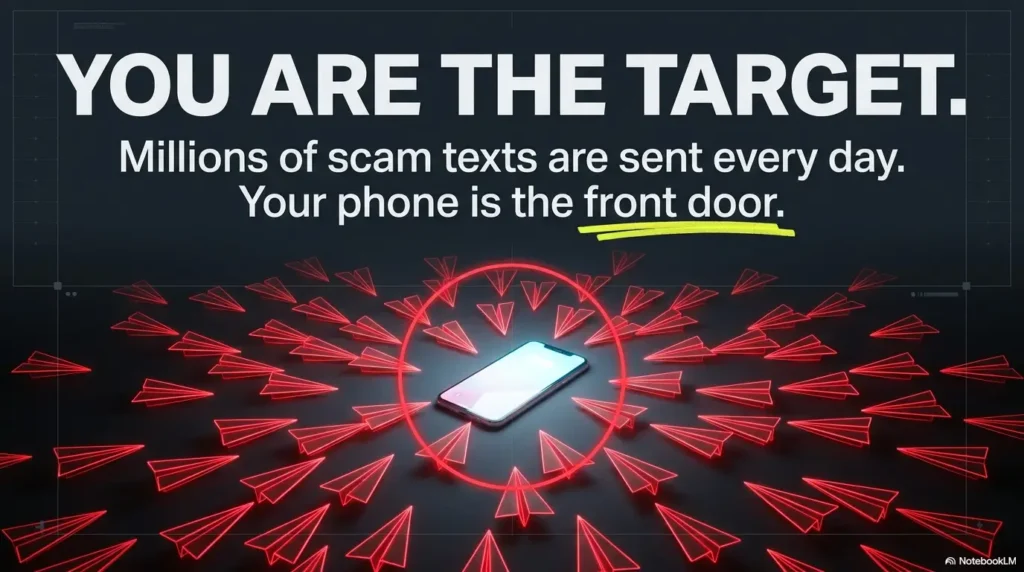
A scam text rarely arrives wearing a villain’s cape. It looks like a missed package, a bank warning, a toll notice, a Medicare question, or a worried grandchild using a new number. The message borrows something familiar, adds a ticking clock, and waits for a thumb to move before judgment catches up.
The strongest defense is not a lecture about suspicious URLs. It is a small household system that still works when someone is tired, distracted, frightened, or squinting at a bright screen. One rule. One verification route. One calm response plan after a mistake.
This guide shows family helpers, caregivers, community educators, and independent older adults how to build that system. You will learn what to say, which phone settings matter, how to rehearse realistic messages, and when free safeguards are enough versus when paid technical or professional help may be sensible.
The goal is not perfect scam detection. It is a safer pause before action. 🛡️
Snapshot
Who it is for: older adults, family helpers, caregivers, libraries, senior centers, and community groups. What it solves: the dangerous gap between “that text looks real” and “I should verify first.” What comes next: a no-click rule, phone setup checklist, family verification code, practice scripts, and a calm response plan after an accidental tap.
Table of Contents
Before You Act
This article offers general fraud-prevention and digital-safety education. It cannot inspect a phone, confirm whether a specific message is genuine, reverse a payment, or replace advice from a bank, attorney, law-enforcement agency, credit bureau, device manufacturer, or qualified cybersecurity professional. When money, passwords, identity documents, Social Security information, or remote device access may be involved, document what happened and contact the relevant official institution promptly.

The One-Link Rule Seniors Can Actually Remember
Unexpected message? Do not tap
The most useful scam-prevention rule is almost boring, which is exactly why it works: unexpected text, unexpected link, no click. It does not ask the recipient to inspect domain names, recognize every brand imitation, or make a perfect judgment under pressure.
A real bank problem, delivery delay, appointment change, or family emergency can survive a five-minute verification pause. A scammer’s advantage often shrinks the moment the recipient leaves the message and checks through a channel they already trust.
Key takeaway
Do not teach “spot every fake.” Teach “leave the text and verify another way.” That habit remains useful even when a scam is polished, personalized, or grammatically perfect.
Replace clicking with one safer habit
“Do not click” leaves an empty space. Fill it with a specific replacement action so the person still knows how to solve the apparent problem.
- Open the company’s official app manually.
- Type a known website address into the browser instead of using the text link.
- Call a number already saved in contacts or printed on a bank card, bill, statement, or insurance document.
- Ask a trusted person to check the message without forwarding or reopening the suspicious link.
For an older adult with low vision, place the trusted route where it is easy to find. A large-print card beside the phone can list the bank, pharmacy, primary care office, insurance plan, and two family contacts. The card is not glamorous, but neither is a seat belt.
“But the message knew my name”
A name, address, recent purchase clue, or relative’s nickname can make a text feel authenticated. It is not. Personal details may come from public records, social profiles, marketing databases, prior breaches, stolen accounts, or simple guesswork.
Teach one clean distinction: personal information makes a message familiar, not verified. Verification comes from a separate trusted channel.
Why Scam Texts Feel Convincing Before They Look Suspicious
Urgency steals the verification pause
Scam texts often threaten a small, immediate loss: a delivery will be returned, an account will be frozen, a toll penalty will increase, a benefit will expire, or a card will be charged. The amount may be deliberately modest because a $3.17 “redelivery fee” can feel too small to investigate.
The real target may not be that fee. The link may lead to a look-alike page that asks for a card number, bank login, email password, identity details, or permission to install software. The tiny problem is the doormat; the larger theft waits inside.
Familiar brands create borrowed trust
Banks, delivery carriers, pharmacies, government agencies, retailers, and health organizations are useful costumes because people already expect messages from them. A logo, sender name, or realistic-looking alert is presentation, not proof.
This is especially tricky for seniors who genuinely receive appointment reminders, prescription notices, Medicare-related mail, or fraud alerts. Instead of blocking every unfamiliar message, create a verification routine. Our guide to organizing hospital appointment texts for seniors can help separate expected health messages from surprise requests.
Curiosity is bait, too
Not every scam uses fear. Some use unfinished stories: “Is this you in the photo?” “Your refund is ready.” “I found your number in my contacts.” “Your invoice is attached.” The message leaves a small hole in the mind, and the link offers to fill it.
The safer response is not to solve the mystery. Unknown sender plus unexplained context is enough reason to stop.
Show me the nerdy details
Text-message phishing is often called smishing. The message is only the delivery mechanism. The attack usually relies on social engineering, meaning it tries to shape a decision through urgency, authority, familiarity, reward, fear, or curiosity.
A link can redirect through several addresses before reaching a fake sign-in page. Displayed text and previews can be misleading, so “I will tap just to inspect it” is not a safe test. Most everyday incidents begin after a tap, reply, download, app installation, permission grant, payment, or credential entry.
No phone setup creates absolute protection. Device updates, spam filtering, passkeys or strong multifactor authentication, unique passwords, and rapid reporting reduce risk, but the verification habit remains the center beam.
The Five-Second STOP Check Before Any Tap
STOP is not a technical inspection. It is a brief decision brake designed for real life, including shaky hands, tired eyes, rushed errands, and the mild panic of seeing “ACCOUNT LOCKED.”
S
Sender unexpected
Was a purchase, appointment, request, or conversation already in progress?
T
Threat or temptation
Is there a deadline, penalty, prize, refund, secrecy request, or emotional push?
O
Odd link or request
Does it ask for a login, card, gift card, cryptocurrency, code, download, or remote access?
P
Pause and verify
Leave the text. Use a saved number, official app, known website, or trusted person.
S: The sender was not expected
An unfamiliar number is not automatically fraudulent, and a familiar sender name is not automatically safe. Start with context. Did the person order a package, request a password reset, schedule an appointment, or contact the bank?
No context means no rush. The recipient can verify later through the official channel.
T: There is a threat, time limit, or reward
Urgency should trigger a pause, not obedience. Watch for immediate deadlines, secrecy, embarrassment, account closure, arrest threats, benefit loss, prizes, refunds, and “limited-time” rescue offers.
O: The link or request feels odd
Misspellings and strange web addresses still matter, but polished wording is not a safety certificate. Treat requests for passwords, one-time codes, card details, gift cards, cryptocurrency, identity documents, app installation, or remote device access as high-risk.
P: Pause and verify through a trusted channel
Do not call a number inside the suspicious text. Do not search for the company and click the first advertisement without checking it. Use a saved number, a statement, the back of a card, a bookmarked official page, or the organization’s known app.
Pocket script
“I do not use links from unexpected texts. I will check through the app or call the number I already have.”
Build a No-Blame Family Verification System
Shame delays the report you need most
“How could you fall for that?” may feel like an expression of fear, but it can teach the older adult to hide the next mistake. Delay gives scammers time to attempt password resets, move money, contact relatives, or reuse stolen details.
Make the family promise explicit: reporting a suspicious text or accidental click will not trigger ridicule, punishment, or an automatic takeover of the phone. The first response is calm containment.
Create a family verification code before it is needed
Choose a private word or question that is easy for the family to remember but not visible on social media. Use it when a relative supposedly texts from a new number, asks for urgent money, requests secrecy, or claims they cannot speak by phone.
Do not use birthdays, pet names, schools, hometowns, or other details that may be public. The related guide on setting up senior verification codes offers a simple way to organize the code and trusted contacts.
A “new phone” message deserves an old-number check
Call the relative using the number already stored in contacts. When that person cannot be reached, contact another family member who can verify the situation. Do not let a request for secrecy cancel the verification step.
Illustrative scenario: Margaret’s package text
In this hypothetical scenario, Margaret was expecting garden gloves when a text said her package needed a $2.84 redelivery payment. The logo looked right. The fee looked ordinary. She nearly tapped before remembering the card beside her phone: “Unexpected link? Open the app.”
She opened the retailer’s app and found the order already out for delivery. Then she called her daughter, not because she felt helpless, but because their family rule said suspicious messages were shared, not hidden.
They reported the text and used it for a two-minute rehearsal. Margaret pointed out the urgency. Her daughter pointed out the vague tracking language. Neither turned the moment into a lecture.
The lesson was not that Margaret had “almost been fooled.” It was that the system worked while the message still looked believable. Good safety habits are quiet like that. They do their best work before anyone feels heroic.
Quiet Phone and Account Protections That Reduce Temptation
Turn on unknown-sender and spam filtering
Modern iPhone and Android messaging apps include tools for filtering unknown senders, detecting likely spam, blocking numbers, and reporting conversations. Menu names vary by phone model, software version, carrier, and region, so use the device maker’s current instructions rather than memorizing a path that may move after an update.
Filtering lowers the number of tempting messages in the main inbox, but it is not a truth machine. Legitimate appointment reminders, delivery notices, and verification codes can land in filtered folders. Review those folders together at first, then adjust the routine.
Make the screen readable enough to support good judgment
Small text, glare, low contrast, and crowded notifications can turn a careful person into a hurried guesser. Increase text size, strengthen contrast, reduce unnecessary alerts, and place important apps where they are easy to find. The goal is not to make suspicious links larger. It is to make the safe route easier to see.
For practical accessibility adjustments, see the guide to the best phone font size for seniors and the broader checklist for simplifying an older parent’s phone.
Protect the accounts behind the phone
The email account deserves special attention because it often controls password resets for banking, shopping, social media, and health portals. Use a unique password, turn on multifactor authentication, review recovery phone numbers and email addresses, and use passkeys where supported and understood.
A reputable password manager can reduce reused passwords, but only when the senior can operate it confidently. A complicated tool abandoned after three days is decorative security. Set up one system, write a recovery plan, and practice using it before an emergency.
Avoid alert fatigue
Too many security apps, pop-ups, warnings, and family rules can create a fog in which every alert looks equally urgent. Prioritize a few protections the person understands: spam filtering, the no-click rule, saved official contacts, unique passwords, stronger sign-in, and a no-blame call list.
| Protection level | What to set up | Best for | Main caution |
|---|---|---|---|
| Good | No-click rule, saved official numbers, spam reporting, phone updates | Independent seniors comfortable with basic phone tasks | Relies heavily on remembering the verification habit |
| Better | Good setup plus password manager, multifactor authentication, family code, monthly practice | Families managing several financial, health, and shopping accounts | Requires a documented recovery process |
| Best fit for repeated risk | Better setup plus account alerts, trusted-contact plan, financial safeguards, professional review when needed | Repeated targeting, prior loss, cognitive concerns, or remote-access incidents | Must preserve dignity, consent, and appropriate legal authority |
Practice With Realistic Scam Texts, Not Abstract Warnings
People remember rehearsed actions better than long warnings. Use two or three sample messages and ask, “What would you do next?” The answer does not need to be “I can prove this is fake.” A successful answer is “I will leave the message and verify elsewhere.”
The unpaid toll message
Sample: “Final notice. Your toll balance of $6.42 is overdue. Pay today to avoid penalties.” The small fee feels believable, and the deadline discourages checking.
- Pressure tactic: penalty and deadline.
- Risky request: payment through a text link.
- Safer route: use the official toll agency website, app, mailed statement, or customer-service number already known.
The package delivery problem
Sample: “We could not deliver your parcel. Confirm your address and pay the redelivery fee.” Check the order through the retailer or carrier’s official app. A real shipment should have recognizable order details in the account.
The frozen bank account
Sample: “Suspicious activity detected. Verify now or your account will be suspended.” Do not use the text’s link or phone number. Open the bank app manually or call the number printed on the card.
Keep a simple card-use routine nearby. The credit card checklist for seniors can support safer monitoring without turning every purchase into an interrogation.
The family emergency request
Sample: “Grandma, I broke my phone. I need money now, and please do not tell Mom.” Secrecy plus urgency is the signal. Call the known number, ask the family verification question, and contact another relative.
Practice card: four questions
- What emotion is this message trying to create?
- What action does it want right now?
- Which trusted route can confirm the claim?
- Who will we tell if we clicked or replied?
After a Click: What to Do in the First 15 Minutes
An accidental tap is not the same as a completed theft. The next steps depend on what happened after the link opened. Stay calm, stop further interaction, and work from the most exposed account outward.
Clicked, but entered nothing
- Close the page and do not continue through prompts or warnings.
- Do not download an app, install a profile, grant permissions, or call a number displayed on the page.
- Check recent downloads and newly installed apps.
- Install legitimate phone and app updates through the device settings or official app store.
- Preserve a screenshot of the original text, sender, and visible link before reporting and deleting it.
A single tap does not automatically mean the phone is controlled. Avoid frantic “cleaner” apps, surprise tech-support numbers, or factory resets before understanding what occurred. Those reactions can create new problems and erase useful evidence.
A password, code, or recovery detail was entered
Use a trusted device to change the exposed password. Start with email when it can reset other accounts. Sign out of unfamiliar sessions, replace reused passwords, review recovery methods, and strengthen sign-in protection.
Never approve a login prompt or share a one-time code simply because a caller says it will “cancel fraud.” Codes are often the key a scammer needs to finish signing in.
Money, card details, or identity information was shared
- Call the bank, card issuer, payment service, or wire-transfer provider using an official number.
- Ask about stopping pending transactions, replacing credentials, freezing cards, and monitoring accounts.
- Document dates, amounts, confirmation numbers, names, and instructions.
- When Social Security information or identity documents may be exposed, review identity-theft recovery steps and consider credit freezes with all three nationwide credit bureaus.
- Report the scam through appropriate official channels.
Remote-access software was installed
Disconnect the device from Wi-Fi and cellular data if someone is actively controlling it or suspicious software is running. From another trusted device, contact the bank and other affected accounts. Then seek help from the device manufacturer, a reputable local technician, or a qualified cybersecurity professional.
Key takeaway
Use this first sentence after a mistake: “Thank you for telling me. We are going to stop the situation and work the list.” Calm is not softness here. It is incident-response equipment.
Credit freezes are free; they do not replace the bank fraud call. For U.S. identity-data exposure, the FTC’s credit-freeze guidance explains that placing or lifting a freeze costs nothing. Contact Equifax, Experian, and TransUnion separately to freeze each credit file. This is a new-credit-account safeguard; it is not a substitute for contacting a bank or card issuer about exposed credentials, transfers, or existing-account fraud. Keep the bureaus’ confirmation and recovery details somewhere safe.
An initial fraud alert is different: contact one of the three bureaus, which must notify the other two. It asks lenders to verify identity and does not block access to the credit report as a freeze does. A paid monitoring subscription is not required to obtain either protection. Continue the bank and account-recovery steps above rather than treating the credit-file action as the whole recovery plan.
Free Safeguards Versus Paid Tools and Professional Help
A free DIY setup is often enough
Built-in spam filtering, phone updates, saved official contacts, unique passwords, multifactor authentication, account alerts, family codes, reporting tools, and regular practice can create a strong baseline without another subscription.
Many U.S. messaging apps let users report junk or spam. Many carriers also support forwarding suspicious texts to 7726, which spells SPAM, though the exact process should be confirmed with the carrier. After preserving needed evidence, report and delete the message.
When a paid tool may be worth considering
A paid password manager, carrier security service, call-filtering service, credit-monitoring product, or senior-focused support plan may help when several accounts must be managed or the family lives far away. Compare ease of use, accessibility, recovery options, privacy practices, cancellation terms, family sharing, support quality, and whether the tool duplicates protections already included with the phone, bank, employer, insurer, or credit card.
Do not buy a product merely because it promises to “block all scams.” No legitimate service can guarantee that. The best tool is one the senior understands, trusts, and continues to use.
When professional help makes sense
Professional help becomes more valuable after financial loss, identity theft, account takeover, remote-access installation, repeated exploitation, suspected malware, or a pattern linked to cognitive decline. Depending on the situation, that help may come from a bank fraud team, attorney, credit counselor, adult protective services, law enforcement, device manufacturer, or cybersecurity professional.
For a local technical-support provider, ask for written pricing, the exact scope of access, whether remote control is necessary, how data is handled, what records will be provided, and what happens if the problem is not resolved. Avoid providers who demand gift cards, cryptocurrency, secrecy, immediate payment, or permanent remote access.
| Option | Typical cost pattern | Useful when | What to verify before paying |
|---|---|---|---|
| Built-in phone and account tools | No added fee | Prevention, filtering, reporting, account alerts | Compatibility, accessibility, recovery contacts, current settings |
| Paid security or password tool | Monthly or annual fee | Multiple accounts, family sharing, structured password storage | Ease of use, privacy, export options, renewal price, support |
| Local tech support | Hourly or project fee | Phone cleanup, settings, training, device inspection | Identity, reviews, written scope, access limits, data handling |
| Cybersecurity or legal professional | Consultation, hourly, or project fee | Remote access, major compromise, identity theft, complex recovery | Credentials, relevant experience, deliverables, documentation, conflicts |
Key takeaway
Spend money on a clearer system, not a louder promise. Before paying, identify the exact problem: too many spam messages, reused passwords, confusing settings, repeated fraud, or an active compromise.
FAQ: Helping Seniors Handle Suspicious Text Messages
How can I explain scam texts without frightening an older parent?
Focus on one repeatable action instead of listing every possible scam: do not tap unexpected links, and verify through a trusted channel. Present the system as a way to protect independence, not as proof that the person cannot manage a phone.
Should seniors reply “STOP” to a suspicious text?
Not when the message is clearly unsolicited or fraudulent. A reply may confirm that the number is active. Use STOP for a legitimate organization the recipient knowingly joined, and use block, report, and delete for obvious scams.
Can opening a text message infect a phone?
In ordinary scam incidents, the larger risk usually begins when someone taps a link, opens an attachment, downloads an app, installs a profile, grants permissions, shares a code, or enters information. Rare device-specific vulnerabilities exist, so keep the phone updated and treat unexpected messages cautiously.
What should a senior do after clicking a scam link?
Close the page, stop entering information, avoid downloads and permissions, preserve evidence, and identify what was exposed. Change compromised passwords from a trusted device and contact affected financial or service providers through official channels.
How do I know whether a bank security text is real?
Do not decide from the text alone. Open the bank’s official app manually or call the number printed on the back of the card. Do not use the link or phone number in the message.
Are package-delivery texts usually scams?
Some are legitimate, but unexpected messages that request a small redelivery fee, address confirmation, or card details deserve caution. Check the order through the retailer or carrier’s official app or known website.
What is the safest way to verify a family emergency text?
Call the relative using a previously saved number, ask the private family verification question, and contact another family member when direct confirmation is unavailable. A secrecy request should increase verification, not cancel it.
Should I take over a senior’s phone or financial accounts?
Not automatically. Begin with collaborative safeguards, clear consent, accessible instructions, and trusted contacts. Stronger controls may be appropriate after repeated exploitation, documented cognitive decline, or a serious safety risk, but legal authority, privacy, and the person’s rights should be reviewed carefully.
Optional video: Open the video on YouTube (external site).
Run a Ten-Minute No-Click Drill Today
Do not end with “Be careful.” Carefulness is too foggy to rehearse. Put one sample message on the screen and practice the exact movements that replace a tap.
- Minute 1: Say the household rule aloud: “Unexpected link? Stop and verify.”
- Minutes 2 to 3: Identify the pressure tactic in one sample bank, delivery, toll, or family message.
- Minutes 4 to 5: Close the message and open the official app or locate the saved phone number.
- Minutes 6 to 7: Practice the family verification code and the no-blame reporting sentence.
- Minutes 8 to 9: Confirm spam filtering, phone updates, and the two trusted contacts.
- Minute 10: Place a large-print reminder beside the phone.
Write this beside the phone
Unexpected link?
Do not tap.
Open the app or call the saved number.
The most respectful safety system is not built around suspicion of the senior. It is built around suspicion of the message. That small shift protects dignity and makes fast reporting more likely. Ten minutes today can turn the next urgent text from a trap into a familiar drill.
Last reviewed: 2026-09
Targeted review: October 17, 2026. The added U.S. credit-file section checks free freezes versus initial fraud alerts and their limits. Other sections retain their stated review scope.
PUT THIS GUIDE TO WORK · INTERACTIVE WORKSHEET
Suspicious-text response checklist
Use this worksheet alongside the article: How to Help Seniors Avoid Clicking Scam Text Links Without Fear, Shame, or Phone Confiscation. Use the fields provided to organize your notes and next actions, then save your worksheet.
Your entries stay in this page and are cleared when you reload. No account is needed. Saved files are downloaded only to your device.
How to use your result
Save the worksheet before leaving this page. Recheck any quote, date, or instruction with the relevant provider, pharmacist, manufacturer, or official organization. A completed checklist means you recorded the steps, not that an outcome is guaranteed.
Worksheet added October 20, 2026. Read the article above for context and its stated review scope.