

Organize your questions and next steps, then save your worksheet.
Summary and next steps
Phishing Text Safety for Seniors explains safer phone settings, scam red flags, and what to do after a tap.
Editorial maintenance: October 24, 2026. Summary layout, related links and technical metadata updated. This is not a full clinical review.
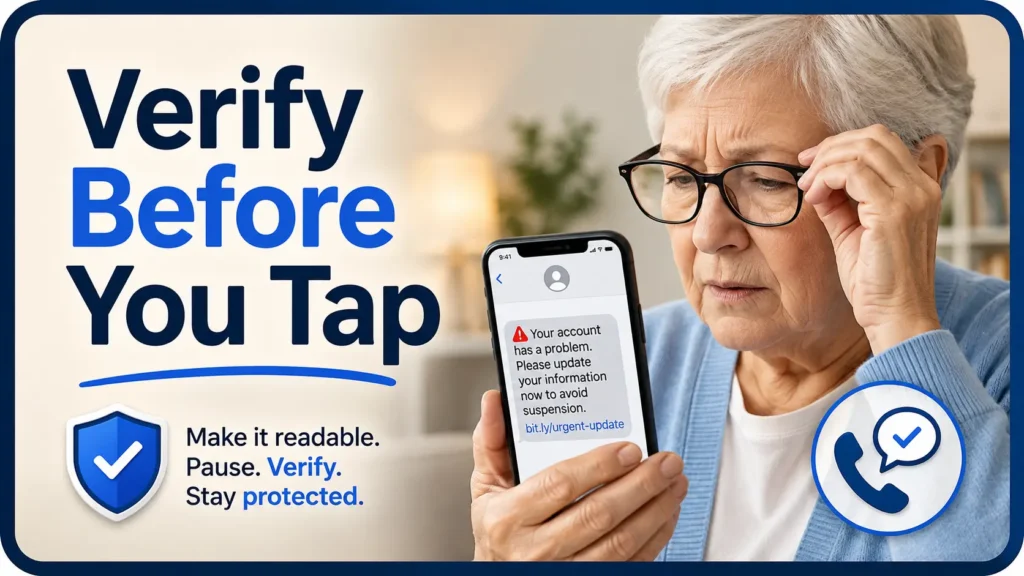
Accessible scam protection for older adults
Phishing Text Safety Tips for Seniors
With Poor Near Vision
A scam text does not need perfect grammar or a clever story to succeed. It may need only a tiny link, a familiar sender name, and one hurried tap from someone struggling to see the screen clearly.
The safest response is not sharper eyesight or better guessing. It is a repeatable process: make the message readable, pause before acting, and verify every important request through a separate channel. That process protects independence because it replaces suspicion and embarrassment with a calm routine.
This guide explains how seniors, caregivers, and support workers can reduce accidental taps, inspect suspicious messages without trusting their appearance, choose useful phone settings, and respond quickly when money or personal information may already be at risk.
See more clearly
Reduce glare, enlarge text, and use spoken feedback without accidentally opening a link.
Verify safely
Check banks, relatives, deliveries, and agencies through a separate trusted door.
Act after a mistake
Follow a ten-minute response plan for taps, passwords, payments, and installed apps.
The rule to remember: Read it larger, verify it elsewhere, and never let a text message set the clock. 🛡️
Snapshot
This article is for seniors who struggle with small text, glare, visual clutter, or accidental taps, as well as the people who help them. By the end, you will have a simple method for deciding whether to ignore, verify, report, or urgently escalate a suspicious message.
Table of Contents

Before You Trust Any Text: Know What This Guide Can and Cannot Do
A suspicious text can arrive wearing a convincing costume. It may display a bank name, copy the tone of a delivery company, mention a real appointment, or appear beside earlier legitimate messages.
Those details may make a text worth checking. They do not make it trustworthy. The sender name, logo, writing style, phone number, and position inside a message thread should all be treated as clues rather than proof.
Before You Act
This guide offers general fraud-prevention and accessibility information. It cannot determine whether a specific text is genuine, reverse a payment, diagnose a vision condition, or guarantee that a phone setting will block every scam. Confirm financial, identity, legal, medical, and account-security decisions through the relevant institution or a qualified professional using independently verified contact information.
Who this guide is designed to protect
The guidance is especially useful for older adults who hold the phone farther away, remove their glasses to read, struggle with shiny screens, lose their place in crowded messages, or accidentally activate items while trying to enlarge them.
It is also for adult children, spouses, home-care workers, senior-living staff, and community volunteers who want to create safer routines without taking over every digital decision.
When phone trouble may point to a vision problem
Difficulty reading text messages can come from ordinary age-related near-vision changes, but new blur, distortion, missing areas, double vision, flashes, sudden floaters, pain, or a rapid change in reading ability deserves professional attention.
A senior who notices a meaningful change can use this guide on how to explain vision changes to an eye doctor to prepare specific examples rather than relying on “things look a little worse.”
Who should not handle a suspected scam alone
- Someone who has already sent money, cryptocurrency, or gift-card information.
- Someone who entered a password, Social Security number, banking detail, or verification code.
- Someone who installed a remote-access, security, delivery, banking, or “support” app from the message.
- Someone who feels frightened, rushed, confused, ashamed, or instructed to keep the conversation secret.
- Someone who cannot confidently distinguish the message from the phone’s own warnings and settings.
Key takeaway
The goal is not to prove that a message is fake. The goal is to avoid acting until the request has been confirmed somewhere the sender does not control.
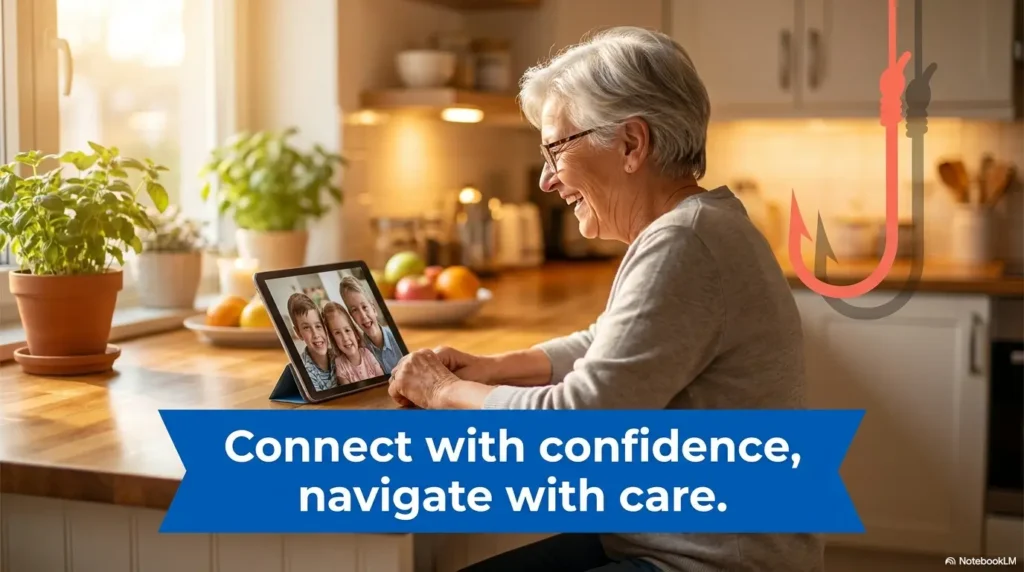
Make the Message Easier to Inspect Without Tapping the Trap
Poor near vision changes the security problem. A sighted reader may scan a web address, notice a misplaced letter, and move on. A reader dealing with blur or glare may see only a familiar logo and a blue patch that appears to be a button.
The first step is therefore not deciding whether the text is real. It is creating enough visual or spoken clarity to inspect the request safely.
Increase the system font before touching the message
Use the phone’s Display or Accessibility settings to increase text size, boldness, contrast, and interface scaling. A permanent setting is generally safer than repeatedly pinching, pressing, or dragging inside a suspicious message.
The best setting is not simply the largest available font. It is the largest size that allows the reader to distinguish words, buttons, sender information, and navigation controls without losing the structure of the screen. The phone font size guide for seniors explains how to test readability without turning each sentence into a maze of wrapped fragments.
Reduce glare and visual clutter
- Move away from a bright window or overhead reflection.
- Clean the screen with a suitable soft cloth.
- Raise brightness enough to improve contrast without creating painful glare.
- Use dark mode only when it genuinely improves reading comfort.
- Turn on bold text or increased contrast if thin lettering disappears.
- Consider whether a carefully chosen anti-glare screen protector would reduce reflections without making text look grainy.
Use spoken feedback to hear the whole request
Built-in screen readers and select-to-speak tools can read the message aloud. This may reveal words that were hidden by wrapping, a threat buried at the bottom, or an odd web address that looked harmless at a glance.
Spoken output is an accessibility aid, not a scam detector. A phone will read a false message with the same calm voice it uses for a real one. Listen for the request being made, especially requests involving payment, passwords, app installation, identity information, or urgency.
Do not depend on link previews or long presses
Some phones show a destination preview when a link is pressed and held. That can be useful for an experienced user with steady hands, but it is not the safest default for someone prone to accidental taps, tremor, reduced touch sensitivity, or unfamiliarity with pop-up menus.
Even a correctly displayed address can lead to a compromised or misleading page. The safer alternative is to leave the text alone and open the organization’s official app or type a known website separately.
Key takeaway
Make the phone easier to read before the next suspicious message arrives. Accessibility settings work best as part of the daily setup, not as emergency controls used under pressure.
The Five-Second Pause Scammers Hope You Skip
Scammers often win by controlling tempo. The message says a payment failed, a delivery is waiting, a relative needs help, or an account will be closed. The reader is nudged from reading to reacting before the story has time to breathe.
A five-second pause will not solve every case, but it interrupts the hand before the message directs it.
Use the Stop, Name, Wait routine
- Stop: Place the phone on a table or hold it away from the tapping hand.
- Name: Say the emotion aloud: “This is trying to make me afraid,” “This is making me curious,” or “This is offering quick money.”
- Wait: Ask whether a real bank, relative, government agency, clinic, or delivery company could tolerate a ten-minute verification.
Most legitimate account problems can survive a short pause. A demand that collapses when examined slowly was not a safe demand to follow.
Notice which emotional button the text is pressing
| Emotional trigger | Typical message | Safer response |
|---|---|---|
| Fear | “Your account will be closed today.” | Open the official app separately and check for alerts. |
| Urgency | “Pay this toll or fee immediately.” | Visit the agency through a saved bookmark or official statement. |
| Love or duty | “Grandma, I need money and cannot talk.” | Call the relative using a saved contact and involve another family member. |
| Curiosity | “Is this you in the photo?” | Do not open the link. Ask the known sender through another channel. |
| Reward | “Your refund or prize is waiting.” | Assume nothing is owed until confirmed through an official account. |
Short Story: The package that could wait
Marian was expecting a birthday parcel when a text said her address was incomplete. The message looked ordinary, but the letters were small and the delivery logo sat just above a bright blue link.
Her first instinct was to tap. Instead, she placed the phone on the kitchen table and read the message aloud. The request included a small “redelivery fee” and warned that the parcel would be returned within an hour.
Marian opened the delivery company’s app from her home screen. Her real parcel was already scheduled for the next afternoon, with no address problem and no fee. She reported the text and sent a screenshot to her daughter with the words “Scam example, do not tap.”
The useful part was not that Marian recognized a fake logo. She did not. What protected her was a routine that gave the real account a chance to contradict the text.
Four Red Flags That Survive Large Print
Tiny spelling errors and unusual web addresses can be helpful clues, but they are poor foundations for an accessible safety plan. They can be hard to see, and polished scams may contain no obvious mistakes.
Focus instead on four red flags that remain suspicious even when the text is enlarged or read aloud.
1. An unexpected request involving money
Be cautious when a text unexpectedly asks for a fee, deposit, refund confirmation, overdue balance, gift card, transfer, cryptocurrency payment, or updated card number.
The amount may be deliberately small. A modest “delivery fee” or “verification charge” can feel too minor to investigate, while still leading to stolen payment information or recurring charges.
2. A threat, punishment, or artificial deadline
Messages about arrest, tax penalties, benefit cancellation, account closure, unpaid tolls, medical debt, utility shutoff, or immediate legal action should be verified independently.
Do not let the text define the deadline. Contact the claimed organization through a statement, card, official app, or independently located government page.
3. A request for a password, PIN, or verification code
A verification code is often the final key needed to enter an account. A scammer may already know the person’s name, email address, phone number, or partial account information and need only the temporary code.
Never read a code aloud, type it into a page opened from an unexpected text, or send it to someone who contacted you first. Families can reinforce this rule with the verification code safety guide for seniors.
4. A link, download, or app you were not expecting
Links can lead to copied login pages, false payment forms, malicious downloads, or conversations with impostors. Instructions to install a “security,” “support,” “refund,” or remote-access app deserve particular caution.
Show me the nerdy details
Text-message phishing is often called smishing. The message is usually only the opening move. Its job is to move the target into a second environment controlled by the attacker, such as a fake login page, payment form, phone call, messaging account, or remote-access session.
A familiar sender name does not authenticate the request. Phone numbers and sender identifiers can be copied, disguised, or presented in misleading ways. Some messages may also contain personal details gathered from public records, data breaches, social media, or previous interactions.
The strongest everyday defense is channel separation. The person receives the request in one place but confirms it in another place chosen independently.
Do Not Trust the Number: Verify Through a Separate Door
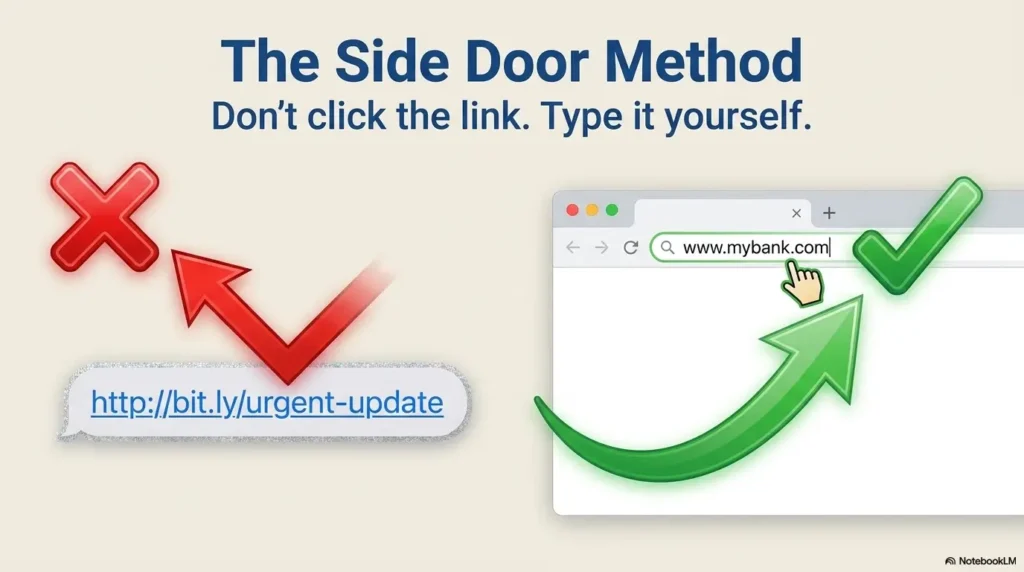
The most reliable question is not “Does this message look real?” It is “Can I confirm this request without using anything inside the message?”
This is the separate-door rule. The text may knock, but it does not get to choose which door you open.
For a bank, company, clinic, or government agency
- Open the official app from the home screen.
- Use the phone number printed on a physical card, bill, statement, or official letter.
- Type a familiar website address yourself or use a trusted bookmark.
- Check the account’s secure message center for the same alert.
- Ask the representative to describe the issue before sharing account details.
Do not call the number shown in the suspicious text simply because speaking feels safer than tapping. A scammer may control both the link and the phone number.
For a relative, friend, or caregiver
Call the person using a previously saved contact. When the story involves an emergency, also contact a second family member who can confirm the situation.
A family verification question can help, but avoid questions whose answers are public or easy to guess. A private family phrase or an agreed callback routine is safer than a birth date, pet name, school, or hometown.
For a delivery, appointment, or service reminder
Check the order history, appointment portal, paper confirmation, or official app. A real order number inside a text is not conclusive because order details can sometimes be exposed or guessed.
When a medical appointment message seems unusual, call the clinic through the number already saved or printed on an earlier document. Do not provide insurance identifiers or payment details merely to “confirm” the appointment.
The Separate-Door Verification Flow
1. Stop
Do not tap, reply, call, pay, or install.
2. Separate
Leave the message and choose another channel.
3. Verify
Use an official app, saved contact, card, or statement.
4. Decide
Ignore, report, respond officially, or escalate.
A Safer Phone Setup With Fewer Accidental Taps
A phone does not need to become a fortified bunker with every useful feature switched off. The better goal is a calmer home screen, readable controls, fewer surprise messages, and a clear path to trusted contacts.
Reduce message clutter before it becomes visual noise
- Enable built-in spam detection and junk reporting.
- Separate unknown senders where the phone supports it.
- Turn off message previews on the lock screen if they encourage rushed tapping.
- Delete old authentication codes and routine promotional messages after they are no longer needed.
- Keep operating-system and messaging-app updates current.
- Review notification settings so urgent-looking banners are reserved for genuinely important apps.
Build a home screen that points toward safe choices
Place banking, healthcare, delivery, and government-related apps in clearly labeled folders. Add one or two trusted contacts to Favorites and use a large, recognizable contact photo when appropriate.
A simplified phone should still belong to the senior. Remove clutter collaboratively, explain every change, and preserve the apps and contacts that support daily independence. The guide to simplifying an older parent’s phone offers a practical setup process without turning the device into a locked cabinet.
Good, better, and best safety setups
| Setup level | What it includes | Cost level | Best for |
|---|---|---|---|
| Good | Larger text, bold text, spam filtering, saved trusted contacts, and a written “do not tap unexpected links” reminder. | Usually free | A confident phone user who mainly needs clearer text and one reliable rule. |
| Better | Good setup plus simplified folders, spoken feedback, reduced lock-screen previews, a family verification phrase, and monthly practice. | Free to modest accessory cost | A senior who experiences glare, clutter, occasional accidental taps, or uncertainty about account messages. |
| Best support | Better setup plus a low-vision evaluation, accessibility training, carrier or device-store assistance, and a documented recovery plan. | May involve professional fees | A person with significant vision loss, cognitive changes, tremor, repeated scam contact, or difficulty navigating settings. |
What to compare before paying for a tool or service
Built-in accessibility and spam tools are often enough for a basic setup. Paid help may be worth considering when the senior cannot reliably operate the phone after adjustments or when a caregiver is repeatedly troubleshooting from a distance.
- Does the service teach the senior, or merely change settings and leave?
- Can the setup be reversed if it causes confusion?
- Will the helper need account passwords or remote access?
- Is continuing support included, and how is it requested?
- Does the tool reduce accidental taps without blocking important medical or family messages?
- Can a low-vision specialist or occupational therapist offer a more personalized solution?
Key takeaway
A safer phone is not necessarily a newer phone. Clearer text, fewer notifications, trusted shortcuts, and a practiced verification routine often matter more than premium hardware.
One Text, Three Decisions: Ignore, Verify, or Escalate
Not every unwanted text deserves a family meeting, and not every suspicious message should be deleted immediately. A three-lane decision system makes the next action clearer.
Ignore and report
Use this lane for messages from unknown senders that contain no relevant account issue, known relationship, expected appointment, or believable request.
- Do not reply, including with “STOP,” unless the sender is a service you knowingly joined.
- Use the messaging app’s report-junk or report-spam option.
- Forward the message to 7726 if that reporting method is supported by the wireless provider.
- Block the sender after preserving anything needed for a report.
- Delete the message when no loss or continuing investigation requires it.
Verify through an official channel
Use this lane when the message concerns a real bank, delivery, appointment, subscription, benefit, utility, or person, but the request was unexpected.
Do not interact with the message. Check the account separately, call a known number, or contact the person through a saved entry. If the request is genuine, complete the task inside the official app or website rather than returning to the link.
Escalate and preserve evidence
Use this lane when money, identity information, account access, device control, threats, or secrecy are involved. Take screenshots that show the sender, full message, date, time, payment instructions, and any visible web address.
When forwarding a screenshot to a caregiver, include a warning such as “Suspicious message, do not tap anything shown.” A bare forwarded message can pass the hazard to the next person without context.
| What the text involves | Decision lane | First action |
|---|---|---|
| Unknown greeting, prize, survey, or vague investment offer | Ignore | Report as junk without replying. |
| A real delivery, appointment, or account | Verify | Open the official app or call a known number. |
| Money sent, code shared, password entered, or app installed | Escalate | Contact the affected institution from a trusted device. |
| Threat of immediate physical harm | Emergency escalation | Contact emergency services or local police as appropriate. |
Already Tapped? The Next Ten Minutes Matter
A mistaken tap is not a moral failure, and panic is not a recovery plan. The next steps depend on what happened after the link opened.
If the link opened but nothing was entered
- Close the page without tapping pop-ups, download notices, or permission requests.
- Do not call a number displayed on the page.
- Check the Downloads folder and recently installed apps.
- Install pending operating-system and browser updates from the phone’s settings or official app store.
- Watch for unusual account alerts, new apps, repeated pop-ups, or accessibility settings that changed unexpectedly.
Opening a page does not automatically mean an account was stolen. Still, unusual phone behavior should be taken seriously, especially if the page requested installation, device management, notifications, or remote access.
If a password, code, or personal detail was entered
- Use a different trusted device when possible.
- Change the affected password and any other account using the same or a similar password.
- Sign out of other sessions if the account provides that option.
- Turn on stronger account verification after access is secured.
- Contact the institution through its official app or known number.
- Review recovery email addresses, phone numbers, forwarding rules, and recently added devices.
If a verification code was shared, act as though the account may have been accessed. A code can expire quickly, but the intruder may already have used it.
If money or payment information was sent
Contact the bank, card issuer, payment service, or transfer provider immediately through an official number. Explain exactly how the payment was made, when it occurred, and what information was shared.
Ask what can still be stopped, disputed, locked, replaced, or monitored. Do not promise the senior that money will certainly be recovered, and do not delay reporting while trying to negotiate with the scammer.
If an app or remote-access tool was installed
- Stop communicating with the person who requested the installation.
- Disconnect Wi-Fi and cellular data if the phone may still be under remote control.
- Use another device to contact financial institutions and change critical passwords.
- Record the app name, permissions, text messages, phone numbers, and approximate timeline.
- Seek help from the device manufacturer, carrier, qualified technician, or trusted cybersecurity professional.
- Do not reconnect the phone to sensitive accounts until its condition has been reviewed.
Key takeaway
Preserve the evidence, but protect the accounts first. A perfect screenshot is less important than stopping a transfer, changing a password, or ending remote access.
When to Get Help Immediately
Some situations have moved beyond “Is this text suspicious?” The focus must shift to limiting harm, protecting the senior, and documenting what happened.
Money, identity, or account access may be at risk
- A bank transfer, wire, cryptocurrency payment, gift card, or cash payment was sent.
- A card number, bank login, Social Security number, tax detail, or insurance identifier was entered.
- A verification code or account-recovery code was shared.
- The account password no longer works or recovery information has changed.
- New transactions, payees, devices, or forwarding rules appear.
Contact the affected institutions first, then use official identity-theft resources to build a recovery checklist appropriate to the information exposed.
The device may be controlled or altered
Seek prompt help if the phone shows unfamiliar apps, persistent pop-ups, new administrator controls, changed accessibility settings, unexpected screen sharing, battery drain alongside unusual activity, or messages being sent without the owner’s knowledge.
A factory reset may eventually be recommended, but it should not be the first impulsive step. Important evidence, photos, authentication access, and account-recovery information could be lost. Secure critical accounts and obtain qualified guidance first.
The senior feels threatened, controlled, or pressured into secrecy
Scammers may tell a victim not to speak with family, bank staff, police, or store employees. They may claim that discussing the situation will cancel a refund, endanger a relative, violate a court order, or trigger arrest.
Secrecy is itself a reason to involve a trusted person. If there is an immediate threat to physical safety, contact emergency services. Otherwise, consider local police, adult protective services, a financial institution’s fraud team, or a trusted legal or social-service professional depending on the situation.
A caregiver response that protects dignity
Begin with: “I am glad you told me. Let’s protect the account first and sort out the details together.”
Avoid opening with blame, disbelief, or a lecture about what should have been obvious. Shame makes people hide future mistakes. Calm cooperation makes earlier reporting more likely next time.
FAQ: Clear Answers for Seniors and Caregivers
Can opening a text message alone infect a phone?
Simply viewing an ordinary text is not the most common path to account theft. Greater risk usually begins when the recipient opens a link, downloads something, grants permissions, installs an app, calls an impostor, or enters information.
No device is invulnerable, however. Keep the operating system updated and seek technical help if the phone behaves strangely after receiving or opening a message.
Is it safe to reply “STOP” to a suspicious text?
Use “STOP” for a legitimate organization or service you knowingly subscribed to. Do not reply to a clearly suspicious or unknown sender. A response may confirm that the number is active and invite further contact.
How can I check a link without tapping it?
You often do not need to inspect the link at all. Open the organization’s official app, use a saved bookmark, type a familiar address, or call a number printed on a card or statement.
Someone comfortable with phone controls may be able to preview a link without opening it, but that approach is not ideal for a person with tremor, reduced near vision, or a history of accidental taps.
Can a scam text appear in a real bank conversation?
A message may display a familiar sender name or appear grouped with earlier messages, depending on how the sender information and phone system are presented. Treat the thread location as a convenience, not proof of authenticity.
Open the bank’s official app separately. If the same warning is not present, call the number on the card.
What should I do with a text asking for a verification code?
Do not share the code. If you did not personally begin a login or transaction, someone may be trying to access the account. Open the official account separately, review recent activity, and change the password if needed.
Are package-delivery texts usually legitimate?
Some delivery updates are legitimate, but unexpected address problems, small redelivery fees, urgent deadlines, and requests for payment details are common scam themes. Check the retailer or carrier through its official app or order history.
How can a caregiver help without taking away independence?
Create shared rules instead of requiring permission for every phone action. Agree that unexpected money requests, verification codes, app installations, and urgent account threats receive a second check.
Let the senior choose the trusted review partner and participate in phone setup. Practice with sample messages so the routine feels like a skill, not surveillance.
Where should a phishing text be reported in the United States?
Use the messaging app’s junk-reporting feature, forward unwanted texts to 7726 when supported, and report fraud through the Federal Trade Commission when appropriate. Contact the relevant financial institution immediately if money or account information was involved.
IdentityTheft.gov can help organize recovery after personal information has been misused or exposed. Police or emergency services may also be appropriate when threats, coercion, theft, or immediate danger are involved.
Optional video: Open the video on YouTube (external site).
Build a Two-Person Verification Rule in 15 Minutes
The best time to design a scam response is not while a red warning flashes on a small screen. Build the routine while the room is quiet and nobody is demanding an answer.
The 15-minute setup
- Choose one primary review partner. Pick someone who answers reliably and responds without blame.
- Choose one backup partner. This prevents urgency when the first person is unavailable.
- Save both contacts clearly. Use names such as “Check Suspicious Texts” and “Backup Scam Check.”
- Agree on four automatic review triggers. Unexpected payments, verification codes, app installations, and threats involving accounts or government agencies.
- Create a private family phrase. Use it only for unusual requests involving money or emergencies.
- Practice once. Review a sample delivery scam and walk through Stop, Separate, Verify, Decide.
Use one reminder the senior can actually remember
A long fraud checklist may disappear from memory at the exact moment it is needed. Use one sentence in large print near the charging area or as a phone wallpaper:
Unexpected text?
Do not tap. Open the real app or call someone you know.
The quiet advantage of a practiced rule
Near vision may change. Scam stories will change too. A separate-door verification habit remains useful because it does not depend on spotting every false logo, misspelled address, or technical trick.
Within the next 15 minutes, save one trusted review contact and practice checking one sample message without using its link or phone number. That small rehearsal turns a vague warning into muscle memory, giving the next suspicious text far less room to dictate the ending.
Final takeaway
No unexpected payment, password, verification code, or app installation should happen before a second person or an independently opened official account confirms the request.
Last reviewed: 2026-09
PUT THIS GUIDE TO WORK · INTERACTIVE WORKSHEET
Text-link verification worksheet
Use this worksheet alongside the article: Phishing Text Safety Tips for Seniors With Poor Near Vision. Use the fields provided to organize your notes and next actions, then save your worksheet.
Your entries stay in this page and are cleared when you reload. No account is needed. Saved files are downloaded only to your device.
How to use your result
Save the worksheet before leaving this page. Recheck any quote, date, or instruction with the relevant provider, pharmacist, manufacturer, or official organization. A completed checklist means you recorded the steps, not that an outcome is guaranteed.
Worksheet added October 20, 2026. Read the article above for context and its stated review scope.