
Organize your questions and next steps, then save your worksheet.
Summary and next steps
Compare charging options against the device maker’s instructions; a successful trial alone does not establish safety.
- Check compatibility and the manufacturer’s charging guidance.
- Keep small detachable parts and magnets away from people at risk.
- Stop using damaged, loose or unusually hot components and seek advice.
Editorial maintenance: October 24, 2026. Summary layout, related links and technical metadata updated. This is not a full clinical review.
Senior-friendly charging guide
Magnetic Charging Cable Pros and Cons
for Seniors with Poor Vision
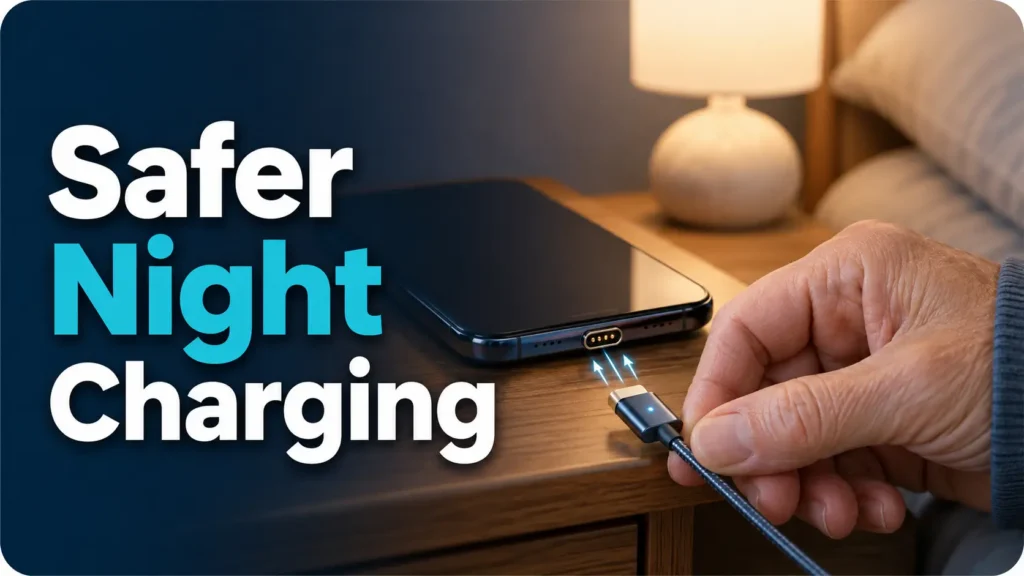
A charging cable looks harmless until it becomes a nightly little puzzle: tiny port, dim lamp, tired hands, phone case in the way, and that faint feeling that the cable is almost connected but not quite. For seniors with poor vision, that small moment can decide whether tomorrow starts with a fully charged phone or a dead screen during a doctor call, rideshare pickup, medication reminder, or family check-in.
Magnetic charging cables promise relief. They snap into place more easily, reduce fumbling, and can make bedside charging feel almost automatic. But the same convenience comes with tradeoffs: uneven quality, small detachable tips, weaker connections, slower charging, and safety questions that deserve a calm, practical look.
This guide helps seniors, caregivers, and adult children compare magnetic charging cables without falling for mystery-wattage gadget glitter. You will learn where they help, where they fail, what to check before buying, and how to build a safer nightstand setup that works when the room is quiet and the glasses are not within reach.
Less fumbling
Understand when magnetic tips make charging easier for poor vision, arthritis, tremor, or nighttime use.
Safer buying
Compare wattage labels, connector types, charger bricks, and warning signs before paying for a set.
Better setup
Create a bedside charging station that is visible, consistent, and simple enough to trust overnight.
Bottom line: the right cable can protect a routine; the wrong one becomes a tiny metal gremlin on the nightstand. 🔌
Snapshot
This article is for seniors with poor vision, caregivers setting up a safer bedroom charging area, and adult children comparing magnetic charging cable options. You will learn the practical pros and cons, what safety checks matter, which buying mistakes waste money, and how to run an observed compatibility and usability review before depending on the cable.
Table of Contents
Before You Buy: Convenience Still Needs a Safety Filter
Magnetic charging cables can be genuinely helpful for seniors with poor vision, but they are still electrical accessories. That means the goal is not “buy the easiest-looking cable.” The goal is “make charging easier without adding a new risk to the nightstand.”
This article offers practical buying and setup guidance. It cannot verify the safety of a specific cable listing, diagnose a device problem, or replace advice from the device maker, an electrician, a low-vision occupational therapist, or a qualified repair professional. When a cable gets hot, smells odd, sparks, or repeatedly disconnects, stop using it and replace it rather than trying to out-negotiate physics.
For most seniors, the safest approach is conservative: use a reputable cable, match the connector to the device, check the wattage, avoid damaged cords, and test the setup while awake before trusting it overnight.
Key takeaway
A magnetic charging cable is not a medical device or a safety device. Treat it as a convenience tool that must still pass the common-sense checks: correct connector, clear power rating, no heat, no fraying, no sparks, and no mystery parts.
What a magnetic charging cable actually is
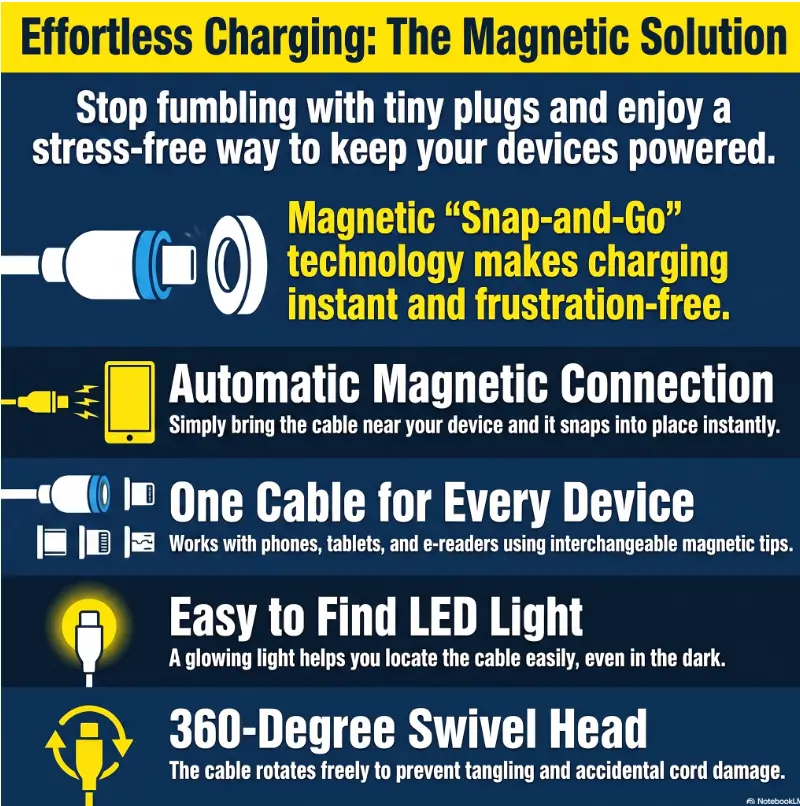
Most magnetic charging cables have two parts. A small tip stays in the device’s charging port, and the cable end snaps onto that tip with magnets. Instead of aiming a plug into a tiny port each night, the user brings the cable near the tip and lets the magnets guide the connection.
That sounds beautifully simple. For many people, it is. But the small tip, magnetic connection, cable rating, and charger brick all matter. A weak or poorly made version may charge slowly, fall off easily, or create more confusion than it solves.
Official safety resources worth checking
Before choosing any charging accessory for an older adult, it helps to understand two broad safety ideas. Damaged cords can become a fire hazard, and power ratings on USB-C cables are not decorative confetti. They help buyers match the cable to the job.
The better question is not “Is it safe?”
The better question is: “Is this cable safe enough for this person, this device, this charger, and this nightly routine?”
A cable used on a phone at a tidy bedside table is one situation. A cable used for a high-power laptop under a blanket, with a loose tip and an unknown charger brick, is a very different little electrical opera.
Why Standard Cables Get Harder With Aging Eyes
Charging a phone looks like a small task from the outside. From the inside of an aging evening routine, it can become surprisingly tiring. Vision is lower in dim rooms. Hands may be stiff. The phone case may hide the port edge. The cable end may be dark, glossy, or nearly the same color as the table.
That is why magnetic charging cables attract attention from seniors and caregivers. They do not solve every technology problem, but they target one very specific friction point: lining up a small connector when the body is ready for sleep.
Tiny ports, dim rooms, and the nightly guessing game
Phone ports are small by design. They look tidy, modern, and pocket-friendly. They are not designed like a large-print book or a high-contrast kitchen timer.
For a senior with presbyopia, cataracts, macular degeneration, diabetic eye changes, glaucoma field loss, or general low vision, the port may blur into the phone case. Even with reading glasses nearby, the user may not want to turn on a bright lamp at 11:40 p.m. just to plug in a phone.
If this sounds familiar, your next helpful read may be how to set up a senior-friendly bedside tray, because cable placement is often part of a bigger nightstand system.
The “almost plugged in” problem
The most annoying charging failure is not the obvious one. It is not when the cable is across the room. It is when the phone looked connected, made no clear warning, and then woke up at 12% battery.
For seniors who rely on phones for appointment reminders, rides, medical messages, emergency contacts, or family calls, an empty battery is not just inconvenient. It can make the next day feel less secure.
Vision is not the only issue: grip matters too
Many older adults deal with arthritis, tremor, neuropathy, reduced fingertip sensation, or hand weakness. Standard cables require a small aim-and-push motion. That motion is easy until it is not.
A magnetic cable changes the task from “insert this tiny plug exactly” to “bring this cable close enough.” That is a meaningful difference when the hand is tired and the room has gone soft around the edges.
Quick self-check
- Does the person often miss the port the first time?
- Does the phone sometimes fail to charge overnight?
- Does plugging in require turning on a bright lamp?
- Does the cable fall behind the nightstand?
- Does the person avoid charging until the battery is very low?
If two or more are true, a magnetic cable may be worth testing before buying a large set.

Where Magnetic Charging Cables Help Most
The best use case is not glamorous. It is boring in the best possible way: one device, one location, one clear charging habit. Magnetic cables shine when they reduce repeated daily frustration without asking the senior to learn an entirely new technology routine.
One-handed charging can be the quiet win
Some seniors hold a phone in one hand while using the other hand for the cable. Others keep one hand on a walker, cane, blanket, or armrest. A magnetic tip can make charging possible with less pinching, twisting, and aiming.
The improvement is not dramatic in a commercial-ad kind of way. It is more domestic and more important: fewer tiny defeats at the end of the day.
Nightstand charging without waking the whole room
A good magnetic charging setup can reduce the need to turn on overhead lights. The cable end can be clipped to the nightstand edge, contrasted against the table color, and placed where the hand naturally reaches.
Pair this with a soft night light and a consistent bedside layout. For more on safer nighttime rooms, see bedroom safety tips for seniors with poor vision.
Less port strain from repeated plugging
Every standard plug-in requires pressure on the device port. A careful user may never damage anything. But when someone has reduced vision or shaky hands, the connector may scrape, tilt, or get forced in at a poor angle.
Because magnetic cable tips can stay in the port, the nightly motion becomes gentler. That may reduce wear from repeated plug-in attempts. It does not make the port immortal, but it can reduce rough handling.
Caregivers can standardize the routine
For adult children or caregivers, the appeal is often consistency. One charging spot. One visible cable. One routine that does not require a lecture, a label printer, and a family meeting with snacks.
Caregivers should still keep the setup simple. Avoid placing five magnetic cables around the home at first. Start with the one spot where charging failures cause the most trouble, usually the bedroom or favorite chair.
The senior-friendly magnetic cable framework
1. Match
Confirm Lightning, USB-C, or another connector.
2. Rate
Check wattage and charger compatibility.
3. Place
Use contrast and a cable clip on the nightstand.
4. Test
Try it while awake before relying on it overnight.
5. Replace
Stop using it if hot, loose, frayed, or unreliable.
The Hidden Tradeoffs: Easy Does Not Always Mean Better
Magnetic cables solve one problem by introducing a few smaller ones. That does not make them bad. It means the buyer needs to know what kind of inconvenience they are trading for what kind of convenience.
The magnetic connection can detach too easily
A magnetic cable is meant to release more easily than a standard plug. That is part of the charm. It can prevent a phone from being yanked off the nightstand when someone trips on the cord.
But easy release also means accidental disconnects. A blanket, cat, walker, sleeve, or restless hand can knock the cable loose. If the senior depends on the phone for emergency calls, repeated overnight disconnects are not a minor nuisance.
The tiny magnetic tips are easy to lose
The detachable tip is the magic bean and the troublemaker. It is small, often dark, and easy to drop into carpet, bedding, chair cushions, or the mysterious floor region where pen caps go to retire.
For a senior who often misplaces small objects, magnetic cables may create a fresh problem. Caregivers can reduce this risk by choosing one cable system and keeping spare tips in a labeled container, not scattered through drawers.
Some magnetic cables charge slower than expected
Charging speed depends on the cable, device, power adapter, connector design, and supported charging standard. A magnetic cable advertised as “fast charging” may not deliver the speed a buyer expects, especially with tablets or newer phones.
For seniors charging overnight, slower speed may be acceptable. For users who need a quick recharge before leaving the house, it can be frustrating.
Magnetic does not automatically mean MagSafe
This is one of the most expensive little misunderstandings. A magnetic cable with a small tip is not the same thing as Apple MagSafe wireless charging. The word “magnetic” gets sprinkled across many listings, but the technology and compatibility can be very different.
For iPhone users, confirm whether the phone uses Lightning, USB-C, or MagSafe-style wireless charging. Do not assume one magnetic accessory replaces another.
Key takeaway
Magnetic cables are best judged by reliability, not novelty. A cable that connects easily but disconnects twice a night is not senior-friendly; it is just a tiny bedtime cliffhanger.
Who Should Use Magnetic Charging Cables, and Who Should Skip Them
The right answer depends less on age and more on routine. Some seniors thrive with a magnetic cable because it removes a nightly obstacle. Others find the tips annoying, the connection too delicate, or the system too easy to mix up.
Best for seniors who charge mainly in one place
Magnetic charging cables are usually strongest as a fixed-location solution. A bedside table, reading chair, or desk is ideal. The cable can be clipped in place, tested, and made visible with contrast.
They are especially useful for seniors who have mild to moderate vision trouble, reduced grip strength, or repeated frustration with lining up standard cables.
Good for caregivers building a low-friction routine
A caregiver may not be trying to buy a gadget. They may be trying to prevent missed calls, reduce repeated questions, or make the phone easier to manage at night. A magnetic cable can be part of that system.
It works best when combined with larger phone text, a clear charging spot, and a simple rule: “Phone goes here every night.” For the phone side of the routine, best phone font size for seniors can help make the screen easier to use once the device is charged.
Not ideal for people who lose small parts easily
If the senior frequently misplaces hearing aid batteries, pill organizers, keys, or remote controls, the small magnetic tips may become another vanishing object. This is not a character flaw. It is a design mismatch.
In that case, a standard cable with a large-grip adapter, cable holder, bright label, or charging dock may be simpler.
Not ideal for high-power laptops unless clearly rated
Phones and small tablets are one category. Laptops are another. High-power devices need cables and adapters that are clearly rated for the load. A vague magnetic cable listing should not be trusted with an expensive laptop just because the photo looks tidy.
When in doubt, use the charger and cable recommended by the device maker, especially for laptops and high-power tablets.
| Reader situation | Magnetic cable fit | Why it matters |
|---|---|---|
| Senior charges one phone at the same nightstand every night | Strong fit | Easy to standardize, clip, and test |
| Caregiver wants fewer missed overnight charges | Good fit | Can reduce aiming and fumbling |
| Senior often loses tiny objects | Weak fit | Magnetic tips may disappear |
| User needs quick fast charging before errands | Mixed fit | Some magnetic cables may charge too slowly |
| High-power laptop charging | Use caution | Requires clear power rating and device compatibility |
The Buying Checklist: What to Compare Before Paying
The best magnetic charging cable for seniors with poor vision is not necessarily the flashiest, cheapest, longest, or most aggressively photographed. It is the one that matches the device, stays connected, charges reliably, and can be used without squinting or guessing.
Choose known brands over alphabet-soup listings
Many online listings look similar, but the quality can vary sharply. Be cautious with no-name multi-packs that make big promises with little technical detail. A low price is not a bargain if the cable gets hot, disconnects, or fails within a month.
Look for plain information: connector type, supported wattage, charging-only versus data support, cable length, return policy, warranty, and whether replacement tips are available.
Check wattage before trusting fast-charging claims
For USB-C charging, wattage matters. A cable that is fine for a phone may not be suitable for a tablet or laptop. If the listing hides the wattage or uses vague language, treat that as a reason to pause.
Also check the charger brick. A good cable connected to a weak or damaged power adapter will not perform well. The charging chain is only as strong as its least trustworthy part.
Confirm the connector type before ordering
Do not rely on memory here. Check the actual device port. Older iPhones may use Lightning. Newer iPhones may use USB-C. Android phones commonly use USB-C, but older devices may differ. Some tablets need more power than phones.
For seniors with poor vision, label the cable package or storage bag in large print after purchase. The simplest tech setup is the one that does not require decoding tiny print later.
Good / Better / Best setup comparison
| Setup tier | What it includes | Best for | Watch out for |
|---|---|---|---|
| Good | One reputable magnetic cable, correct connector, one bedside spot | Budget-conscious first test | May lack spare tips or cable clip |
| Better | One cable plus spare tips, cable clip, high-contrast placement | Most seniors with poor vision | Keep spare tips labeled and away from pets or children |
| Best | Reliable cable system, correct charger brick, labeled storage, caregiver-tested routine | Caregivers supporting daily independence | Do not overbuy until the senior likes the system |
Buyer checklist
- Correct connector for the device
- Clear wattage or power rating
- Compatible charger brick
- Enough cable length without creating a trip hazard
- Visible cable color or contrast with the table
- Replacement tips available
- Return policy in case the magnet is too weak
- No unusual heat during testing
Short Story: The phone that looked charged
Margaret kept her phone on the right side of her bed, next to a lamp with a brass pull chain. Every night, she pushed the charging cable toward the port until it felt close enough. Most mornings, the battery was fine.
Then one Tuesday, her daughter called before a specialist appointment and the phone was dead. The cable had been resting against the case, not inside the port. From above, in low light, it had looked connected.
They did not buy a drawer full of gadgets. They tested one magnetic cable, clipped it to the nightstand, chose a white cable against a dark tray, and checked it for warmth the first evening.
The lesson was not that magnetic cables are perfect. It was that a charging routine should be visible, repeatable, and boring enough to trust.
The Bedside Setup That Makes Charging Feel Automatic
A magnetic cable is only half the solution. The other half is the environment around it. A dark cable on a dark nightstand can still vanish. A cable that slips behind the bed is still a nightly expedition.
Use contrast so the cable is easy to find
Contrast is a low-cost powerhouse. Use a white or light-colored cable on a dark table. Use a dark cable on a pale tray. Place the phone on a mat or tray that makes both the device and cable end easy to see.
This principle also helps in kitchens, bathrooms, and paperwork areas. For a broader home setup, this home safety checklist for seniors with vision challenges pairs well with a nightstand charging routine.
Add a cable clip so the end stays visible
A cable clip, cord holder, or simple adhesive cable guide can keep the charging end from sliding behind furniture. This may matter more than the cable brand. A very nice cable that lives under the bed is not helpful. It is furniture archaeology.
Place the cable end where the senior’s hand naturally lands. Do not place it where it requires stretching, bending, or reaching across water, medication bottles, tissues, or eyeglasses.
Use the one-spot rule
Multiple charging spots sound convenient, but they can scatter the routine. For seniors with memory changes, vision loss, or nighttime confusion, one reliable charging location is often better than five possibilities.
Start with the bedroom. Once the routine is working, consider whether a second cable near a favorite chair makes sense.
A simple nightstand plan
| Nightstand item | Senior-friendly choice | Reason |
|---|---|---|
| Charging cable | High-contrast color, clipped in place | Easier to locate by sight and touch |
| Phone position | Same tray every night | Reduces searching and missed charging |
| Lighting | Soft, non-glare night light | Helps without harsh brightness |
| Spare tips | Labeled small container | Prevents tiny parts from disappearing |
| Power adapter | Known, undamaged charger brick | Reduces mystery charging problems |
Key takeaway
The safest magnetic cable setup is not just a cable. It is a visible place, a clipped cord, a known charger, and a routine the senior can repeat when tired.
Compatibility: Phones, Tablets, Hearing Aids, and Medical Devices
Compatibility is where many buyers make expensive little mistakes. A magnetic charging cable may fit one device but not another. It may charge but not transfer data. It may work through one phone case but not through a thicker case.
iPhone users: Lightning, USB-C, and MagSafe are different worlds
Some iPhones use Lightning ports. Newer models may use USB-C. MagSafe is a separate magnetic wireless charging system on compatible iPhones. A small magnetic-tip cable is not the same as a MagSafe charger.
Before ordering, check the exact iPhone model and port. If the senior uses a thick wallet case or rugged case, confirm whether the magnetic tip can remain seated properly.
Android users: USB-C still needs checking
Many Android phones use USB-C, but that does not mean every USB-C magnetic cable supports every charging speed or feature. Some are charge-only. Some support data transfer. Some do not work well with certain cases.
For most seniors, charge-only may be fine. But if the user connects the phone to a computer, car, or assistive device, data support may matter.
Tablets may need more power than phones
A tablet used for video calls, reading, or telehealth appointments may have a larger battery and higher power needs. If the magnetic cable charges a phone nicely but barely moves a tablet battery, the cable may not be wrong; it may simply be underpowered for that job.
Check the tablet maker’s charging recommendations and compare them with the cable and adapter rating.
Assistive or medical devices deserve extra caution
Hearing aids, wearable health devices, glucose monitors, medical alert devices, and other assistive tools may have specific charging instructions. Do not improvise with a magnetic cable unless the device maker supports that charging method.
If the device is tied to safety, health monitoring, or emergency communication, reliability comes before convenience. Use the official charger when unsure.
Show me the nerdy details
Why one cable can behave differently across devices
Charging is a conversation between the device, cable, and power adapter. The device asks for power, the adapter offers what it can provide, and the cable must safely support the connection. If any part is weak, vague, damaged, or incompatible, charging may slow down or stop.
Magnetic connectors add another contact point. That contact point must stay clean, aligned, and firmly attached. Dust, pocket lint, a loose tip, a thick case, or a weak magnet can interrupt charging.
This is why the practical test matters more than the promise on the listing. A senior-friendly cable should work in the actual room, with the actual phone case, charger brick, hand strength, lighting, and bedtime routine.
When to Replace a Magnetic Charging Cable
Do not wait for a cable to fail dramatically. Most warning signs are quieter: heat, flickering charge status, a loose tip, an odd smell, or charging that starts and stops like a nervous metronome.
The cable feels hot during normal charging
Slight warmth can happen with charging, but hot is different. If the cable, magnetic tip, charger brick, or phone port feels unusually hot, unplug it and stop using that setup.
Do not cover charging cables with blankets, pillows, papers, or soft bedding. Heat needs a way to escape.
The tip wiggles, sparks, smells odd, or looks damaged
A magnetic tip should sit firmly and cleanly. If it wiggles inside the port, produces sparks, smells burnt, or shows corrosion or bent contacts, stop using it.
For seniors with poor vision, caregivers should inspect the cable occasionally under good lighting. Tiny damage can be easy to miss at night.
Charging starts and stops repeatedly
If the phone keeps making charging sounds, flashing the battery icon, or waking the screen as it connects and disconnects, the cable may be unstable. This can leave the device undercharged by morning.
Try the original charger and cable to see whether the issue is the magnetic cable, charger brick, device port, or phone case. If the problem continues with multiple safe chargers, a device repair check may be needed.
Replace it now if you notice:
- Hot cable, tip, phone port, or charger brick
- Burning smell, discoloration, corrosion, or sparks
- Frayed coating, exposed wire, or cracked housing
- Loose magnetic tip that no longer sits securely
- Repeated overnight charging failure
- Moisture or accessory warnings on the phone

FAQ
Are magnetic charging cables safe for seniors?
They can be safe when they are well-made, correctly rated, matched to the device, and used with an undamaged charger brick. Avoid cheap mystery cables, damaged cords, overheating, loose tips, and unclear wattage claims.
Do magnetic charging cables damage phone batteries?
A suitable cable should not damage a phone battery simply because it is magnetic. Battery problems are more likely when the cable, charger, or device is incompatible, damaged, overheating, or unreliable. Use the device maker’s recommended charging accessories when unsure.
Can magnetic charging cables charge an iPhone?
Some can, but you must match the connector. Older iPhones may need Lightning tips, while newer models may use USB-C. MagSafe-style wireless charging is different from a magnetic-tip cable.
Are magnetic charging cables the same as MagSafe?
No. A magnetic-tip cable usually plugs a small tip into the charging port. MagSafe is a magnetic wireless charging system for compatible iPhones. The words sound related, but the accessories are not interchangeable.
Do magnetic cables work with phone cases?
Sometimes. Thick, rugged, or wallet-style cases may block the tip from seating properly. Test the cable with the senior’s actual case before relying on it overnight.
Why does my magnetic charging cable keep disconnecting?
The magnet may be weak, the tip may be loose, the case may interfere, the cable may be pulled at an angle, or the contacts may be dirty. If the issue continues after basic cleaning and repositioning, replace the cable.
Can seniors use magnetic charging cables for tablets?
Yes, if the cable and power adapter are suitable for the tablet’s power needs. Tablets often require stronger charging than phones, so check the rating before buying.
What is the safest magnetic charging cable setup for a nightstand?
Use one reputable cable, the correct connector, a known charger brick, a high-contrast placement, and a cable clip. Test for heat and charging reliability while awake before depending on it overnight.
Optional video: Open the video on YouTube (external site).
The 15-Minute Next Step: Review the Charging Setup While Awake
Do not start with a 12-pack. Start with one cable, one device, and one charging spot. The goal is not to decorate every outlet. The goal is to find out whether this small tool makes one important routine easier.
Choose the device that matters most, usually the phone. Set up the cable in the evening while there is still enough light to inspect it. Clip the cable end where it is easy to find, plug the charger into a safe outlet, and make sure the phone clearly shows that it is charging.
An observed charging review
- Pick one phone or tablet.
- Use one charging location, preferably the nightstand.
- Check that the cable and charger match the device.
- Connect the phone and confirm the charging symbol appears.
- Stop using the setup if there is unusual heat, damage, a burning smell or an accessory warning. Avoid touching components that may be hot.
- While awake, check that charging is stable and follow the device maker’s instructions about charging conditions.
Charging successfully during one trial does not establish electrical safety or medical-device compatibility. Follow the phone, charger and accessory manufacturers’ guidance before deciding whether to keep the setup. If it disconnects, heats up, or creates confusion, return it and try a simpler alternative such as a larger-grip standard cable, charging dock, cable holder, or a clearer bedside organization system.
Magnetic charging cables can be a quiet little upgrade for seniors with poor vision. Not because they are clever, but because they can remove one more sharp edge from the day. The best technology for aging eyes often feels almost invisible: easy to find, easy to repeat, and calm enough to trust when the house has gone dark.
Last reviewed: 2026-08
PUT THIS GUIDE TO WORK · INTERACTIVE WORKSHEET
Charging-accessory comparison checklist
Use this worksheet alongside the article: Magnetic Charging Cable Pros and Cons for Seniors with Poor Vision. Use the fields provided to organize your notes and next actions, then save your worksheet.
Your entries stay in this page and are cleared when you reload. No account is needed. Saved files are downloaded only to your device.
How to use your result
Save the worksheet before leaving this page. Recheck any quote, date, or instruction with the relevant provider, pharmacist, manufacturer, or official organization. A completed checklist means you recorded the steps, not that an outcome is guaranteed.
Worksheet added October 20, 2026. Read the article above for context and its stated review scope.